Google AppSheet for IT Admins: Building No-Code Business Apps on Google Workspace
-
 Mohit
Mohit - 11 Aug, 2026
- Updated 27 Oct, 2026

Most organizations run on workarounds: a Google Form feeding a Sheet that someone manually reviews and emails about. Google AppSheet (with AppSheet Core included in many Google Workspace editions) replaces those workarounds with real web and mobile apps, built without writing code.
For IT admins, AppSheet is both a productivity tool and a governance responsibility: you can build internal tools for IT workflows quickly, and let business teams build their own within guardrails, which reduces shadow IT and the backlog of “can IT build me an app for this?”
What AppSheet Is (and Isn’t)
AppSheet is a no-code application platform that turns data (Google Sheets, Excel files, Cloud SQL and other databases, Salesforce, and more) into mobile and web apps with forms, views, workflows, and automation.
AppSheet excels at:
- Data collection (forms, inspections, surveys)
- Inventory and asset tracking
- Approval workflows
- Field service (technician checklists, site visits with photos and GPS)
- Internal directories and lookup tools
AppSheet is not:
- A replacement for complex enterprise systems (ERP, HRIS)
- A tool for pixel-perfect customer-facing websites
- Unlimited at no cost: advanced governance and some connectors need paid AppSheet subscriptions
AppSheet Licensing with Google Workspace
| Subscription | Who gets it | Highlights |
|---|---|---|
| AppSheet Core | Included with Business Starter, Standard, Plus (and Business Base, India only); Enterprise Starter, Standard, Plus; Frontline Starter, Standard, Plus; Nonprofits; Education Standard and Plus; Enterprise Essentials Plus (domain-verified) | Build and use apps with Workspace data sources, automation, basic admin controls |
| AppSheet Enterprise Plus | Separate paid subscription | Advanced data sources, team management, monitoring, and governance policies |
Only users with an AppSheet license assigned can share apps they build. Check your edition and AppSheet’s current plan comparison before committing to a design that depends on premium connectors.
Building Your First AppSheet App
From a Google Sheet (fastest path)
- Open the Google Sheet with your data (one table per tab, headers in the first row)
- Choose Extensions → AppSheet → Create an app
- AppSheet reads the columns and creates a starting app
- The app opens in the AppSheet editor with a live preview
Within minutes, you have a working app with list, detail, and form views based on your columns.
Preparing your data
AppSheet apps are only as good as the data structure behind them:
- One header row, one record per row, no merged cells
- A unique key column (an ID) for each table
- Separate tabs for separate entities (Assets, Locations, Check-outs) linked by reference columns
- Consistent data types in each column
The AppSheet editor
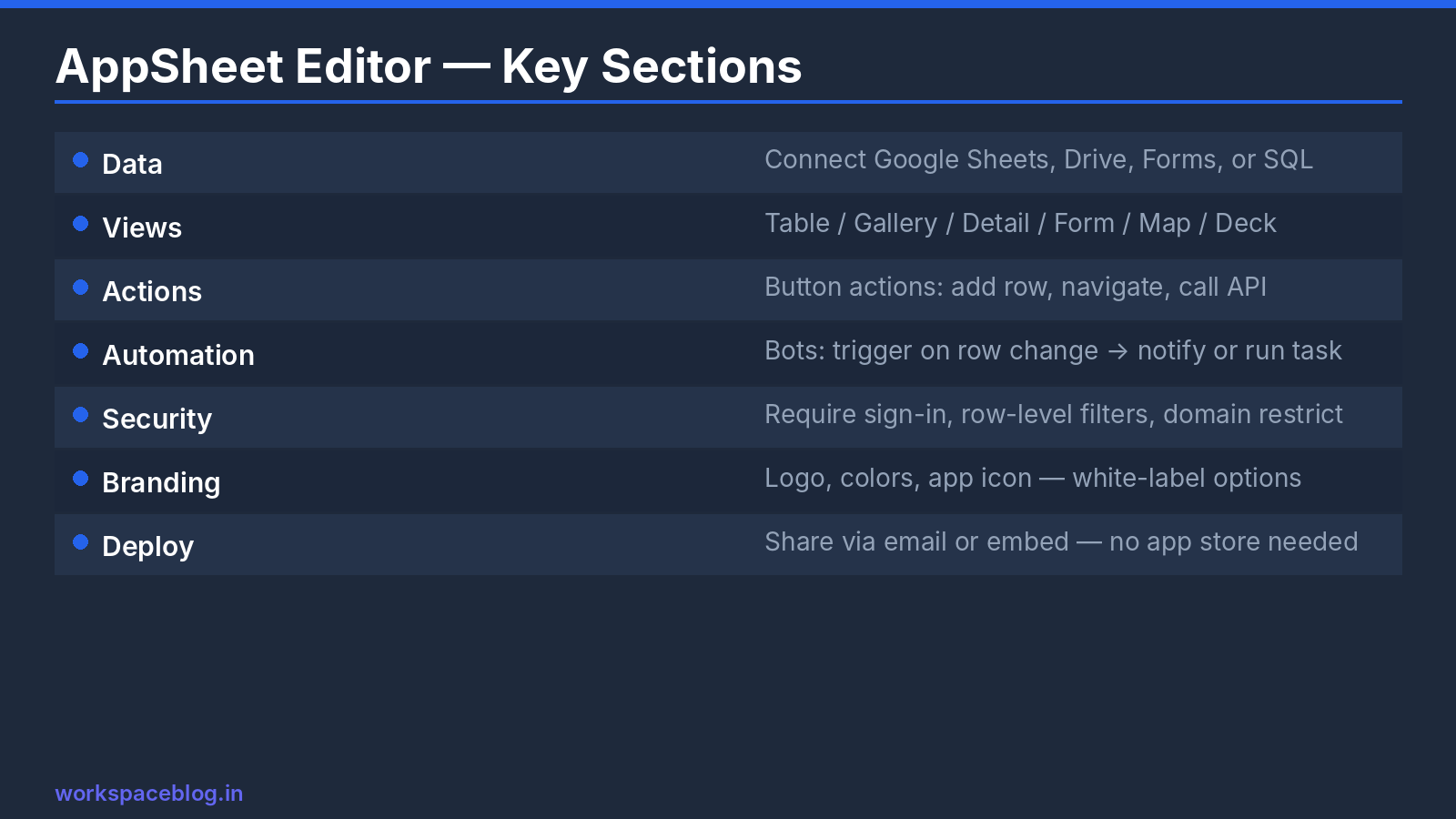
Data: tables, columns, data types (text, number, date, image, GPS, reference), and formulas.
Views: the screens users see: list, table, detail, form, deck (cards), gallery, map, calendar, chart, and dashboard views.
Actions: buttons and behaviors: change a status, open a form, navigate, call a phone number, or run an automation.
Automation: bots that respond to events: “When a request is submitted, email the manager”, or “Every Monday, send a report of overdue items”.
Security: require sign-in, filter which rows each user sees (security filters), and control who can add, edit, or delete.
Using Gemini to start an app
Gemini in AppSheet lets creators describe an app in plain language, for example, “an app for the facilities team to submit maintenance requests with location, issue type, a photo, and urgency”, and generates a starting data structure and app to refine. Admins can manage access to Gemini in AppSheet from the Admin console. Always review generated tables and security settings before sharing the app.
IT Admin Use Cases for AppSheet
IT asset inventory
Data: Asset ID, Type, Serial Number, Assigned To, Location, Status, Purchase Date, Warranty Expiry
Features:
- Filterable list by status and location
- Barcode or QR scan to look up an asset by its label
- Form to check assets in and out, with a photo
- Automation that emails IT 30 days before warranty expiry
Typical build time: a few hours.
IT helpdesk request app
Data: Ticket ID, Reporter, Department, Category, Description, Priority, Assigned To, Status, Resolution notes
Features:
- Employees submit requests from phone or browser
- IT sees a queue with color-coded priority
- Automated email updates on status change
- Dashboard of open requests by category and age
Typical build time: half a day to a day.
Employee onboarding checklist
Data: Tasks per role, owners (IT, HR, manager), due dates
Features:
- New-hire record generates the checklist for their role
- Each owner sees and completes their tasks
- Automation sends HR a summary when everything is done
Typical build time: a few hours.
Site inspection app
Data: Sites, inspection templates, findings
Features:
- Works offline in buildings with poor coverage
- Photo and signature capture
- Automatic PDF report emailed to the site manager
Deploying AppSheet Apps
Share with users
- In the AppSheet editor, open Share
- Add users by email or Google Group
- Users open the app in a browser or in the AppSheet mobile app
Share with groups rather than individuals, so access follows team membership.
Before going live
- Set security filters so users only see their own or their team’s rows
- Test with a non-admin account
- Check that the underlying Sheet is shared only with the people and service that need it: users with edit access to the Sheet can bypass the app’s rules
- Document who owns the app and its data
Governing AppSheet as an Admin
Turn AppSheet on or off for organizational units in the Admin console, so you can start with a pilot group.
Apply AppSheet Core security settings to control how Core apps can be shared, and use AppSheet’s admin views to see users, apps, and license assignments.
With AppSheet Enterprise Plus, the AppSheet Admin Console adds team management, monitoring, and governance policies for app creation and use.
Set simple rules for citizen developers:
- Apps that handle personal or financial data need IT review before sharing
- Data must live in shared drives, not personal My Drive files
- Every app has a named business owner and a backup owner
- Unused apps are archived after six months
AppSheet vs. Google Forms + Sheets
| Feature | Google Forms + Sheets | AppSheet |
|---|---|---|
| Mobile data collection | Yes | Yes |
| Conditional logic | Basic (sections) | Advanced |
| Multiple related tables | No | Yes |
| Look up existing records | No | Yes |
| Photo capture | File upload | Built-in camera, annotations |
| Barcode / QR scanning | No | Yes |
| Approval workflows | Manual or Apps Script | Built-in automation |
| Offline use | No | Yes |
| Row-level access control | No | Yes (security filters) |
For anything beyond simple data collection, AppSheet is usually the better tool.
If what you need is a more capable form rather than an app, for example collecting payments, adding e-signatures, or using detailed conditional logic, a form builder such as Jotform can send responses straight to Google Sheets and uploaded files to Drive.
Conclusion
Google AppSheet lets IT build a working mobile app in hours instead of months. For teams with a backlog of internal tool requests, it changes the equation: business teams can build a first version themselves, and IT sets the guardrails and refines what matters.
Check which AppSheet subscription your edition includes, pilot with a small group, put governance rules in place, and replace your most painful spreadsheet workaround first. AppSheet Core comes with many Google Workspace Business and Enterprise editions at no additional cost.
Official Google documentation:
Related reading:
- Google Workspace Marketplace: Best Apps: when to buy an app instead of building one.
- Google Workspace Business Plans Comparison: AppSheet Core is included with several Workspace plans.
- Gemini for Google Workspace: Complete Guide: how AI capabilities extend into Workspace tools.
This guide contains referral or affiliate links. If you sign up through one, Workspace Blog may earn a commission at no extra cost to you. Learn more.
Frequently Asked Questions
- Which Google Workspace editions include AppSheet Core?
- AppSheet Core licenses are included for Business Starter, Standard, and Plus (and Business Base, available only in India); Enterprise Starter, Standard, and Plus; Frontline Starter, Standard, and Plus; Nonprofits; Education Standard and Plus; and Enterprise Essentials Plus, for domain-verified organizations. AppSheet Enterprise Plus is a separate paid subscription with advanced governance.
- How do I create an AppSheet app from a Google Sheet?
- Open the sheet, choose Extensions > AppSheet > Create an app, and AppSheet builds a starting app from your columns with list, detail, and form views. You then refine data types, views, actions, automations, and security in the AppSheet editor.
- Who can share AppSheet apps in my organization?
- Only users with an AppSheet license assigned can share AppSheet apps. Admins can turn AppSheet on or off for users and apply security settings from the Google Admin console; AppSheet Enterprise Plus adds team management, monitoring, and governance controls in the AppSheet Admin Console.
- Can AppSheet apps work offline?
- Yes. AppSheet mobile apps can capture data offline and sync changes when the device reconnects, which is why they're popular for field inspections and inventory work in areas with poor coverage.
- Is AppSheet a replacement for custom software?
- Not for everything. AppSheet is ideal for data collection, approvals, inventories, inspections, and internal lookup tools built on Sheets or databases. Complex transactional systems, heavy integrations, or pixel-perfect customer-facing apps are better built with traditional development.