Google Cloud Free Tier and Free Trial: What Is Actually Free
Google Cloud's $300 free trial and free tier explained: eligibility, trial limits, what happens at 90 days, monthly free limits, and how to avoid charges.

Checked against Google's official documentation.

“Is Google Cloud free?” is one of the most searched questions about the platform, and the honest answer is “partly.” There are two separate offers, a time-limited free trial and a permanent free tier, and they work very differently. Mixing them up is how people end up paying for something they thought was free, or deleting a project they thought would keep running.
This guide uses Google’s current free features documentation to explain both, list the limits that matter to a small team or an admin running a lab, and show how to stay inside them.
If you are testing Google Cloud alongside Google Workspace, keep in mind that Workspace has its own separate 14-day trial in the Admin console.
Key Takeaways
- The free trial is $300 of credit valid for 90 days, for new customers only.
- You are not charged after the trial unless you upgrade to a paid account.
- If you do not upgrade, resources stop, and you have a 30-day grace period before deletion.
- The free tier never expires, but many limits apply only in three US regions.
- Free tier limits are per billing account and do not roll over between months.
Table of contents
Open Table of contents
- Google Cloud Free Trial Versus Free Tier
- Who Can Use the Free Trial
- What the Free Trial Does Not Cover
- What Happens When the Trial Ends
- The Free Tier Limits That Matter
- Using the Free Tier for a Lab
- How to Avoid Unexpected Charges
- Other Time-Limited Trials
- Signing Up, Step by Step
- Checking Free Tier Usage
- Questions People Ask After the Trial
- A Free Lab Plan for Workspace Admins
- Conclusion
Google Cloud Free Trial Versus Free Tier
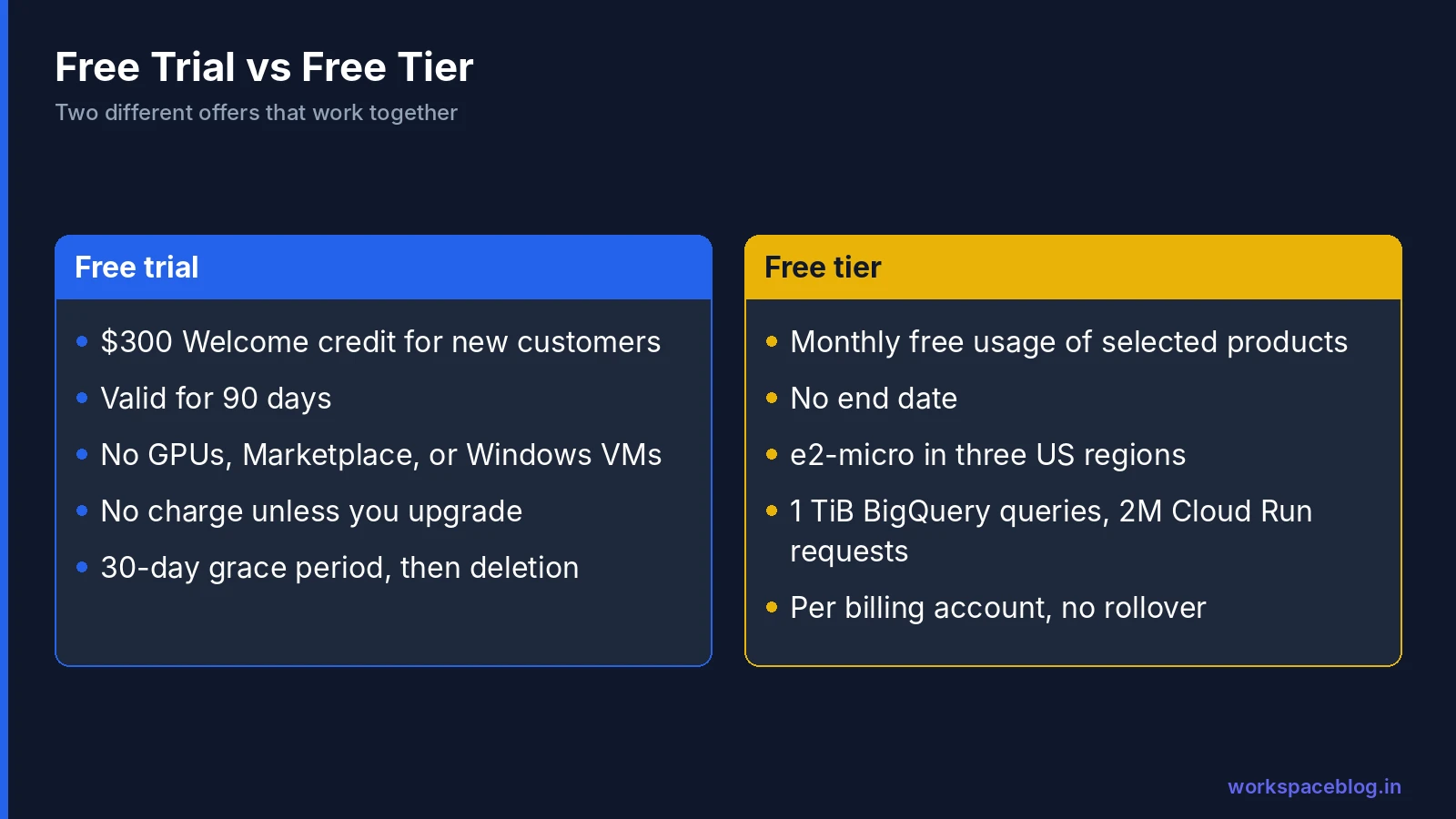
| Free trial | Free tier | |
|---|---|---|
| What you get | $300 Welcome credit | Monthly free usage of selected products |
| How long | 90 days | No end date (Google can change it with notice) |
| Who | New customers only | Any eligible billing account |
| Applies to | Most paid products, with restrictions | Only listed products, within limits |
| After it ends | Billing disabled unless you upgrade | Normal pricing above the limits |
The two work together. During the trial, free tier usage is not charged against your $300. After you upgrade, the free tier keeps applying every month.
Who Can Use the Free Trial
Google’s documentation sets two conditions. You must never have been a paying customer of Google Cloud, Google Maps Platform, or Firebase, and you must not have used the free trial before.
You need a valid payment method to sign up. Google places a small temporary authorisation, between $0 and $1, to verify it. It is not a charge.
For a company, it usually makes sense for one admin to create the trial under the company’s billing details rather than letting individual developers sign up with personal cards. Our billing guide explains how to structure billing accounts.
If you run Google Workspace, you can also decide who may use Google Cloud at all. In the Admin console, Apps > Additional Google services > Google Cloud Platform turns the service on or off for organizational units or groups; when it is off, users can’t create new projects or use Cloud Shell with their company account. Turning it off for everyone outside the teams that need it stops scattered personal trials under your domain. Our Google Cloud for Workspace admins guide covers this setting.
What the Free Trial Does Not Cover
The credit cannot be spent on everything. Google lists these restrictions on Free Trial billing accounts:
- No GPUs attached to VMs.
- No Google Cloud Marketplace products.
- No quota increase requests.
- No Windows Server VMs.
- No VMware Engine.
- The credit can’t pay for Gemini API costs in AI Studio or for generative AI partner models offered as a managed API.
- No cryptocurrency mining.
If you need any of these for a proof of concept, you will have to upgrade early. Upgrading does not cancel your remaining credit, which still applies within the original 90 days.
What Happens When the Trial Ends
The trial ends when the 90 days pass or you use the credit, whichever comes first. What happens next depends on whether you upgraded.
If you upgraded to a paid account, resources keep running, and you are billed for usage beyond the free tier.
If you did not upgrade, billing is disabled and your resources are stopped. You then get a 30-day grace period. Upgrading during that window may let you recover resources and data. After 30 days, they are permanently deleted.
That last point is the one people miss. If you built something valuable during the trial, upgrade or export it before the grace period ends.
How to upgrade
Upgrading is three clicks: open the Welcome page of the Google Cloud console, click Activate in the toolbar, and confirm with Activate in the dialog. If you don’t see the button, check that the billing account really is a Free Trial account and that you are its Billing Account Administrator. You keep any unused credit until 90 days after signup, and the free tier carries on as before.
The Free Tier Limits That Matter
The free tier covers more than 20 products. These are the ones most useful for small workloads, based on Google’s documentation:
| Product | Free each month |
|---|---|
| Compute Engine | One non-preemptible e2-micro VM in us-west1, us-central1, or us-east1; 30 GB-months of standard persistent disk; 1 GB outbound data from North America |
| Cloud Storage | 5 GB-months of regional storage in US regions, 5,000 Class A and 50,000 Class B operations, 100 GB outbound data from North America |
| BigQuery | 1 TiB of queries and 10 GiB of storage |
| Cloud Run | 2 million requests, 180,000 vCPU-seconds, 360,000 GB-seconds of memory |
| Cloud Run functions | 2 million invocations |
| Firestore | 1 GiB of storage per project, plus 50,000 reads, 20,000 writes, and 20,000 deletes per day |
| Pub/Sub | 10 GiB of messages |
| Cloud Build | 2,500 build-minutes per month (e2-standard-2) |
| Secret Manager | 6 secret versions |
| Artifact Registry | 0.5 GB of storage |
A few details are worth knowing:
- The e2-micro allowance is measured in hours. One VM running all month uses it up; two VMs use it up in half a month.
- The Cloud Storage and Compute limits apply only to the listed US regions. A VM in an Indian region is charged normally.
- Limits are per billing account, not per project, so ten projects share one allowance. Firestore is an exception: its free quota is per project.
- Unused free usage does not carry over to the next month.
Using the Free Tier for a Lab
The free tier is ideal for an admin learning Google Cloud or running small internal tools. A realistic free setup is:
- A Cloud Run service for a small internal web tool, which scales to zero when nobody uses it.
- A BigQuery dataset for analysing exported reports, as long as queries stay under 1 TiB a month.
- A Cloud Storage bucket in
us-central1for a few gigabytes of files. - An e2-micro VM in
us-central1for a small always-on utility.
Combine it with the budget alerts from our billing guide. Even a ₹100 budget on a lab project tells you the moment something leaves the free tier.
How to Avoid Unexpected Charges
- Set a budget with a forecast alert on every billing account, including trial accounts after upgrade.
- Pick free tier regions for anything you expect to be free.
- Check disk and IP charges. A stopped VM still pays for its disk and any reserved static IP address.
- Watch egress. Data leaving Google Cloud beyond the free amounts is charged.
- Delete what you do not need. Projects you shut down enter a 30-day pending deletion period and stop billing.
Other Time-Limited Trials
Google also runs product-specific trials that are separate from the $300 credit, such as 30-day trial instances for Cloud SQL, AlloyDB, and Looker, a 90-day Spanner trial instance, and a 30-day Gemini Enterprise Standard or Plus trial. Check the product page before you start one, because their terms differ.
Signing Up, Step by Step
- Sign in to the Google Cloud console with your company account, not a personal Gmail address, so the project lands in your organization.
- Choose Start free or Activate at the top of the console.
- Select your country and account type, and accept the terms.
- Enter the payment method details. Google places a small temporary authorisation to verify it.
- Once the trial billing account is created, link your first project to it.
- Immediately create a budget with an alert at a low amount, such as 25% of the credit.
For a company, consider asking your finance team which card or account should be used, because the same billing account continues after you upgrade.
Checking Free Tier Usage
You can see how much free usage you have consumed in Billing > Reports. Filter by service and look at the credits column: free tier usage appears as a credit that offsets the cost. If the cost line is non-zero after credits, you have gone beyond the free tier for that SKU.
For Compute Engine, remember that the e2-micro allowance only applies in the three US regions, and the persistent disk allowance is for standard disks. A balanced or SSD disk is charged normally even on a free e2-micro VM.
Questions People Ask After the Trial
“My trial ended and my VM stopped. Is my data gone?” Not yet. You have 30 days to upgrade and recover resources before they are permanently deleted.
“Can I start another free trial with a different email?” Google’s eligibility rules are designed to allow one trial per customer, and trying to get around them can lead to account suspension.
“Will the free tier cover a small production website?” Sometimes, if it runs on Cloud Run with low traffic and no database. Once you add Cloud SQL, you are outside the free tier.
A Free Lab Plan for Workspace Admins
If you want to learn Google Cloud with the trial credit, this four-week plan covers the most useful skills without spending real money, provided you keep a budget alert on:
| Week | Lab | Products |
|---|---|---|
| 1 | Create folders and projects, grant roles to Workspace groups | Resource Manager, IAM |
| 2 | Export Workspace usage reports and query them | BigQuery |
| 3 | Deploy a small internal web tool and protect it with sign-in | Cloud Run, IAP |
| 4 | Store files with lifecycle rules and review the bill | Cloud Storage, Billing |
Delete or shut down the lab projects at the end. The habits you build, especially budgets and group-based access, carry straight over to production.
Conclusion
The free trial is a 90-day sandbox with $300 to spend; the free tier is a small permanent allowance that keeps running after you upgrade. Use the trial to prove an idea, upgrade before the grace period if it works, and use the free tier with budgets for labs and small tools.
For companies already on Google Workspace, sign up with a company account so the trial project lands in your organization rather than a personal one. Tomorrow’s guide covers organization policies and the baseline every new organization should set.
Official Google documentation:
- Free Google Cloud features and trial offer
- Google Cloud free program
- Google Cloud free trial FAQs
- Turn Google Cloud on or off for users
Related reading:
- Google Cloud Billing: Budgets and Alerts: set the safety net before you spend.
- Google Cloud for Google Workspace Admins: start in your company organization.
- Google Agent Development Kit Tutorial: a project to try on the free trial.
This guide contains referral or affiliate links. If you sign up through one, Workspace Blog may earn a commission at no extra cost to you. Read our referral and advertising disclosure.
Frequently Asked Questions
- How long does the Google Cloud free trial last?
- Google's free trial documentation says new customers get $300 in Welcome credit that is valid for 90 days. The trial ends when the 90 days pass or the credit is used up, whichever comes first, and it cannot be paused or extended.
- Will I be charged automatically after the Google Cloud free trial?
- No. According to Google, you are not billed unless you upgrade to a paid billing account. If you do not upgrade, billing is disabled and resources are stopped, with a 30-day grace period during which upgrading may let you recover them. After that, they are deleted.
- What is included in the Google Cloud free tier?
- The free tier gives monthly free usage of selected products, such as one e2-micro VM in us-west1, us-central1, or us-east1, 30 GB-months of standard persistent disk, 5 GB-months of regional Cloud Storage in those US regions, 1 TiB of BigQuery queries and 10 GiB of storage, and 2 million Cloud Run requests. Limits are per billing account and can change with notice.
- Can I use GPUs or Windows Server on the free trial?
- No. Google lists several restrictions on Free Trial billing accounts, including no GPUs on VMs, no Windows Server VMs, no Google Cloud Marketplace, no quota increase requests, and no cryptocurrency mining.
- Is the free tier available to Indian customers?
- Yes, the free tier applies to eligible billing accounts regardless of where you are, but several free tier limits only apply to specific US regions. If you deploy in Mumbai or Delhi regions, standard prices apply to those resources.