Organization Policies: Baseline Constraints Every New Google Cloud Organization Should Set
A practical Google Cloud organization policy baseline: the secure-by-default constraints, what to add for regions, networking and storage, and safe rollout.

Checked against Google's official documentation.

IAM decides who can act in Google Cloud. Organization policies decide what anyone, even an Owner, is allowed to configure. A project Owner can create almost anything in their project, but if an organization policy blocks external IP addresses, their VM gets an internal address only. That makes organization policies the most effective guardrail you have.
Many Google Workspace admins meet them the hard way, when a developer’s deployment fails with a constraint error nobody can explain. This guide explains how they work, which ones Google already enforces on new organizations, and a baseline worth adding, with a rollout plan that does not break production.
Key Takeaways
- Organization policies restrict configuration; IAM restricts people.
- New organizations since May 3, 2024 start with a secure-by-default set.
- Older organizations should apply that baseline themselves.
- Add region, network, and storage constraints that match your risk.
- Roll out with dry run and the Policy Simulator, folder by folder.
Table of contents
Open Table of contents
- How Google Cloud Organization Policies Work
- The Secure-by-Default Baseline
- Domain Restricted Sharing in Detail
- Constraints Worth Adding
- Rolling Out Without Breaking Things
- Handling Exceptions
- Reading the Organization Policies Page
- Troubleshooting Constraint Errors
- Custom Constraints
- A Baseline Summary Table
- Conclusion
How Google Cloud Organization Policies Work
A constraint is a type of restriction, such as constraints/compute.vmExternalIpAccess. A policy sets that constraint on a resource: the organization, a folder, or a project. Policies inherit down the resource hierarchy.
Constraints come in two kinds:
- Boolean constraints are on or off, for example “disable service account key creation.”
- List constraints allow or deny a set of values, for example “allowed resource locations.”
Google also offers managed constraints, whose names include .managed., which support dry run and give clearer error messages, and custom constraints, which you write yourself to check specific fields on supported resources.
Policies are managed under IAM and admin > Organization policies with the Organization Policy Administrator role. That role should be held by a tiny group, because whoever holds it can relax any guardrail.
The Secure-by-Default Baseline
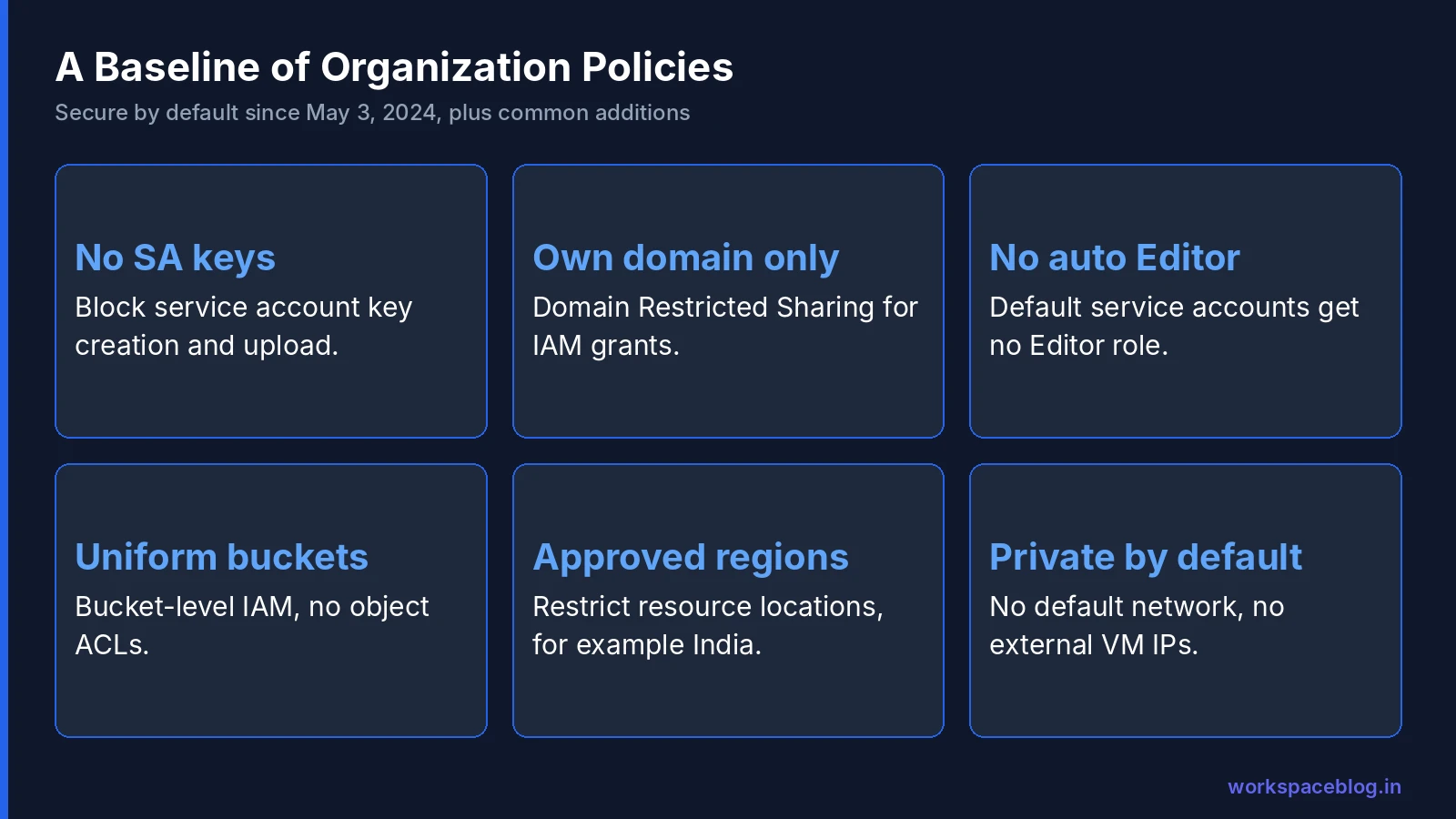
Google’s documentation says organizations created on or after May 3, 2024 have these constraints enforced at creation:
| Constraint | What it does |
|---|---|
iam.managed.disableServiceAccountKeyCreation | Blocks downloadable service account keys |
iam.managed.disableServiceAccountKeyUpload | Blocks uploading external keys to service accounts |
iam.automaticIamGrantsForDefaultServiceAccounts | Stops default service accounts getting Editor |
iam.allowedPolicyMemberDomains | Limits IAM grants to your own customer ID |
essentialcontacts.managed.allowedContactDomains | Limits Essential Contacts to your domains |
compute.managed.restrictProtocolForwardingCreationForTypes | Restricts protocol forwarding to internal IPs |
storage.uniformBucketLevelAccess | Forces bucket-level permissions instead of object ACLs |
Google adds that some organizations created between February and April 2024 may also have these settings. If your organization is older, open the Organization policies page (or run gcloud resource-manager org-policies list --organization=ORGANIZATION_ID) and check each one. In our experience, older organizations almost always have service account keys and Editor grants for default service accounts in use. Find out which projects depend on them before you enforce anything.
Domain Restricted Sharing in Detail
iam.allowedPolicyMemberDomains deserves a closer look, because it is the one that most often surprises Workspace admins. It takes a list of customer IDs, not domain names. Find yours in the Admin console under Account > Account settings.
With it enforced, nobody can grant a Cloud role to a personal Gmail address, an external consultant’s company account, or allUsers. That last part matters: public buckets and public Cloud Run services are blocked too. If you need a public website or a vendor with access, allow an exception on that specific project rather than turning the constraint off.
Some Google services need their own customer IDs allowed. For example, Google’s Workspace BigQuery export documentation asks you to allow customer ID C02h8e9nw when Domain Restricted Sharing is on.
Constraints Worth Adding
Beyond the defaults, these are the constraints we see most organizations adopt. Pick the ones that match your risk and regulators.
Location
gcp.resourceLocations: restrict new resources to approved regions, for example India and a backup region. This matters for data residency and also stops accidental deployments in expensive regions.
Networking
compute.vmExternalIpAccess: deny external IPs on VMs, with exceptions for specific instances.compute.skipDefaultNetworkCreation: stop new projects getting the auto-mode default network with permissive firewall rules.compute.requireOsLogin: use IAM-based SSH access instead of SSH keys in metadata.sql.restrictPublicIp: block public IPs on Cloud SQL instances.
Storage
storage.publicAccessPrevention: stop buckets being made public.
Identity
iam.disableServiceAccountKeyCreation(or its managed version) if not already enforced.
AI models
vertexai.allowedModels: allow or deny actions (predict,deploy,tune) on Model Garden models, with values such aspublishers/google/models/gemini-3.5-flash:predict. If no policy is set or inherited, all models and actions are allowed, so organizations that need legal review of partner models should set one. A policy can hold at most 500 allowed and denied values, and an explicit deny wins over an allow. It covers Model Garden only, not models in Model Registry. Our Model Garden guide shows how to build the list.
For Compute Engine, Google now offers managed constraints with the compute.managed. prefix that replace the legacy compute. constraints and support dry run and Policy Simulator. Where a managed version of a constraint above exists in your console, prefer it.
We cover the networking side in our VPC guide later in this series.
Rolling Out Without Breaking Things
Organization policies apply to new configuration and, for some constraints, block changes to existing resources. A careless rollout can stop deployments across the company. Use this sequence:
- Inventory. List existing resources that would violate the constraint, for example all VMs with external IPs, using Cloud Asset Inventory.
- Simulate. Run the Policy Simulator for the change, or enable dry-run mode on managed constraints and watch the logs for a week.
- Communicate. Tell project owners what will change, when, and how to request an exception.
- Enforce on Sandbox and Non-production first. Fix what breaks.
- Enforce on Production, with documented exceptions on specific projects.
- Monitor. Alert on changes to organization policies in Cloud Audit Logs.
Handling Exceptions
Exceptions are normal. A public website needs public access; a legacy VM needs an external IP for a while. Handle them in a consistent way:
- Grant exceptions at the project level, never the folder or organization.
- Record the reason, owner, and review date in the project’s labels or a tracking sheet.
- Review every exception quarterly and remove the ones that are no longer needed.
Scoping policies with tags
Project-level exceptions work, but they multiply. Tags offer a cleaner route: you add a condition to a policy rule so it applies only to resources with a given tag, for example resource.matchTag('123456789012/environment', 'prod'), or resource.hasTagKey() to match any value of a key. Tags can be attached to the organization, folders and projects, and projects can inherit them, so tagging a folder once covers everything inside it. For list constraints, a conditional rule merges with the existing policy. For boolean constraints, a policy with a condition needs exactly one unconditional rule, and the conditional rule must be its opposite. A condition can have 1 to 10 subexpressions. Only some constraints, such as gcp.resourceLocations and sql.restrictPublicIp, accept tags on individual service resources. Our resource hierarchy guide explains how tags differ from labels.
Reading the Organization Policies Page
The Organization policies page lists every constraint with its current state at the level you are viewing. A few columns matter:
- Status shows whether a policy is set here, inherited, or using Google’s default.
- Policy source tells you where the effective policy comes from, which is the first thing to check when something is blocked.
- Constraint type shows whether it is boolean, list, managed, or custom.
Open a constraint to see its description, the services it affects, and whether it supports dry run. When you set a policy, you can choose to inherit, replace, or merge with the parent, and for list constraints add allowed or denied values.
Troubleshooting Constraint Errors
Developers usually meet organization policies through an error message. Common ones:
“Constraint constraints/compute.vmExternalIpAccess violated.” The VM was created with an external IP in a folder that blocks them. Remove the external IP and use Cloud NAT for outbound traffic and IAP for admin access.
“Key creation is not allowed on this service account.” The key creation constraint is enforced. Use attached service accounts, impersonation, or Workload Identity Federation instead; we cover all three later in this series.
“One or more users named in the policy do not belong to a permitted customer.” Domain Restricted Sharing blocked a grant to an outside identity. Confirm the grant is really needed, then allow the customer ID on that project only.
“Location is not allowed by the policy.” A resource was requested in a region outside the allowed list. Deploy in an approved region or update the list if the business has agreed a new one.
In each case, check the policy source first. The fix is often an exception on one project, not a change at the organization level.
Custom Constraints
When no built-in constraint fits, custom constraints let you write your own rule against fields of supported resource types, using Common Expression Language. Google’s documentation uses this example, which blocks GKE node pools with auto-upgrade turned off:
name: organizations/ORGANIZATION_ID/customConstraints/custom.disableGkeAutoUpgrade
resourceTypes:
- container.googleapis.com/NodePool
methodTypes:
- CREATE
- UPDATE
condition: "resource.management.autoUpgrade == false"
actionType: DENY
displayName: Disable GKE auto upgrade
description: Only allow GKE node pool creation if auto upgrade is enabled.
You create the constraint at the organization level, then set a policy that enforces it on the folders you choose. Custom constraints only work for resource types and fields Google supports, so check the list before designing one. Start with dry run, as with any other constraint.
A Baseline Summary Table
| Area | Constraint | Suggested scope |
|---|---|---|
| Identity | Service account key creation and upload disabled | Organization |
| Identity | Domain Restricted Sharing | Organization, with project exceptions |
| Identity | No automatic Editor for default service accounts | Organization |
| Location | Allowed resource locations | Organization or Production folder |
| Network | No default network | Organization |
| Network | No external IPs on VMs | Production folder |
| Network | OS Login required | Organization |
| Storage | Uniform bucket-level access | Organization |
| Storage | Public access prevention | Organization, with project exceptions |
| Database | No public IPs on Cloud SQL | Production folder |
Conclusion
Organization policies are the cheapest security control in Google Cloud. They cost nothing, apply to everyone, and stop entire classes of mistakes. New organizations already have a strong baseline; older ones should catch up, carefully and in stages.
If your identities come from Google Workspace, start with Domain Restricted Sharing. It closes the most common data exposure path in one setting. Tomorrow we separate the Workspace super admin from the Google Cloud Organization Administrator.
Official Google documentation:
- Manage Google Cloud security baseline constraints
- Introduction to the Organization Policy Service
- Scope organization policies with tags
- Control access to Model Garden models
- Stronger default organization policies (Google Cloud blog)
Related reading:
- Google Cloud Resource Hierarchy Explained: where policies are set and inherited.
- Google Cloud IAM for Admins: the other half of access control.
- Gemini Enterprise Security and Compliance: location controls for AI workloads.
This guide contains referral or affiliate links. If you sign up through one, Workspace Blog may earn a commission at no extra cost to you. Read our referral and advertising disclosure.
Frequently Asked Questions
- What is a Google Cloud organization policy?
- An organization policy is a rule that limits how resources can be configured, such as blocking external IP addresses on VMs or restricting resources to approved regions. It is set on the organization, a folder, or a project and is inherited down the hierarchy. It controls what can be configured, while IAM controls who can act.
- Which organization policies are enforced by default?
- Google's baseline constraints documentation says organizations created on or after May 3, 2024 have secure-by-default constraints enforced, including blocking service account key creation and upload, stopping automatic Editor grants to default service accounts, restricting IAM sharing to your own domain, limiting Essential Contacts domains, restricting protocol forwarding, and enforcing uniform bucket-level access.
- Can I test an organization policy before enforcing it?
- Yes. Many constraints support dry-run mode, which logs what would have been blocked without blocking it. The Policy Simulator can also show how a change would affect existing resources. Use both before enforcing a policy on production folders.
- What is Domain Restricted Sharing?
- Domain Restricted Sharing is the constraint iam.allowedPolicyMemberDomains. It limits IAM grants to identities from the Workspace or Cloud Identity customer IDs you allow, so nobody can grant access to a personal Gmail account or another company by mistake.
- Can a project override an organization policy?
- Only if the policy allows it and the person has the Organization Policy Administrator role. A lower level can set its own policy for a constraint, but you can design policies so they are enforced everywhere. Keep the Organization Policy Administrator role in a very small group.