Google Workspace vs Microsoft 365: An IT Admin Comparison
-
 Mohit
Mohit - 21 May, 2026

The Google Workspace vs. Microsoft 365 decision is one of the most consequential choices an IT team makes. Both platforms are mature, both ship AI assistants, strong security, and cloud-native collaboration, and both have changed their pricing and packaging significantly in the last two years. The right answer depends on your organization’s size, industry, existing infrastructure, and how your teams actually work.
This guide gives IT admins a practical comparison of pricing, administration, apps, security and compliance, identity and devices, AI, migration effort, and total cost, not a marketing brochure.
Pricing Comparison
US list prices per user per month (October 2026). Both vendors change prices regularly and offer regional pricing, so confirm on their websites before budgeting.
| Tier | Google Workspace | Microsoft 365 |
|---|---|---|
| Entry | Business Starter: $7 annual / $8.40 flexible | Business Basic: $7 (web and mobile apps only) |
| Mid | Business Standard: $14 annual / $16.80 flexible | Business Standard with Copilot: $23.50 ($20.30 without Teams) |
| Upper mid | Business Plus: $22 annual / $26.40 flexible | Business Premium with Copilot: $32 ($28.80 without Teams) |
| Enterprise | Enterprise Standard / Plus: through Google sales | E3: $39 ($30.45 without Teams) |
| Enterprise (top) | Not applicable | E5: $60 ($51.45 without Teams); E7 (includes E5, Copilot, Agent 365, and Entra Suite): $99 ($90.45 without Teams) |
Notes:
- Google’s annual plan is about 16% cheaper than its flexible (monthly) plan.
- Business plans on both sides are capped at 300 users.
- Microsoft’s Business Standard and Premium are listed on Microsoft’s US site bundled with Copilot; full Microsoft 365 Copilot is an add-on for E3 and E5 and is included in E7.
- Google includes Gemini in Business and Enterprise plans (more limited on Business Starter).
For most small and mid-sized businesses, Google Workspace is cheaper at comparable tiers. At enterprise scale, the gap depends on which add-ons each side needs to meet your security and compliance requirements, and on negotiated discounts.
Admin Experience
Google Admin console: one browser-based console for users, groups, apps, security, devices, and billing. Most settings are found in one place, apply per organizational unit or group, and take effect quickly. Automation is available through Apps Script, the Admin SDK, and third-party tools such as GAM.
Microsoft 365 admin center: the main admin center links out to the Exchange admin center, Microsoft Entra ID, Intune, Defender, Purview, and the Teams admin center. The depth is considerable, but day-to-day admin means moving between portals, and PowerShell is still important for advanced configuration.
Verdict: Google Workspace is simpler and faster to administer, especially for small IT teams. Microsoft 365 offers more depth and integrates tightly with Windows-based enterprise environments.
Core Collaboration Apps
| Capability | Google Workspace | Microsoft 365 |
|---|---|---|
| Email and calendar | Gmail, Google Calendar | Outlook |
| Documents | Google Docs | Word |
| Spreadsheets | Google Sheets | Excel |
| Presentations | Google Slides | PowerPoint |
| Chat | Google Chat | Microsoft Teams |
| Meetings | Google Meet | Microsoft Teams |
| Files | Google Drive, shared drives | OneDrive, SharePoint |
| Low-code apps | AppSheet | Power Apps |
| Notes and research | Keep, Gemini Notebook | OneNote, Loop |
Desktop apps: Microsoft 365 Business Standard, Business Premium, E3, and E5 include the full desktop Word, Excel, PowerPoint, and Outlook. If you have heavy Excel users (complex macros, Power Pivot, large models) or Word users relying on advanced desktop features, that matters.
Google’s approach: Docs, Sheets, and Slides run in the browser and mobile apps, with offline mode for when there’s no connection, and Google Drive for desktop syncs files to Windows and Mac. Real-time co-editing is where Google excels. Google apps can open and edit Office files, and some organizations keep a few Microsoft desktop licenses for the specialists who need them.
Security and Compliance
Both platforms offer enterprise-grade security on their higher tiers. The table shows where key controls appear:
| Control | Google Workspace | Microsoft 365 |
|---|---|---|
| MFA | 2-Step Verification, security keys, passkeys (all editions) | Microsoft Entra MFA |
| Conditional / context-aware access | Context-Aware Access (Enterprise, Frontline, some Education) | Conditional Access (Entra ID P1: Business Premium, E3, E5) |
| DLP | Enterprise, Frontline, Education editions | Purview DLP (Business Premium, E3, E5) |
| eDiscovery and retention | Google Vault (Business Plus and higher) | Purview eDiscovery (Standard in E3/Business Premium, Premium in E5) |
| Customer-controlled encryption | Client-side encryption (Enterprise Plus and some Education editions) | Customer Key and Double Key Encryption (E5 / add-ons) |
| Security investigation | Security investigation tool (Enterprise) | Defender and Purview tools (E5) |
| Log export and SIEM | BigQuery export, Google Security Operations | Microsoft Sentinel |
| Zero-trust browser and access | Chrome Enterprise Premium | Microsoft Entra Internet Access, Defender for Cloud Apps |
For regulated industries (healthcare, finance, government), both platforms can meet requirements on their premium tiers. The deciding factors are usually which tier you need to buy to get the controls, and which ecosystem your security and compliance teams can run well.
Identity and Device Management
Google Workspace:
- Google Cloud Identity directory, SSO to thousands of SAML apps
- Can act as identity provider or federate with Okta or Microsoft Entra ID
- Google endpoint management for Android, iOS, Windows, and ChromeOS; advanced features from Business Plus
- Google Credential Provider for Windows lets users sign in to Windows with Google accounts
Microsoft 365:
- Microsoft Entra ID, deeply integrated with Windows and Active Directory
- Intune for full Windows, macOS, iOS, and Android management (Business Premium, E3, E5)
- Group Policy and on-premises AD integration for existing Windows estates
If your organization runs a large Windows fleet with on-premises Active Directory and Group Policy, Microsoft has the natural advantage. If you’re browser-first, use Chromebooks, or have a mixed device fleet, Google is often simpler.
AI Features
Google Workspace (Gemini):
- Gemini in Gmail, Docs, Sheets, Slides, Drive, and Meet: drafting, summarizing, analysis, meeting notes
- The Gemini app and Gemini Notebook for research grounded in your own documents
- Gemini Enterprise for organization-wide AI search and agents across Google and third-party data
- Included in Business and Enterprise plans (more limited on Business Starter)
Microsoft 365 (Copilot):
- Copilot in Word, Excel, PowerPoint, Outlook, and Teams
- Copilot Chat included with Microsoft 365 plans
- Full Microsoft 365 Copilot as an add-on or bundle; Copilot Studio for custom agents
Verdict: Copilot is deeply integrated into the desktop Office experience, which suits heavy Office users. Gemini is included in Workspace plan prices and integrates naturally with browser-based, real-time collaboration. Compare the AI features you’ll actually use, and what they cost per user on each side.
See our Gemini for Google Workspace guide and Gemini Enterprise guide for detail.
Total Cost of Ownership
License price is only part of the cost. Include:
| Cost area | Google Workspace | Microsoft 365 |
|---|---|---|
| Licenses | Usually lower at comparable tiers | Higher with Copilot bundles |
| Device management | Included (advanced from Business Plus) | Intune in Business Premium, E3, E5 |
| Security add-ons | Enterprise editions for DLP, Context-Aware Access | Often E5 or add-ons for advanced compliance |
| Admin effort | Lower for small teams | Higher; more specialized skills |
| Training | Higher when moving from Office | Lower if users already know Office |
| Desktop app needs | May need a few Office licenses for specialists | Included |
Migration Considerations
Microsoft 365 → Google Workspace:
- Email, calendars, and contacts: Google’s data import tool in the Admin console migrates from Exchange Online at no extra tool cost
- Files: OneDrive and SharePoint content can move to Drive and shared drives with Google’s migration tools
- Training is the biggest effort. Plan role-based sessions and champions
Google Workspace → Microsoft 365:
- Email and calendar migration is well supported by Microsoft and third-party tools
- Docs, Sheets, and Slides convert to Office formats with reasonable fidelity
- SharePoint site design needs more planning than Drive
For either direction, plan three to six months for a well-managed migration above 200 users. Our migration guide covers the Microsoft 365 → Google Workspace path step by step.
When to Choose Google Workspace
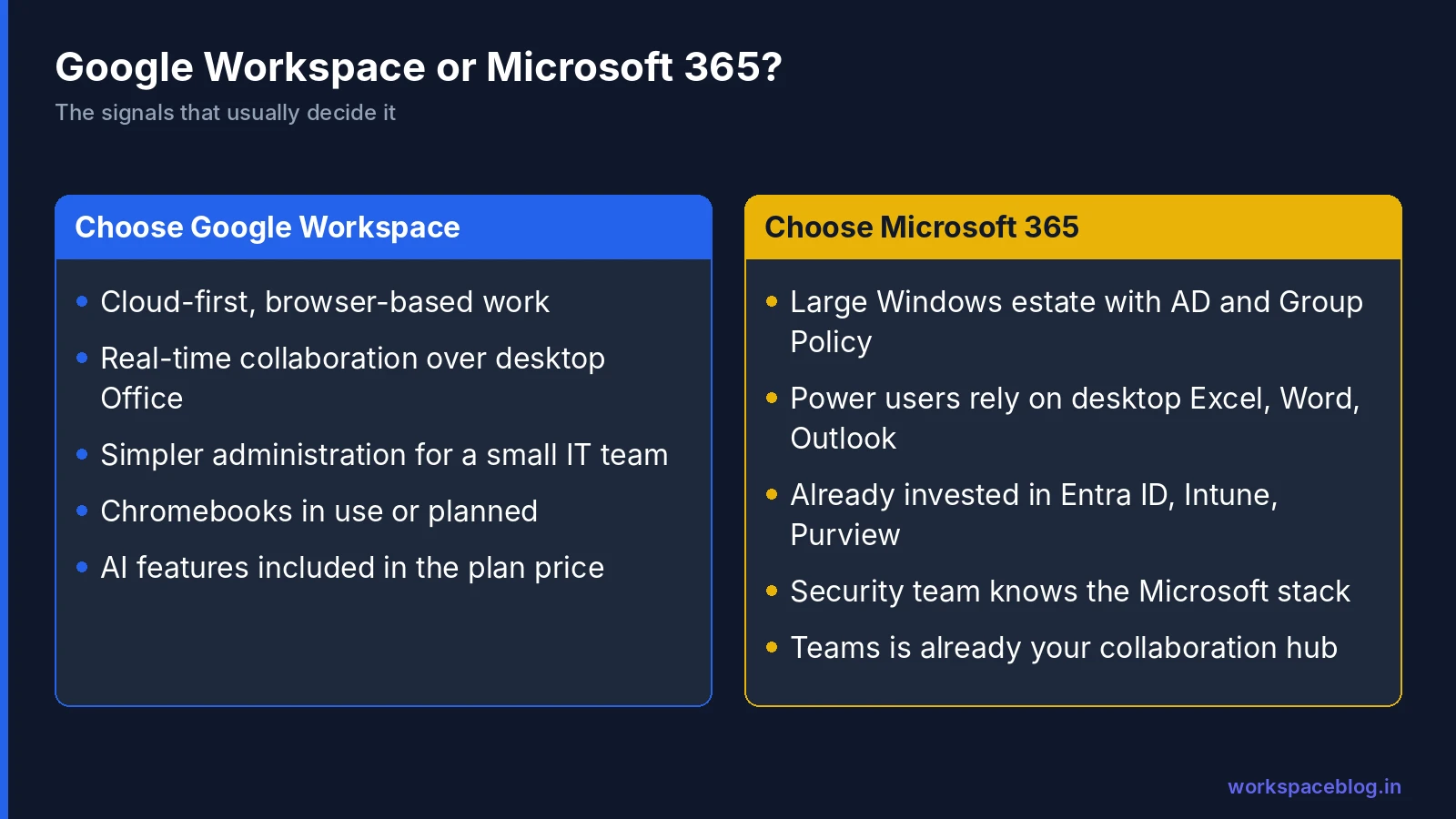
- You’re cloud-first and most work happens in a browser
- Real-time collaboration matters more than advanced desktop Office features
- You want simpler administration with a small IT team
- You use or plan to use Chromebooks
- You want AI features included in the plan price
- Cost efficiency at the mid tiers is a priority
When to Choose Microsoft 365
- You run a large Windows estate with Active Directory and Group Policy
- Power users depend on advanced desktop Excel, Word, or Outlook features
- You’re already invested in Entra ID, Intune, Defender, and Purview
- Your security and compliance teams know the Microsoft stack well
- Teams is already the center of your collaboration
Running Both: Coexistence
Many organizations run both platforms for a period, or permanently, for example Google Workspace for most staff and Microsoft desktop apps for finance specialists. Mail routing, directory sync, calendar free/busy sharing, and identity can all be made to work across both. See our coexistence guide.
Conclusion
There’s no universally correct answer between Google Workspace and Microsoft 365 in 2026. Both are mature, secure platforms. Google Workspace wins on simplicity, real-time browser collaboration, included AI, and price at the mid tiers. Microsoft 365 wins on desktop Office depth, Windows estate management, and the breadth of its security and compliance stack.
Base the decision on your existing infrastructure, how your teams work, the security tier you actually need, and your IT team’s skills. If you’re leaning toward Google, a Google Workspace trial lets you test the admin experience with a pilot group before committing.
Official pricing pages:
- Google Workspace pricing
- Compare Flexible and Annual payment plans (Google)
- Compare Microsoft 365 business plans
- Microsoft 365 enterprise plans
- Microsoft 365 business plans with Copilot
Related reading:
- Google Workspace Business Plans Comparison: before choosing Workspace, pick the right plan.
- Migrating from Microsoft 365 to Google Workspace: the step-by-step migration plan.
- Google Workspace and Microsoft 365 Coexistence: if you need both platforms running simultaneously.
This guide contains referral or affiliate links. If you sign up through one, Workspace Blog may earn a commission at no extra cost to you. Learn more.
Frequently Asked Questions
- Is Google Workspace cheaper than Microsoft 365?
- At the entry level they're similar: Google Workspace Business Starter lists at $7 per user per month on an annual plan, the same as Microsoft 365 Business Basic. In the middle tiers Google is usually cheaper (Business Standard is $14 and Business Plus $22) while Microsoft's US site lists Business Standard and Business Premium bundled with Copilot at $23.50 and $32. Prices change often and vary by region, so check both vendors' pricing pages.
- Does Google Workspace include desktop apps like Word and Excel?
- No. Google Docs, Sheets, and Slides run in the browser and mobile apps, with offline mode and Google Drive for desktop for file sync. They can open and edit Office files. Microsoft 365 Business Standard, Business Premium, E3, and E5 include the full desktop Office apps; Business Basic is web and mobile only.
- Is Gemini included in Google Workspace plans?
- Yes. Google Workspace Business and Enterprise plans include Gemini features, with Business Standard and Plus getting expanded access to Gemini in Workspace apps and Business Starter getting more limited features. Microsoft includes Copilot Chat in its plans and sells full Microsoft 365 Copilot as an add-on or in Copilot bundles.
- Which is more secure, Google Workspace or Microsoft 365?
- Both offer strong enterprise security on their higher tiers. Google Workspace adds DLP, Context-Aware Access, and the security investigation tool on Enterprise editions, and Vault from Business Plus. Microsoft 365 Business Premium and E3/E5 add Conditional Access, Intune, and Purview compliance tools. The better choice depends on which tier you buy and which ecosystem your team can operate well.
- How long does it take to migrate from Microsoft 365 to Google Workspace?
- Small organizations can move in a few weeks; a well-managed migration above a few hundred users usually takes three to six months including planning, pilot, waves, and training. Google's data import tool in the Admin console handles Exchange Online mail, calendars, and contacts at no extra tool cost.