Jules vs Antigravity vs Claude Code vs OpenAI Codex: Which AI Coding Agent Fits Your Team?
-
 Mohit
Mohit - 19 Oct, 2026
- Updated 27 Oct, 2026

Four coding agents now come up in almost every conversation about AI and software teams. Two are from Google: Google Jules, an asynchronous agent that turns a task into a pull request, and Antigravity, Google’s agentic development platform. The other two are Claude Code from Anthropic and Codex from OpenAI. All four can read a codebase, change files, run commands and propose changes for review, but they work in different ways and sit under very different terms.
This comparison covers how each agent works, what the plans cost, what admins can control, and which one fits which kind of team. If your developers already use Google Workspace and Gemini, it also explains where the Google tools fit with your existing accounts.
Key Takeaways
- Jules works on your GitHub repository in a cloud virtual machine, shows a plan and a diff, and opens a pull request. The free tier allows 15 tasks a day; Jules in Pro and Ultra allow 100 and 300.
- Google Antigravity has a desktop app, a CLI, IDE extensions and an SDK, and supports Gemini 4 Argon alongside Claude and open models. It is free for individuals; organisations buy it through Google Cloud.
- Claude Code runs in the terminal, IDEs, a desktop app, the web and Slack, and is included in every paid Claude plan from $20 a month.
- OpenAI Codex runs as a CLI, an IDE extension, cloud tasks and an app, and is included in ChatGPT plans, including Free and Go, with limits that vary by plan.
- For business use, the deciding factor is often terms and admin controls, not features: Jules paid plans are for personal @gmail.com accounts only.
Table of contents
Open Table of contents
- The Four Agents at a Glance
- Jules: Google’s Asynchronous Coding Agent
- Google Antigravity: Google’s Agentic Development Platform
- Claude Code: Anthropic’s Coding Agent
- OpenAI Codex
- Pricing and Plans Compared
- Admin, Security and Data Controls
- Which One Should You Choose?
- Rolling Out a Coding Agent Safely
- Conclusion
The Four Agents at a Glance
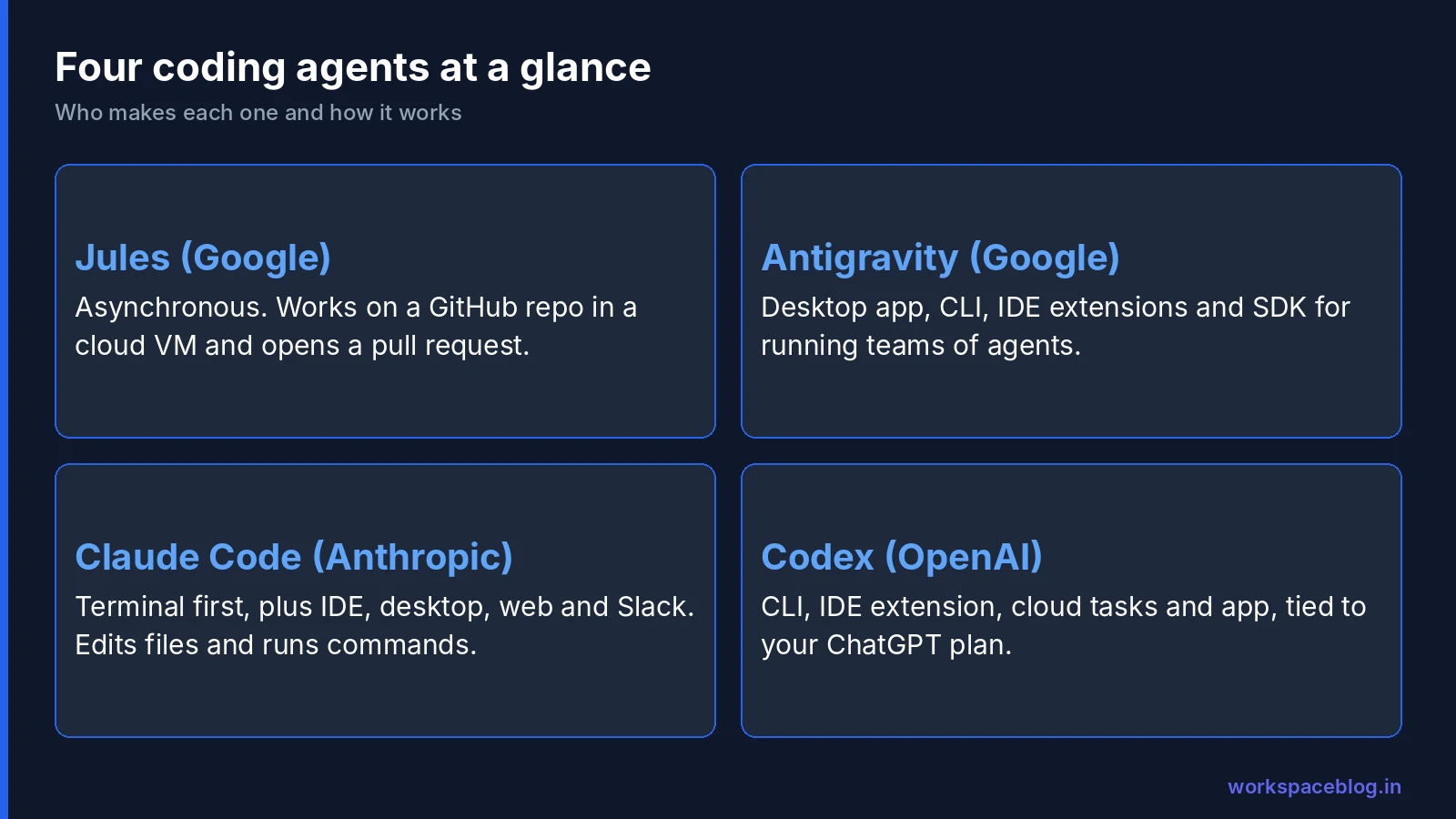
| Jules | Antigravity | Claude Code | OpenAI Codex | |
|---|---|---|---|---|
| Made by | Google (Google Labs) | Anthropic | OpenAI | |
| Working style | Asynchronous: assign a task, review a pull request | Run and inspect several agents from an app, CLI or IDE | Interactive in the terminal or IDE, plus cloud sessions | Interactive in the CLI or IDE, plus cloud tasks |
| Where it runs | Web app on a cloud VM, REST API | Desktop app, CLI, IDE extensions, Python SDK | Terminal, VS Code and JetBrains, desktop app, web, iOS and Android, Slack | CLI, IDE extension, Codex web and cloud, ChatGPT desktop app |
| Code location | GitHub repositories | Local folders, remote and cloud environments | Local repositories, cloud sessions, GitHub and GitLab | Local repositories and cloud environments per repo |
| Models | Gemini models | Gemini 4 Argon, Gemini 3.8 Flash and 3.1 Pro, plus Claude and GPT-OSS models | Anthropic’s Claude models | OpenAI’s GPT models |
| Free option | Yes, 15 tasks a day | Yes, for individuals | No | Yes, Codex is included in ChatGPT Free and Go |
Jules: Google’s Asynchronous Coding Agent
Jules is built for work you would rather hand off than do yourself. You pick a GitHub repository and branch, describe the task, and Jules clones the repository to a cloud virtual machine, writes a plan for you to approve, makes the changes, shows a diff and opens a pull request. You stay in control by approving the plan and reviewing the pull request like any other contribution.
Features added over the past year make it more useful for routine maintenance:
- Scheduled tasks run recurring jobs, such as dependency checks, on a cadence you set, and can now be edited, paused and resumed.
- Suggested tasks scan a repository for to-do comments and performance improvements and propose work (Pro and Ultra, up to five repositories).
- Automatic CI fixes: when checks fail on a Jules pull request, Jules works to fix them.
- MCP support for services such as Linear, Neon and Supabase, connected with an API key.
- A REST API for starting sessions from your own tools.
Google says Jules does not use your private repositories to train models, and code runs in a VM with internet access, so your setup script controls what gets installed.
Limits:
| Plan | Tasks per 24 hours | Concurrent tasks |
|---|---|---|
| Jules | 15 | 3 |
| Jules in Pro (with Google AI Pro) | 100 | 15 |
| Jules in Ultra (with Google AI Ultra) | 300 | 60 |
The catch for organisations is account type. Google states that Jules paid plans are currently available only for individual Google Accounts ending in @gmail.com, so Jules is mainly a tool for individual developers rather than a managed company rollout.
Google Antigravity: Google’s Agentic Development Platform
Antigravity is Google’s main product for building software with agents. Since Antigravity 2.0 at Google I/O in May, it comes in four parts:
- Antigravity App: a desktop app for launching, orchestrating and inspecting teams of agents. Only the app includes sandboxed Chromium browser automation, so agents can open and test what they build.
- Antigravity CLI: a keyboard-first terminal client for local shells, remote cloud environments and SSH sessions. Google now encourages Gemini CLI users to move to it.
- IDE extensions for VS Code, JetBrains IDEs, Visual Studio, Zed and Xcode, with inline completions and side-panel chat.
- Antigravity SDK: a Python SDK for building agents into your own applications and CI/CD pipelines.
Agents produce artifacts: implementation plans, multi-file diffs and browser recordings you can review before accepting work. The model picker includes Google’s Gemini 4 Argon, Gemini 3.8 Flash and Gemini 3.1 Pro, and also Claude Sonnet 5.5, Claude Opus 5.5 and GPT-OSS 120B. Our Gemini 4 Argon guide covers that model in detail.
Plans: the individual plan is free, with unlimited Tab completions and basic weekly rate limits. Google AI Pro and Ultra subscribers get higher limits that refresh every five hours, and can use AI credits once their quota runs out. Organisations use Google Cloud terms: Google says Antigravity is now included in Gemini Enterprise subscriptions, and its pricing page lists business plans starting at $30 per seat per month for eligible Gemini Enterprise customers, or pay-as-you-go with no seat fee. Business plans add spend caps and centralised admin controls, and Google states that enterprise prompts, responses and code are not stored outside your private environment. Since October 20, 2026, the Antigravity Enterprise Gateway (generally available) can route all AI developer tool traffic through a central gateway: requests use a central service account, are billed as pay-as-you-go rather than against seat quotas, and a gateway cannot be used at the same time as Google Account sign-in.
Claude Code: Anthropic’s Coding Agent
Claude Code started in the terminal and now runs in VS Code and JetBrains IDEs, a desktop app, the web at claude.ai/code, the iOS and Android apps, and Slack. It maps a codebase with agentic search, edits files, runs commands and tests, works with Git and can open pull requests. MCP servers extend it to tools such as GitHub, and a GitHub Actions integration lets it work on issues and pull requests.
By default it asks for permission before changing files or running commands, and Anthropic says the local version talks directly to the model API, with no backend server or remote code index.
For admins, Claude Code has one of the most detailed policy systems of the four. Managed settings, delivered from the Claude admin console, MDM or a file on disk, take priority over a developer’s own settings and can:
- Allow, ask for or deny specific tools and commands, and turn off permission bypass mode
- Turn on OS-level sandboxing with a network domain allowlist
- Restrict which MCP servers and plugins users can add
- Limit which models appear and enforce a minimum version
Usage can be tracked through an analytics dashboard and OpenTelemetry export. Anthropic says it does not train models on your code or prompts on Team, Enterprise, API and cloud provider plans. Organisations already on Google Cloud can also run Claude Code through Google Cloud’s Agent Platform to keep billing and compliance controls in GCP.
OpenAI Codex
Codex is OpenAI’s coding agent, connected across ChatGPT, your editor and the terminal by your ChatGPT account. It comes as the Codex CLI, an IDE extension that works with VS Code and most of its forks, Codex web and Codex Cloud for tasks on OpenAI-managed machines, and a Codex mode in the ChatGPT desktop app. OpenAI says Codex can run several agents in parallel, use computer and browser tools to check its work, and automatically review pull requests.
Codex is included across ChatGPT plans, including Free and Go. Codex Cloud tasks run in OpenAI-managed environments. Usage limits vary by plan and long tasks use more of your allowance; some Plus and Pro users can add credits, and Business workspaces can use Codex credit plans. For teams, Business workspace admins can set the starting model and reasoning level, control plugins and app access, control Codex Local and Codex Cloud separately, and use RBAC and Compliance API logging for Codex usage.
Pricing and Plans Compared
Prices are as listed on each vendor’s site in October 2026, in US dollars, and change often.
| Agent | Free option | Individual paid plans | Business plans |
|---|---|---|---|
| Jules | 15 tasks a day | Included with Google AI Pro (100 tasks a day) and Ultra (300 a day) | Paid plans only for @gmail.com accounts |
| Antigravity | Free for individuals | Higher limits with Google AI Pro and Ultra | Gemini Enterprise; from $30 per seat per month, or pay-as-you-go |
| Claude Code | None | Pro $20 a month ($17 a month billed annually); Max from $100 a month | Team standard seat $25 a month ($20 annually), premium seat $125 ($100 annually); Enterprise $20 a seat a month billed annually, 20-seat minimum, plus usage at API rates |
| OpenAI Codex | Included in ChatGPT Free and Go | Plus $20 a month; Pro from $100 a month | ChatGPT Business, Enterprise and Education |
Two cost points are easy to miss. Claude Code shares its usage limits with the rest of your Claude plan, and limits reset on a rolling five-hour window. Antigravity and Codex both let eligible individual users add credits once their baseline quota runs out, so a busy month can cost more than the plan price unless you set overage controls.
Admin, Security and Data Controls
| Control | Jules | Antigravity (business) | Claude Code (Team and Enterprise) | Codex (Business and Enterprise) |
|---|---|---|---|---|
| Terms | Personal Google terms | Google Cloud terms | Anthropic commercial terms | OpenAI business terms |
| Training on your code | Not on private repositories | Code not stored outside your private environment | Not on Team, Enterprise, API and cloud plans | Check OpenAI’s business data terms |
| Policy enforcement | Repository access through the GitHub app | Centralised admin controls, spend caps and Antigravity Enterprise Gateway | Managed settings, permission rules, sandboxing | Workspace admin controls, RBAC, Compliance API logging |
| Approval before changes | Plan approval and pull request review | Artifacts to review before accepting | Permission prompts or rules | Change review panel and pull request review |
| Billing in Google Cloud | No | Yes | Yes, through Google Cloud’s Agent Platform | No |
For a Workspace or Google Cloud organisation, the Google Cloud billing row matters more than it looks. Antigravity under Gemini Enterprise and Claude Code through Agent Platform both land on your existing Google Cloud bill, where you can use budgets and spend caps. Our guide to Gemini Enterprise pay-as-you-go billing explains how those caps work.
Which One Should You Choose?
| If you want to… | Start with |
|---|---|
| Hand off small, well-defined tasks on GitHub and review pull requests | Jules |
| Run several agents at once, test in a browser and stay in Google’s stack | Antigravity |
| Work in the terminal with fine-grained, centrally enforced permissions | Claude Code |
| Use the ChatGPT accounts your team already has, with cloud tasks | OpenAI Codex |
| Keep billing and data governance inside Google Cloud | Antigravity, or Claude Code through Agent Platform |
Many teams end up with more than one. A common pattern is an interactive agent for day-to-day development and an asynchronous one, such as Jules or a scheduled job, for dependency updates and small fixes.
Rolling Out a Coding Agent Safely
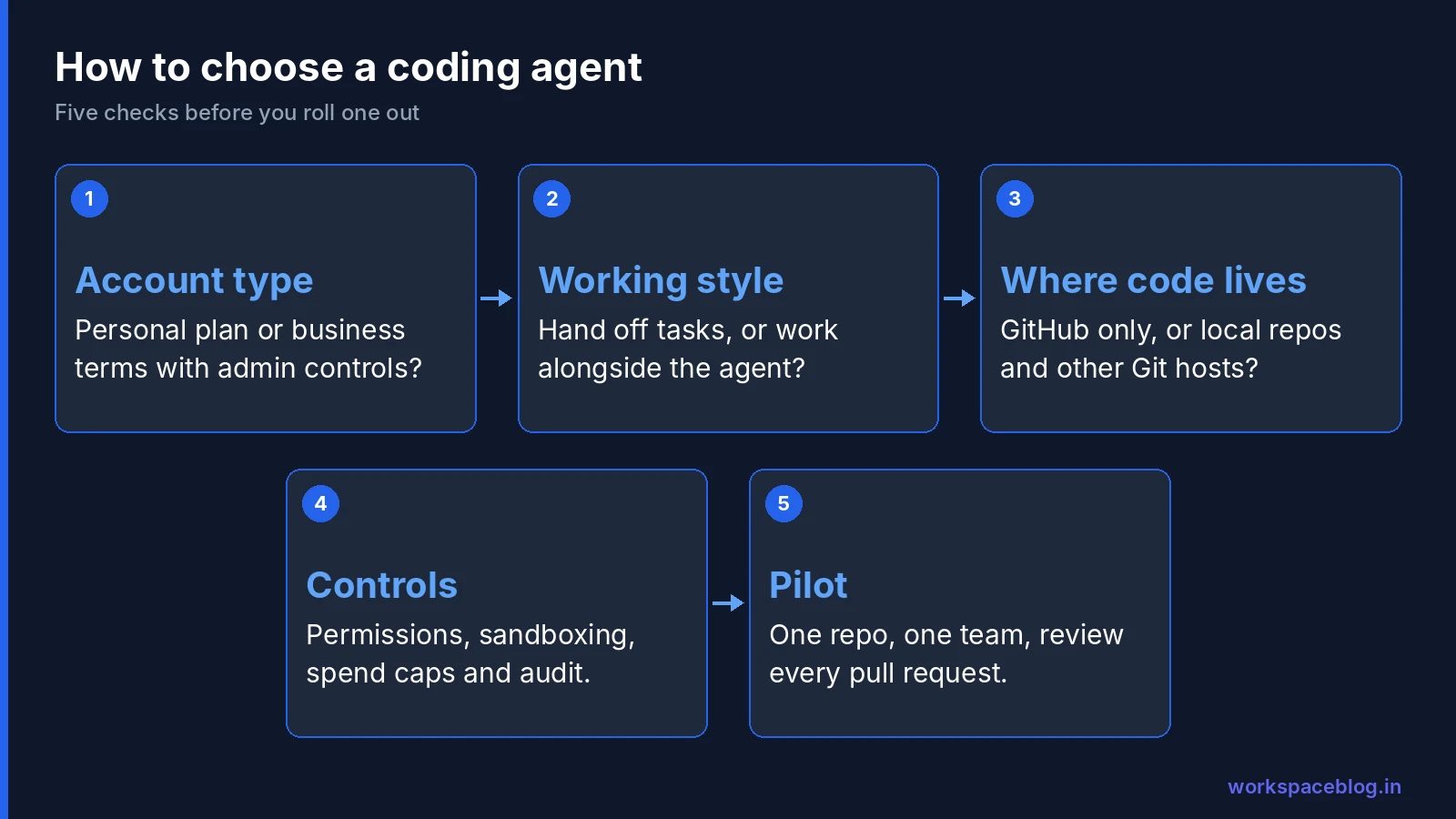
Whichever tool you pick, treat it like a new contributor with fast hands:
- Choose business terms for company code, not personal accounts.
- Limit repository access to the repos in the pilot.
- Keep secrets out of repositories and out of agent prompts; use a secret manager.
- Require pull request review and protected branches, so nothing merges without a person.
- Set spend caps and watch usage for the first month.
- Write a short acceptable use policy covering which data and repos agents may touch.
- Pilot with one team, measure review time and defects, then expand.
If your organisation is also building its own agents, our Agent Development Kit tutorial shows the code-first route on Google Cloud.
Conclusion
All four agents can write and change real code, so the choice comes down to how your team works and which terms your organisation needs. Jules is the simplest way to hand off GitHub tasks, but its paid plans are for personal accounts. Antigravity is Google’s full platform and the natural choice for organisations already on Gemini Enterprise. Claude Code offers the deepest admin policy controls and runs almost anywhere developers work. Codex makes sense where ChatGPT is already the standard.
Start with business terms, protected branches and a small pilot, and add the agent to the same governance you apply to the rest of your Google Workspace and cloud tools.
Official documentation:
- Jules
- Jules limits and plans
- Jules FAQ
- Jules changelog
- Google Antigravity overview
- Google Antigravity pricing
- Google Antigravity plans
- Google Antigravity in Gemini Enterprise
- Gemini Enterprise release notes
- Google I/O developer highlights
- Claude Code
- Claude plans and pricing
- Set up Claude Code for your organization
- OpenAI Codex
- Using Codex with your ChatGPT plan
Related reading:
- Gemini 4 Argon: What IT Admins Need to Know: the Gemini model behind Antigravity.
- Google Agent Development Kit (ADK) Tutorial: build your own agents on Google Cloud.
- Gemini Enterprise Pay-as-you-go and Overages: how usage is billed and capped.
This guide contains referral or affiliate links. If you sign up through one, Workspace Blog may earn a commission at no extra cost to you. Learn more.
Frequently Asked Questions
- What is the difference between Jules and Google Antigravity?
- Both are from Google. Jules is an asynchronous agent: you give it a task on a GitHub repository, it works in a cloud virtual machine, shows you a plan and a diff, and opens a pull request. Antigravity is a full agentic development platform with a desktop app, a CLI, IDE extensions and an SDK, where you run and inspect several agents while you work.
- Is Claude Code included in the Claude Pro plan?
- Yes. Anthropic says Claude Code is included in all paid Claude plans, starting with Pro at $20 a month, and that it shares the same usage limits as the rest of your plan. Max, Team and Enterprise plans include it too.
- Which ChatGPT plans include OpenAI Codex?
- OpenAI says Codex is included across ChatGPT plans, including Free and Go, with usage limits that vary by plan. Cloud tasks run in OpenAI-managed environments, and workspace admins can control Codex Local and Codex Cloud separately.
- Can Google Workspace business accounts use Jules and Antigravity?
- Jules paid plans (Jules in Pro and Jules in Ultra) are currently available only for individual Google Accounts ending in @gmail.com. Antigravity is available to individual accounts under Google's Terms of Service, while organisations use it under Google Cloud terms through Gemini Enterprise or a Google Cloud business plan.
- Which AI coding agent is best for a Google Workspace organisation?
- If your organisation already runs on Google Cloud or Gemini Enterprise, Antigravity is the natural fit because it is billed and governed under Google Cloud terms and supports Gemini, Claude and open models. Teams that work mostly in the terminal often choose Claude Code or Codex, which both offer managed business plans. Jules suits hands-off tasks on GitHub repositories for individual developers.