Google Workspace License Management and Cost Optimization Guide for IT Admins
-
 Mohit
Mohit - 29 Sep, 2026

Google Workspace licensing is often one of the largest SaaS costs in an IT budget. Over time, licenses pile up (departures are missed, roles change, project and test accounts linger) and what you pay drifts away from what you need.
This guide gives IT admins a systematic approach to license management: understanding your billing plan, finding waste, using Archived User licenses, right-sizing editions, negotiating, and keeping the inventory clean with a repeatable process.
Understand Your Billing Plan First
How much you can save, and when, depends on your payment plan:
| Flexible Plan | Annual Plan | |
|---|---|---|
| Billing | Monthly, for the licenses you use | Monthly or yearly payments for a committed number of licenses |
| Price | Higher list price | About 16% cheaper (per Google’s pricing page) |
| Adding licenses | Any time | Any time |
| Reducing licenses | Any time | Generally only at renewal |
| Best for | Changing headcount, seasonal staff | Stable headcount |
If you’re on an Annual Plan, plan license reductions around your renewal date: cleaning up mid-term frees licenses for new hires but doesn’t lower the bill until renewal.
Resellers can offer different commercial terms, so check your agreement if you buy through a partner.
Understanding Your Current License State
Subscriptions
Admin Console → Billing → Subscriptions shows:
- Each subscription (edition, add-ons, Archived User)
- Licenses purchased vs. assigned
- Plan type and renewal date
Billing → Payment accounts / transactions shows invoices over time, useful for seeing how spend has grown.
Who has which license
Admin Console → Directory → Users → add the license column, or open a user and click Licenses. Export the user list for analysis in Sheets.
Who’s actually active
The Last sign in column in the Users list shows each user’s approximate most recent sign-in (“Hasn’t signed in” for new users). The data can lag by up to three days. Sort by it, export the list, and look for:
- Accounts with no sign-in for 60–90+ days
- Accounts that have never signed in
- Suspended accounts that still hold licenses
Usage reports in Reporting show which apps people use, which helps when deciding whether someone needs a higher edition.
Identifying License Waste
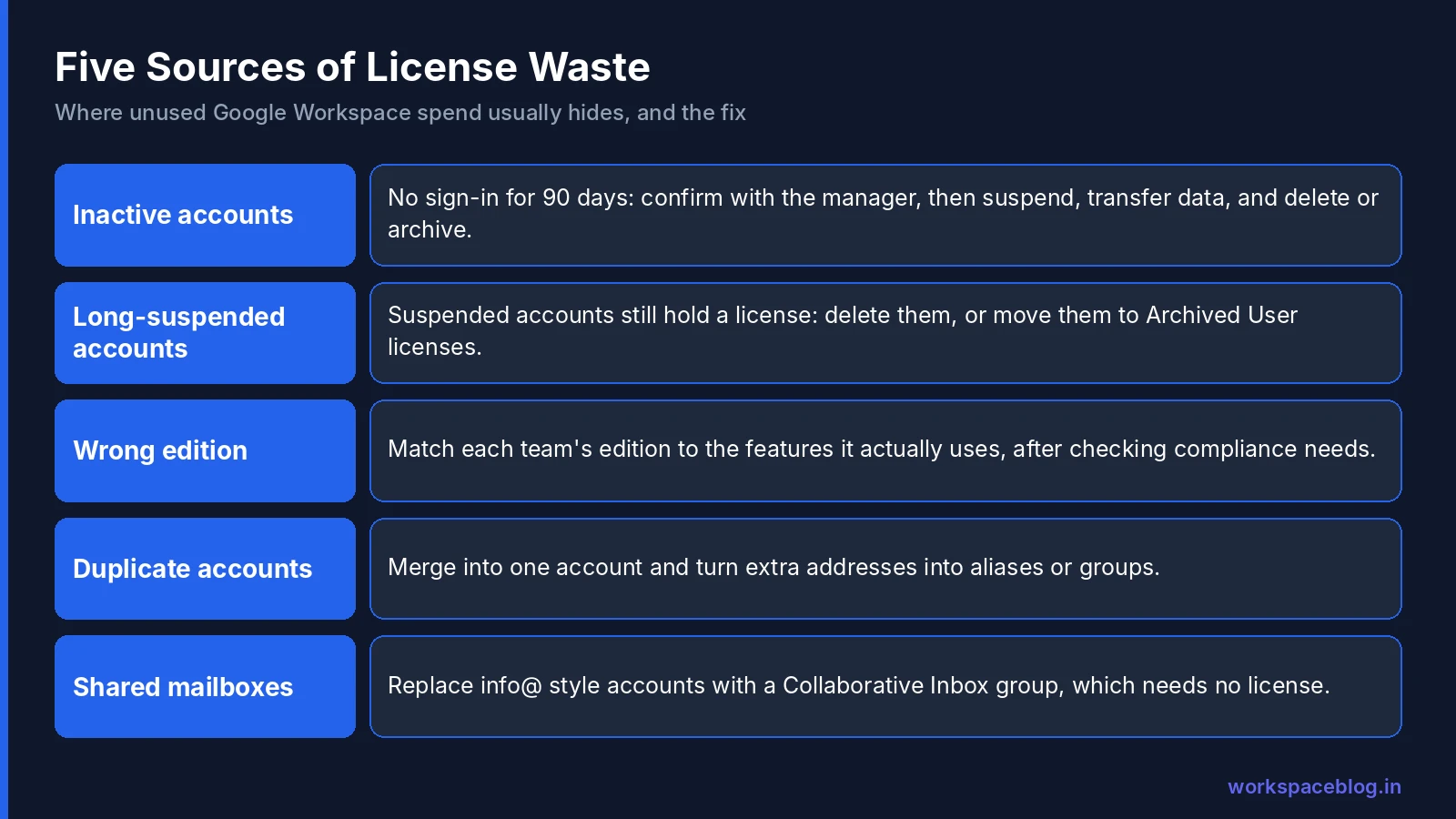
1. Inactive accounts
Active (not suspended) accounts that nobody uses, usually former employees missed in offboarding, old shared accounts, or test accounts.
Action: for every account with no sign-in for 90 days, ask the manager whether it’s still needed. Suspend it if not, transfer its data, then delete or archive it.
2. Suspended accounts kept indefinitely
Suspending stops access but keeps the account and its license. Suspended accounts that sit for months are pure cost.
Action: decide per account: transfer data and delete, or move to an Archived User license if the data must be kept.
3. The wrong edition for the role
Users on a higher edition who only use mail and calendar, or users on a lower edition who need features they don’t have.
| Feature | Available from |
|---|---|
| Shared drives (fundamental) | Business Starter |
| 2 TB pooled storage per user, Meet recording | Business Standard |
| Vault, advanced endpoint management | Business Plus |
| DLP, Context-Aware Access, security investigation tool | Enterprise |
| Client-side encryption | Enterprise Plus |
Action: check what each group uses. If most of a team on Business Plus never uses Vault or advanced device management, consider whether Business Standard fits, but confirm compliance requirements first, because Vault coverage is often the reason for Business Plus.
4. Duplicate and leftover accounts
People with two accounts (after a name change or domain merger), old aliases set up as full users, or accounts for systems that could use a group or service account.
Action: consolidate into one account, convert extra addresses to aliases or groups, and delete the rest.
5. Shared mailboxes using full licenses
Accounts like info@ or careers@ that several people read.
Action: replace them with a Google Group (with Collaborative Inbox), which doesn’t need a license.
Archived User Licenses
When a former employee’s data must be kept (legal, compliance, or business reasons), an Archived User license keeps the account and its data at a lower cost than a full license.
- Editions: Business Starter, Standard, and Plus; Enterprise Standard and Plus (Education has its own options)
- Flexible Plan: you automatically get an Archived User license for each user you archive and are billed on your next invoice
- Annual Plan: buy them from Billing → Subscriptions → Google Workspace [edition] – Archived User → Purchase more (it can take up to 48 hours for new licenses to appear)
- Data: kept in Google’s systems; Vault retention rules and holds still apply, and Vault can search and export it
Archive users instead of keeping them suspended on full licenses when you need the data for months or years.
License Right-Sizing by Role
| User type | Typical fit | Why |
|---|---|---|
| Most knowledge workers | Business Standard | Pooled storage, Meet recording, full collaboration |
| Legal, finance, HR, executives | Business Plus or Enterprise | Vault, stronger device and security controls |
| Frontline and shift workers | Frontline editions | Lower cost for mobile-first workers |
| Former employees whose data must be kept | Archived User license | Keep data at lower cost |
| Short-term contractors | The lowest edition that meets your security needs | Avoid paying for unused features |
| Shared addresses | Google Group (no license) | Collaborative Inbox instead of a mailbox |
Confirm edition-mixing rules with Google or your reseller before buying a mix.
Negotiating with Google or Your Reseller
- Commit annually if your headcount is stable: the annual plan is about 16% cheaper than flexible billing
- Ask about volume pricing at larger seat counts
- Use renewal as leverage: review usage 60–90 days before renewal and right-size first
- Nonprofit and education programs offer significant discounts for eligible organizations
- Resellers can add support, billing in local currency, and sometimes better commercial terms
For organizations with 100+ users, buying through a Google Workspace reseller often brings better support and terms than direct billing.
Building a License Governance Process
| Frequency | Task |
|---|---|
| Every onboarding | Assign the edition for the role, not the most convenient one |
| Every offboarding | Suspend immediately; transfer data; delete or archive within your set period |
| Monthly | Review new accounts and accounts with no sign-in for 60+ days |
| Quarterly | Full audit: inactive, suspended, duplicate, and shared accounts; edition fit |
| 90 days before renewal | Right-size license count and edition mix; prepare for negotiation |
Write these steps into your onboarding and offboarding runbooks so they happen without anyone remembering.
Cost Optimization Quick Wins
Quick win 1: Export the user list with Last sign in; filter for 90+ days and not suspended. Confirm with managers before you suspend or delete anything.
Quick win 2: List all suspended accounts. Transfer data and delete those past your retention period; archive the ones you must keep.
Quick win 3: Replace licensed shared mailboxes with Google Groups and Collaborative Inbox.
Quick win 4: Move to an annual plan if your headcount is stable.
Quick win 5: Review edition fit for each department before your next renewal.
Conclusion
License management in Google Workspace is an ongoing discipline, not a one-time project. Understand your billing plan, find inactive and suspended accounts, use Archived User licenses for data you must keep, match editions to roles, and right-size before every renewal. A quarterly audit and an offboarding process that always handles the license can save a meaningful share of your Workspace spend.
Official Google documentation:
- Assign, remove, and reassign licenses
- Add Archived User licenses
- View your users’ last sign-in
- Reduce user licenses
Related reading:
- Google Workspace Business Plans Comparison: understand what each plan includes before right-sizing.
- Google Workspace User Lifecycle: Onboarding and Offboarding: the offboarding process must include license handling.
- Google Workspace Vault: eDiscovery and Compliance: Archived User accounts stay covered by Vault rules and holds.
This guide contains referral or affiliate links. If you sign up through one, Workspace Blog may earn a commission at no extra cost to you. Learn more.
Frequently Asked Questions
- Do suspended users still cost money in Google Workspace?
- Yes. Google says suspended accounts are charged at the same rate as active accounts on both the Annual and Flexible plans. To stop paying the full price, delete the account after transferring data, or move it to an Archived User license if you need to keep the data.
- Which Google Workspace editions support Archived User licenses?
- Archived User licenses are available for Business Starter, Business Standard, Business Plus, Enterprise Standard, and Enterprise Plus, with separate options for Education. On the Flexible Plan you get one automatically for each user you archive; on the Annual Plan you buy them from Billing > Subscriptions.
- Is the Google Workspace annual plan cheaper than the flexible plan?
- Yes. Google's pricing page shows the annual commitment saves about 16% compared with flexible monthly billing. The trade-off is that on an annual plan you generally can't reduce your license count until renewal.
- How do I find inactive Google Workspace users?
- In the Admin console's user list, add or sort by the Last sign in column, which shows each user's approximate last sign-in (it can lag by up to 3 days). Export the list and review accounts with no sign-in for 60 to 90 days with their managers.
- Can I mix Google Workspace editions in one organization?
- Yes, within limits set by Google's licensing rules. Many organizations keep most users on one edition and buy a different edition or add-on for specific groups, such as Business Plus for teams that need Vault. Check edition-mixing rules with Google or your reseller before buying.