Securing AI Agents on Google Cloud: Agent Identity, Agent Registry, and Agent Gateway Explained
-
 Mohit
Mohit - 29 Oct, 2026

An AI agent that can read email, query databases, and call APIs is, from a security point of view, a new kind of employee: one that works at machine speed, never sleeps, and can be tricked by text. Traditional controls weren’t designed for that. Shared service accounts hide which agent did what, and API keys get copied into places they shouldn’t.
Google’s answer on Gemini Enterprise Agent Platform is three building blocks: Agent Identity (who the agent is), Agent Registry (which agents and tools are approved), and Agent Gateway (what traffic is allowed). This guide explains each one, how they fit together, the gotchas in Google’s documentation, and a practical security checklist.
These controls matter most when agents work with the data your people keep in Google Workspace, Microsoft 365, and other systems.
Table of contents
Open Table of contents
The Four Questions of Agent Security
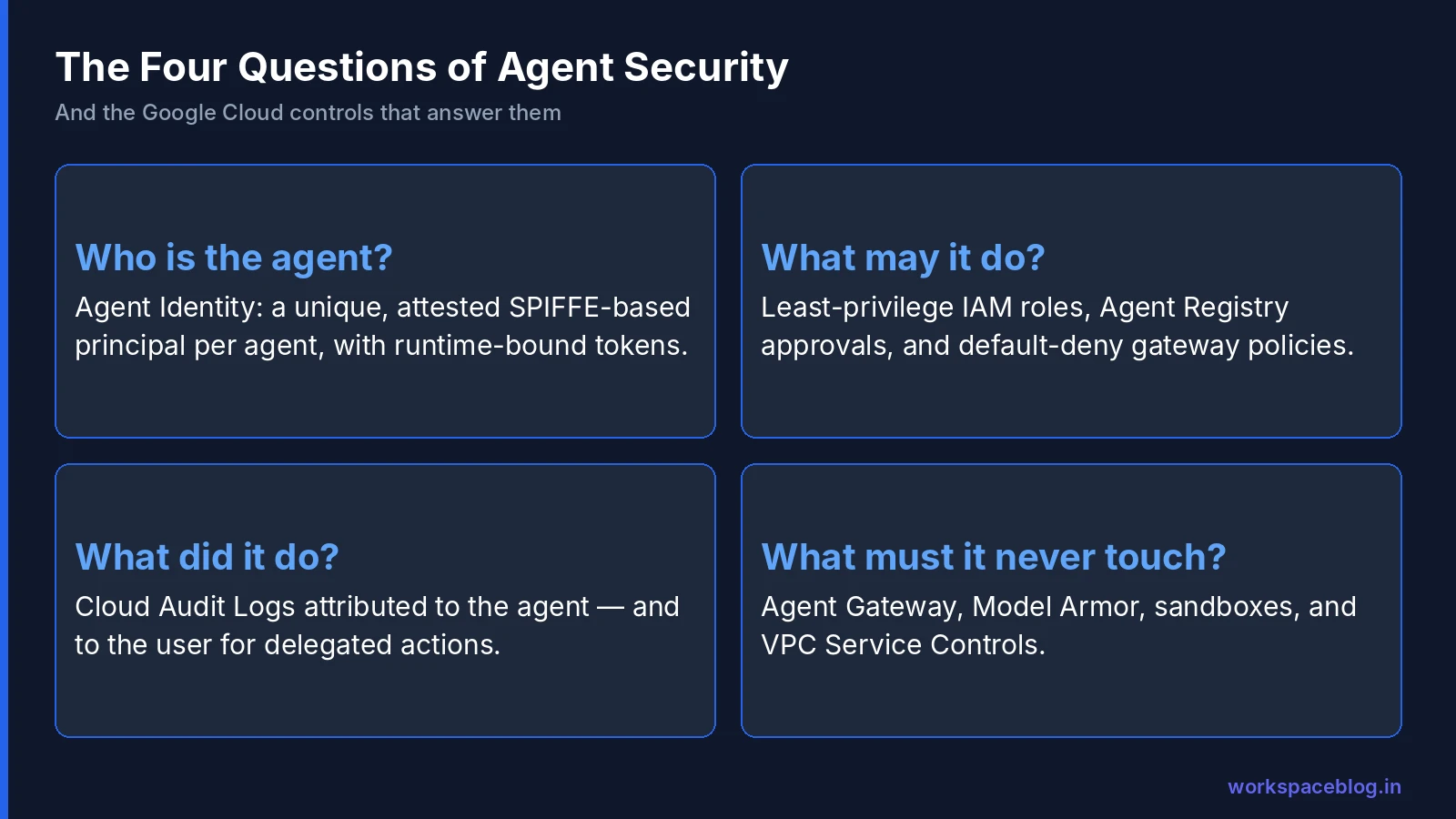
A useful way to frame agent governance is four questions. They work as a structure for any agent program:
| Question | Google control |
|---|---|
| Who is the agent? | Agent Identity: a unique, attested principal per agent |
| What may it do? | IAM roles on that identity; Agent Registry approvals; gateway policies |
| What did it do? | Cloud Audit Logs and observability, attributed to the agent |
| What must it never touch? | Agent Gateway policies, Model Armor, sandboxes, VPC Service Controls |
Agent Identity: One Principal per Agent
What it is
Agent Identity gives each agent deployed to Agent Runtime its own identity, tied to the agent’s lifecycle. Google positions it as a more secure principal than service accounts:
| Service account | Agent Identity | |
|---|---|---|
| Shared? | Often shared across workloads | One per agent |
| Created by | People (and sometimes reused) | The system, read-only and attested |
| Standard | Google service account | Based on SPIFFE, with an auto-provisioned x509 certificate |
| Audit | Shows the service account | Shows the specific agent (and the user, for delegated actions) |
| Token theft | Keys and tokens can be reused elsewhere | Tokens bound to the runtime |
The principal format
principal://TRUST_DOMAIN/NAMESPACE/AGENT_NAMEThe trust domain is agents.global.org-ORGANIZATION_ID.system.id.goog for projects in an organization, or agents.global.proj-PROJECT_NUMBER.system.id.goog otherwise.
Turning it on
Agent Identity is opt-in per runtime, so existing infrastructure-as-code keeps working with service accounts. Ways to enable it:
- Python SDK: create the runtime with
identity_typeset toAGENT_IDENTITY, using thev1beta1API version - Agents CLI:
agents-cli deploy --agent-identity - ADK: add
.agent_engine_config.jsoncontaining"identity_type": "AGENT_IDENTITY"before runningadk deploy
Default and recommended roles
By default, agents get roles/aiplatform.agentContextEditor and roles/aiplatform.agentDefaultAccess, covering their own logging, metrics, model access, sessions, memories, and sandboxes. Google recommends adding roles/aiplatform.expressUser, roles/serviceusage.serviceUsageConsumer, roles/browser and, if the agent reads secrets, roles/secretmanager.secretAccessor, then granting only the extra access each agent’s tools need.
You can grant to a single agent principal, or use principalSet bindings to cover all agents in a project or organization. Use deny policies or Principal Access Boundary policies to put hard limits on what any agent can reach.
For agent-to-agent calls, the calling agent’s identity needs roles/agentregistry.viewer and roles/aiplatform.user on the sub-agent.
Token binding
A Google-managed Context-Aware Access policy is on by default. It binds certificate-bound (mTLS) tokens to the agent’s runtime, so a token stolen from logs or memory can’t be replayed elsewhere. It fails with “Context-Aware Access requirements are not met.” You can opt out with GOOGLE_API_PREVENT_AGENT_TOKEN_SHARING_FOR_GCP_SERVICES=False, but Google strongly discourages it.
The redeploy gotcha
Deleting and recreating an agent creates a new reasoningEngines resource, and a new principal. IAM grants on the old principal don’t carry over, which can silently break access in blue-green, ephemeral, or Terraform pipelines. Google’s mitigations:
- After deploying, read the new identity from
spec.effectiveIdentityand reapply bindings in the same pipeline - Put baseline permissions on project-wide
principalSetbindings
Build this into your deployment pipeline from day one.
Audit logs
With Cloud Logging enabled, logs show which agent accessed a resource. For user-delegated actions, they show both the user and the agent; for autonomous actions, the agent alone. That’s the accountability trail auditors will ask for.
Limitation: agent identities can’t be granted legacy Cloud Storage bucket roles (legacyBucketReader, legacyBucketWriter, legacyBucketOwner). Use modern IAM roles.
Agent Registry: The Approved Catalog
Agent Registry is a central catalog for storing, discovering, and governing agentic components:
| Resource | Examples |
|---|---|
| Agents | A2A agents built by your teams or partners |
| MCP servers | Internal ticketing, CRM, database servers |
| Tools and endpoints | APIs agents may call |
| Skills | Standalone, reusable skills, with publisher details |
Why it matters for security:
- Discovery prevents sprawl. Teams reuse an approved agent instead of building a fifth copy with broader permissions.
- Gateway policies reference it. Agent Gateway queries the registry and evaluates IAM and content policies before routing traffic.
- Agent Studio uses it. Agents built visually can only attach MCP servers and remote sub-agents from the registry (see our Agent Studio guide).
On the Gemini Enterprise side, Google made Agent Registry governance and agent identity viewing generally available in June 2026.
Agent Gateway: The Policy Enforcement Point
Agent Gateway sits at the network entry and exit of agent interactions: between users and agents, agents and tools, and agents and other agents.
Traffic modes
| Mode | Governs | Supported for |
|---|---|---|
| Client-to-Agent (ingress) | Which clients (for example Cursor or Gemini CLI) can reach agents and tools on Google Cloud | Agent Runtime only |
| Agent-to-Anywhere (egress) | Calls from agents to MCP servers, other agents, tools, and APIs: internal or third-party | Agent Runtime and Gemini Enterprise |
Policy types
| Policy | What it does |
|---|---|
| IAM Unified Access Policies | Link an agent identity to approved tools and endpoints in Agent Registry. Everything is blocked unless explicitly allowed |
| Model Armor | Scans prompts and tool responses for prompt injection, data leakage, and harmful content |
| Semantic Governance | Plain-language rules on how agents may use tools at runtime |
| Custom authorization | Delegate decisions to third-party engines through Service Extensions |
For MCP traffic, the gateway parses requests, so policies can allow or block specific tools on a server, not just the whole server.
Limits and gotchas
- Each gateway instance governs up to 5,000 registry resources
- Each gateway can be associated with up to two registries (one global, one regional or multi-regional)
- Changing an agent’s gateway binding archives all its revisions on Agent Runtime (see our Agent Runtime guide)
- Gaps in coverage for Gemini Enterprise: ingress mode isn’t supported, and Google says direct communication between Gemini Enterprise agents (see our A2A guide) and between agents and data connectors, including the custom MCP server, doesn’t trigger gateway policy enforcement (see our MCP guide)
- Turning on Agent Gateway for Gemini Enterprise routes all its traffic through the gateway, including LLM calls, straight away, and policies can take up to 15 minutes to apply
Close those gaps deliberately. They’re where real-world agent incidents are most likely to start.
Detection and Posture
Identity, registry, and gateway prevent bad things. These features help you spot them:
| Feature | What it does |
|---|---|
| Agent Anomaly Detection | Statistical models and an LLM-as-a-judge framework flag unusual reasoning |
| Agent Threat Detection | Surfaces malicious activity such as reverse shells or connections to known-bad IP addresses |
| Agent Security dashboard | In Security Command Center: maps agent-model relationships, discovers agent assets, and scans for OS and package vulnerabilities |
Send findings to the same SOC workflow as your other cloud alerts.
A Reference Architecture
- Build agents with ADK or Agent Studio; store code in Git
- Deploy to Agent Runtime with Agent Identity enabled
- Register each agent, MCP server, and tool in Agent Registry
- Route all agent traffic through Agent Gateway, with default-deny IAM Unified Access Policies
- Inspect traffic with Model Armor and, where useful, Semantic Governance rules
- Contain data with VPC Service Controls and Private Service Connect
- Observe with Cloud Logging, Cloud Trace, and Agent Observability
- Detect with Agent Threat Detection and the Security Command Center dashboard
- Publish approved agents to employees in Gemini Enterprise
Anti-Patterns to Avoid
| Anti-pattern | Why it’s risky | Better approach |
|---|---|---|
| One service account for all agents | No way to tell which agent did what; one compromise exposes everything | Agent Identity per agent |
Granting roles/editor “to get it working” | Agents can modify almost anything in the project | Specific roles per tool, deny policies as a backstop |
| API keys in environment variables or code | Keys leak through logs and repos and work from anywhere | Secret Manager plus runtime-bound agent tokens |
| Connecting unregistered MCP servers | No inventory, no gateway policy, no owner | Register first, then allow through the gateway |
| Trusting tool output | Retrieved documents can carry prompt-injection instructions | Model Armor and confirmations on write actions |
| Re-creating IAM grants by hand after each deploy | Grants get missed and access silently breaks, or someone widens permissions to compensate | Automate binding from spec.effectiveIdentity |
| No owner for agents | Abandoned agents keep their access indefinitely | Owner field in the registry and quarterly reviews |
Agent Security Checklist
| # | Control | Done when |
|---|---|---|
| 1 | Agent Identity on every production agent | No shared service accounts for agents |
| 2 | Least privilege | Each identity has only the roles its tools need; deny policies cap the rest |
| 3 | Redeploy-safe IAM | Pipeline reapplies bindings from spec.effectiveIdentity |
| 4 | Token binding left on | No one has set the opt-out variable |
| 5 | Registry-first | Every agent, MCP server, and tool is registered with an owner |
| 6 | Default-deny gateway | Agents reach only registry-approved tools |
| 7 | Model Armor | Enabled on gateway or in agent code for A2A agents |
| 8 | Close Gemini Enterprise gaps | Direct agent and connector paths reviewed; A2A agents and custom MCP servers protected in code |
| 9 | Data perimeter | VPC Service Controls around sensitive projects |
| 10 | Audit and detection | Logs retained; threat findings routed to the SOC |
| 11 | Human approval | Irreversible actions require confirmation |
| 12 | Quarterly review | Unused agents retired; permissions re-certified |
For the Workspace side of the same discipline, our security hardening guide covers OAuth app controls and admin roles. Agents that work inside Workspace itself need the same care: Gemini coworker agents get their own Workspace accounts, and our coworker agents guide sets out an admin policy for them.
Conclusion
Agents need the same security fundamentals as people and services (identity, least privilege, approved resources, network controls, and audit) adapted to how agents actually behave. Agent Identity gives every agent its own attested principal with runtime-bound tokens; Agent Registry gives you one catalog of approved agents and tools; Agent Gateway enforces default-deny policies and Model Armor inspection on the traffic in between.
Watch the documented gaps (new principals when an agent is recreated, and direct agent and connector traffic in Gemini Enterprise that the gateway doesn’t police) and close them on purpose. With those controls in place, you can let agents work with the data in your Google Workspace and Google Cloud environments without losing sight of who did what.
Official Google documentation:
- Agent Identity with Agent Runtime
- Agent Gateway overview
- Agent Registry overview
- Introducing Gemini Enterprise Agent Platform
Related reading:
- Agent Runtime: Deploy and Scale AI Agents: where Agent Identity is enabled.
- MCP Servers in Gemini Enterprise: routing MCP traffic through the gateway.
- Google Workspace Admin Security Hardening Guide: security fundamentals on the Workspace side.
- Google Workspace Password Policy and 2SV Enforcement: the human-identity controls agent identity builds on.
- Gemini Coworker Agents: governing agents that have their own Workspace accounts.
This guide contains referral or affiliate links. If you sign up through one, Workspace Blog may earn a commission at no extra cost to you. Learn more.
Frequently Asked Questions
- What is Agent Identity on Google Cloud?
- Agent Identity gives each agent deployed to Agent Runtime its own read-only, system-attested IAM principal, based on SPIFFE, instead of a shared service account. You grant it least-privilege roles with normal IAM, audit logs show which agent accessed a resource, and a Google-managed Context-Aware Access policy binds its tokens to the runtime so stolen tokens can't be replayed elsewhere.
- What is Agent Gateway?
- Agent Gateway is the policy enforcement point for agent traffic on Google Cloud. It governs client-to-agent ingress (for Agent Runtime) and agent-to-anywhere egress to MCP servers, other agents, tools, and APIs. Policies include IAM Unified Access Policies tied to Agent Registry, Model Armor scanning for prompt injection and data leakage, plain-language Semantic Governance rules, and custom authorization engines.
- What is Agent Registry?
- Agent Registry is a central catalog for storing, discovering, and governing agentic components: agents, MCP servers, tools, skills, and external endpoints. Teams use it to find and reuse approved assets, and Agent Gateway uses its identifiers to decide which agents may reach which tools.
- What happens to IAM permissions when an agent is redeployed?
- Deleting and recreating an agent creates a new reasoningEngines resource with a new ID and therefore a new agent principal. IAM grants on the old principal aren't inherited, which can silently break access in blue-green, ephemeral, or Terraform pipelines. Google recommends reading the new identity from spec.effectiveIdentity after deployment and reapplying bindings, and using project-wide principalSet bindings for baseline permissions.
- Does Agent Gateway protect Gemini Enterprise agents?
- Partly. Agent Gateway supports Gemini Enterprise only in egress (Agent-to-Anywhere) mode; ingress isn't supported. Google also says direct communication between Gemini Enterprise agents, and between agents and Gemini Enterprise data connectors (including the custom MCP server connector), doesn't trigger Agent Gateway policy enforcement.