Gemini Enterprise in Slack: Setting Up the Slack App and Slack Connector for AI Search and Actions
Gemini Slack integration for Gemini Enterprise: set up the Slack app for DMs and mentions, connect Slack as a data store, actions, limits, and governance.

Checked against Google's official documentation.

A lot of work happens in Slack: questions, decisions, and links to documents scattered across channels. Gemini Enterprise meets Slack in two ways: the Gemini Enterprise app for Slack brings company-wide AI search into Slack, and the Slack connector brings Slack conversations into Gemini Enterprise so they can be searched, summarized, and acted on. Together they make up the Gemini Slack integration.
This guide explains both, how to set them up, their limits, and how to govern them. It’s especially relevant for organizations that use Google Workspace for email and documents but Slack for chat: a very common combination.
Key Takeaways
- The Slack app brings Gemini Enterprise search into Slack DMs and private channel replies.
- The Slack connector makes Slack content searchable and actionable from Gemini Enterprise.
- The app requires Google Identity and one Gemini Enterprise app per Slack workspace.
- Actions (send, schedule, draft) come through the connector, not the app.
- Create Slack data stores inside your VPC-SC perimeter from the start.
Table of contents
Open Table of contents
- Two Integrations, Two Directions
- The Gemini Enterprise App for Slack
- The Slack Connector: Searching Slack From Gemini Enterprise
- Use Cases
- Example Prompts to Share With Users
- Troubleshooting
- Security and Governance
- Slack With Gemini Enterprise vs. Google Chat With Gemini
- Rollout Checklist
- Measuring Success
- Conclusion
Two Integrations, Two Directions
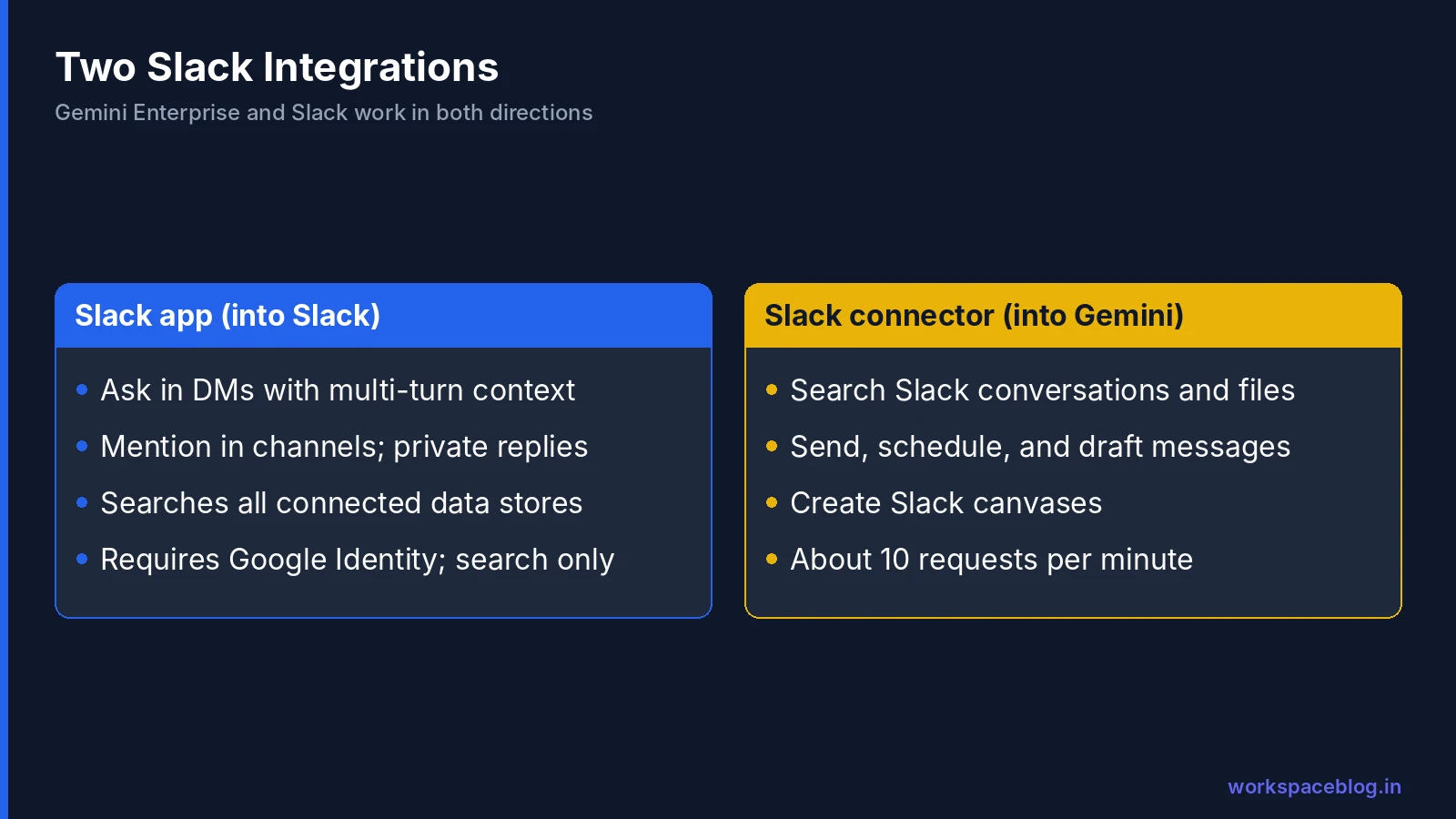
| Gemini Enterprise app for Slack | Slack connector (data store) | |
|---|---|---|
| Direction | Gemini Enterprise → Slack | Slack → Gemini Enterprise |
| What users do | Ask questions in Slack DMs or by @mentioning the app | Search Slack content from the Gemini Enterprise app, agents, and workflows |
| Data used | All connected Gemini Enterprise data stores | Slack conversations, messages, and files |
| Actions | Not supported in the app | Send, schedule, and draft messages; create canvases |
| Status | GA (June 2026); channel mentions and multi-turn GA (September 2026) | GA (May 2026) |
At Gemini at Work 2026, Google also said the new Gemini agent will be accessible from Slack alongside Workspace and Microsoft 365 (Gemini agent guide). The Slack app is the integration you can deploy today.
The Gemini Enterprise App for Slack
What users get
Direct messages
- Multi-turn conversations that keep the session’s context. Ask a follow-up or refine the answer
- New chat to start over
Channel and thread mentions
- Mention the app with a prompt in any channel or thread
- It adds an 👀 reaction to confirm it got the request
- It replies privately, marked “Only visible to you”
Answers can draw on all connected Gemini Enterprise data stores (Drive, SharePoint, Jira, Confluence, ServiceNow, and the rest) with each user’s permissions. Chat history stays in each platform and isn’t synced between Slack and the Gemini Enterprise web app.
Prerequisites
| Requirement | Detail |
|---|---|
| Slack | Access to the Slack AI add-on; your workspace ID (starts with T: for Enterprise Grid, don’t use the org ID starting with E) |
| Gemini Enterprise app | Must use Google Identity; workforce identity federation isn’t supported |
| Data | Data stores configured for the services users should search |
| IAM | Project IAM Admin (roles/resourcemanager.projectIamAdmin) on the Google Cloud project |
| OAuth | A Google Cloud OAuth 2.0 web application client with the Slack callback redirect URI |
| Location | global, us, or eu |
Setup steps
- In Google Cloud, create an OAuth 2.0 client (web application) and copy the client ID and secret
- Find your Slack workspace ID
- In the Gemini Enterprise console, open your app → Integration → Slack, enter the workspace ID, client ID, and secret → Save
- Install the app in Slack with the install link and click Allow
- Verify under Manage → Installed Apps in Slack
- Each user grants one-time access so Gemini Enterprise can search their data
The app requests these Slack scopes: app_mentions:read, assistant:write, chat:write, commands, im:history, and reactions:write.
Upgrading? If you installed the app before channel mentions and multi-turn support arrived, you must reinstall it to enable them, and users must re-authorize.
Limitations
- Search only: data store actions aren’t supported in the Slack app
- Google Identity only: no workforce identity federation
- One-to-one mapping: each Gemini Enterprise app links to one Slack workspace; Enterprise Grid needs a separate app per workspace
- History isn’t shared with the web app
The Slack Connector: Searching Slack From Gemini Enterprise
The Slack data store lets users search and read Slack conversations, files, and messages in natural language: from the Gemini Enterprise app, Deep Research, agents, and Workflow Builder.
Actions
| Action | Use |
|---|---|
| Send Slack message | Post an update or answer |
| Schedule Slack message | Send at a set time |
| Create Slack canvas | Turn a summary into a canvas |
| Send Slack message draft | Draft for the user to review |
Plus additional read-only actions. Combined with Workflow Builder, this enables automations like “every Friday, summarize Jira updates and post them to #project-status” (Workflow Builder guide).
Limits
| Limit | Value |
|---|---|
| Rate | About 10 requests per minute, depending on query complexity |
| File size | 90 MB for uploads and downloads |
| Locations | global, us, eu |
| VPC Service Controls | Can’t be applied to an existing Slack data store: create it inside the perimeter, or recreate it |
| File content search | Results may not always be comprehensive |
Google recommends adding only one data store with actions per connector type to an app. For connector fundamentals (federated vs. ingested data, syncs, and permissions), see our connectors guide.
Use Cases
| Team | In Slack (app) | From Gemini Enterprise (connector) |
|---|---|---|
| Engineering | ”@Gemini how do we rotate the API keys for service X?”, answered from Confluence runbooks | ”Summarize decisions in #platform-arch this month” |
| Support | Find the fix for a customer issue from past tickets without leaving Slack | Deep Research across tickets and Slack threads on a recurring problem |
| Sales | Pull the latest pricing sheet and case studies into a DM | Account briefing combining CRM notes and Slack deal-room history |
| HR | Answer policy questions privately in DMs | Weekly digest of #ask-hr themes |
| Leadership | Quick answers from strategy docs | Summaries of key channels before a staff meeting |
Example Prompts to Share With Users
- “@Gemini what’s our travel policy for international trips?”
- “@Gemini find the latest version of the Q4 pricing deck”
- “Summarize the open incidents for the payments service and link the runbooks” (in a DM)
- “What did we decide about the vendor renewal? Check Drive and Jira” (in a DM)
- “Draft a reply to this thread explaining the new VPN setup steps” (in a thread mention: the draft comes back privately)
Short, specific prompts that name the source (“check Confluence”, “from the HR handbook”) get better answers.
Troubleshooting
| Problem | Likely cause | Fix |
|---|---|---|
| App doesn’t respond to channel mentions | Installed before channel mentions launched | Reinstall the app; users re-authorize |
| ”Not authorized” or empty answers | User hasn’t granted one-time access, or no data stores connected | Ask the user to authorize; check app data stores |
| Setup fails with workspace ID | Used the Enterprise Grid org ID (E…) | Use the individual workspace ID (T…) |
| App can’t be configured at all | Gemini Enterprise app uses workforce identity federation | Use an app with Google Identity |
| Answers miss recent Slack content | Connector sync lag or rate limits | Check connector status; narrow the query |
| Users expect actions from the app | Actions aren’t supported in the Slack app | Use the Slack connector from Gemini Enterprise or a workflow |
Security and Governance
Permissions
- Users only get answers from data they can access in each connected source
- Channel mention replies are private to the asker, so sensitive answers don’t leak into busy channels
- Review which Slack channels the connector covers: public channels with sensitive history become very searchable
Identity
The Slack app requires Google Identity. If your Gemini Enterprise app uses workforce identity federation (for example, Entra ID sign-in), plan a separate app with Google Identity for Slack, or wait for broader support.
Actions
Keep send and schedule actions off until you need them, and use human approval steps in workflows for anything that posts on someone’s behalf. Messages sent by an agent should be clearly identifiable.
Data residency and perimeter
Choose us or eu if you need residency, and create the Slack data store after your VPC Service Controls perimeter exists (compliance guide).
Retention
Slack’s own retention settings still govern Slack data. Make sure your Gemini Enterprise sync schedule picks up deletions so removed messages don’t linger in search results.
Slack With Gemini Enterprise vs. Google Chat With Gemini
If you run Google Workspace, you may be weighing whether to keep Slack at all. A quick comparison of how AI fits each:
| Slack + Gemini Enterprise | Google Chat + Gemini | |
|---|---|---|
| AI in chat | Gemini Enterprise app via DMs and private replies to mentions | Gemini built into Google Chat |
| Company search | All Gemini Enterprise data stores | Workspace data, plus Gemini Enterprise if licensed |
| Agents in conversations | Gemini agent access announced for Slack | Coworker agents can be added to Chat spaces and @mentioned (announced) |
| Admin | Two platforms, two consoles, Slack AI add-on required | One Admin console (Google Chat admin guide) |
| Identity | Google Identity required for the Slack app | Native Workspace identity |
There’s no wrong answer: many organizations keep Slack because engineering lives there. But if you’re consolidating tools, Google Chat’s native Gemini integration and single admin model are worth evaluating.
Rollout Checklist
- Confirm Slack AI add-on access and workspace IDs
- Confirm the Gemini Enterprise app uses Google Identity
- Connect the data stores users will search from Slack
- Create the OAuth client and configure Integration → Slack
- Install the app; verify in Slack admin
- Pilot with two or three teams; collect example questions
- Decide on the Slack connector: which channels, which actions
- Announce how private replies work and what data is searchable
- Monitor usage and connector health
Measuring Success
Track how many people use the app each week, which channels mention it most, and which questions it can’t answer. Unanswered questions usually point to a missing data store or outdated documents. Fixing those improves results in Slack and in the Gemini Enterprise web app at the same time.
Conclusion
The Gemini Enterprise app for Slack puts company-wide, permission-aware AI search where many teams spend their day: in DMs with multi-turn context, and in channels with private replies. The Slack connector does the reverse, making Slack conversations searchable and actionable from Gemini Enterprise, Deep Research, and workflows.
Set up the app with Google Identity and one Gemini Enterprise app per Slack workspace, connect the data people need, and keep actions off until there’s a clear use case. For organizations that pair Google Workspace with Slack, this is one of the quickest ways to make Gemini Enterprise part of everyday work.
Official Google documentation:
- Configure the Gemini Enterprise app for Slack
- Slack connector
- Set up a Slack data store
- Gemini Enterprise release notes
Related reading:
- Gemini Enterprise Connectors and Data Stores: the data Slack users can search.
- Gemini Enterprise Workflow Builder Guide: automations that post to Slack.
- Google Chat Admin Guide: if you’re weighing Google Chat for team messaging.
This guide contains referral or affiliate links. If you sign up through one, Workspace Blog may earn a commission at no extra cost to you. Read our referral and advertising disclosure.
Frequently Asked Questions
- Can I use Gemini Enterprise inside Slack?
- Yes. The Gemini Enterprise app for Slack lets users ask questions in direct messages, with multi-turn conversations, or by mentioning the app in a channel or thread, where it replies privately. Answers can draw on all of your connected Gemini Enterprise data stores. Google made the Slack app generally available in June 2026 and added channel mentions and multi-turn chat in September 2026.
- What's the difference between the Slack app and the Slack connector?
- The Slack app brings Gemini Enterprise search into Slack so people can ask questions where they work. The Slack connector is a data store that lets Gemini Enterprise search Slack conversations, messages, and files from the Gemini Enterprise app and agents, and perform actions such as sending messages. They're configured separately, and many organizations use both.
- What are the prerequisites for the Gemini Enterprise Slack app?
- You need access to the Slack AI add-on, a Gemini Enterprise app that uses Google Identity (workforce identity federation isn't supported), configured data stores, the Project IAM Admin role on the Google Cloud project, Google Cloud OAuth web application credentials, and your Slack workspace ID starting with T. Each Gemini Enterprise app links to one Slack workspace.
- Does the Slack app support actions or agents?
- Google's documentation says the Slack app supports Gemini Enterprise search only, and data store actions aren't supported in it. Actions such as sending or scheduling Slack messages are available through the Slack connector when used from Gemini Enterprise. At Gemini at Work 2026, Google said the broader Gemini agent will be accessible from Slack.
- Are channel mention replies visible to everyone?
- No. When a user mentions the Gemini Enterprise app in a channel or thread, the app adds an eyes reaction to confirm it received the request and replies privately with a message marked Only visible to you. Answers respect the asking user's access to connected data.