Google Sheets for Business: Features, Gemini, Limits and Latest Updates
Google Sheets in Google Workspace: tables, Connected Sheets, the 20 million cell limit, Gemini and the AI function, admin settings and a running log of updates.

Checked against Google's official documentation, last updated 15 Nov, 2026. See what changed

Google Sheets is the app most teams open every day in Google Workspace, and it now changes almost every week. In the last few months alone Google has doubled the cell limit, added box and whisker charts, given pivot tables a compact layout, brought Gemini to Sheets on Android and iOS, and let Gemini answer questions about BigQuery data in plain language.
This page is a living hub for Sheets in a business setting. It covers the core business features, Gemini in Sheets, the limits Google publishes, which editions get what, and the admin settings that matter. The Recent updates table near the end is refreshed as Google ships new Sheets features, so bookmark it.
Key Takeaways
- Sheets now holds up to 20 million cells or 100 MB per spreadsheet, generally available since September 2026.
- Gemini in Sheets can build whole spreadsheets, fill cells with the AI function, create interactive Sheets canvas mini-apps and query BigQuery data in plain language.
- Most Gemini in Sheets features list Business Standard and Plus and Enterprise Standard and Plus; core Sheets features reach all Workspace customers.
- Admins manage Gemini at Generative AI > Gemini for Workspace, but many Sheets features, including recent pivot table and chart updates, have no admin control.
- Connected Sheets needs Google Cloud access, BigQuery and a billing project, and Google says VPC Service Controls does not support Sheets.
Table of contents
Open Table of contents
How Sheets Fits Together
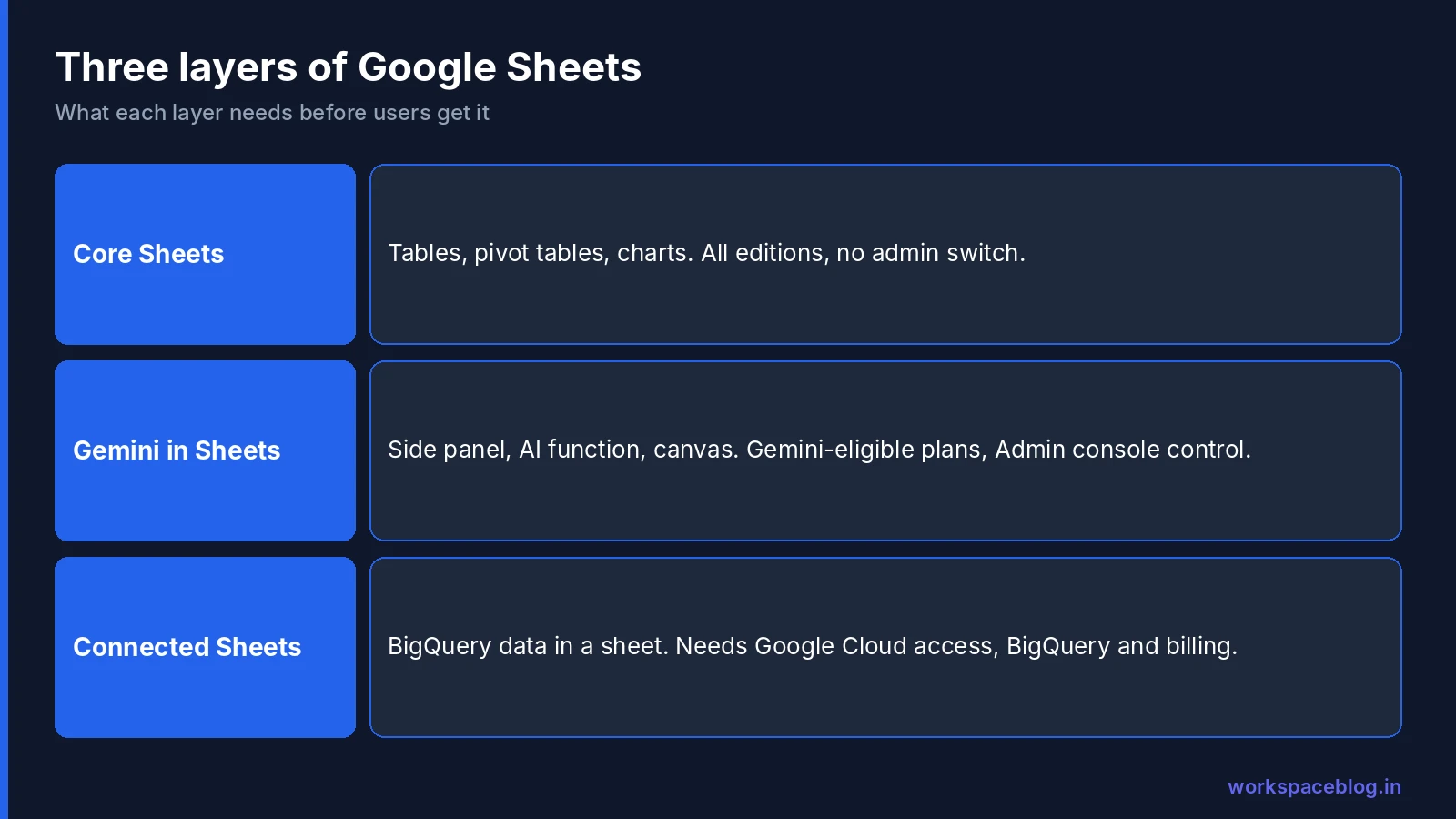
It helps to think of Sheets in three layers, because each one is switched on in a different way:
| Layer | What it includes | Who gets it | How it is controlled |
|---|---|---|---|
| Core Sheets | Tables, pivot tables, charts, formulas, calculation settings | All Google Workspace customers | Usually no admin control; release track decides timing |
| Gemini in Sheets | Side panel, AI function, Fill with Gemini, Sheets canvas, mobile Gemini | Gemini-eligible editions and AI add-ons | Gemini for Workspace settings and smart features |
| Connected Sheets | Live BigQuery data inside a spreadsheet | Users with Google Cloud and BigQuery access | Google Cloud access, BigQuery roles and billing |
When a user says “I can’t see the new Sheets feature”, the answer is almost always one of three things: their release track hasn’t reached it yet, their edition doesn’t include it, or a Gemini or Google Cloud setting is off for their organisational unit.
Core Business Features
Tables
Tables apply structure and formatting to a range so teams don’t rebuild the same tracker by hand. Select a range and choose Format > Convert to table, then set a type for each column. Google’s column types are:
| Column type | Options |
|---|---|
| Number | Number, Percentage, Currency |
| Text | - |
| Date | Date, Date and time, Time |
| Dropdown | - |
| Checkbox | - |
| Smart chips | People, File, Finance, Place, Rating |
| None | Mixed data, no type applied |
Typed columns warn about values that don’t match. Tables also support filter views (Views > Create filter view) and group by views, with aggregations such as Sum, Average, Count and Percent filled. Insert > Pre-built table gives ready-made structures for common jobs such as project tracking and inventory.
Formulas can use table references, for example =SUM(DeptSales[Sales Amount]), which keep working as rows are added or removed. Table names can’t exceed 255 characters, can’t start with a number, and can’t look like a cell reference.
Since 11 August 2026, Excel tables import as Sheets tables, and Excel pivot tables backed by table ranges stay linked instead of turning into static grids.
Pivot tables
Pivot tables have had a run of updates aimed at people moving from Excel:
- Grouped fields persist in the pivot table editor, so you can remove a grouped field and add it back later. Grouped fields from imported .xlsx files are kept too.
- Manual reorder and custom sort: drag rows and columns into the order your business uses. Custom orders survive refreshes and filtering, and custom sort orders in Excel files are now preserved on import and export.
- Compact form layout: nest all row fields in a single indented column with expand and collapse buttons, instead of one column per field. Excel files with compact pivot tables keep that layout on import.
Charts and calculation
Sheets added box and whisker charts in October 2026, useful for showing spread and outliers in a data set. A manual calculation setting (File > Settings > Calculation Settings, off by default) lets editors pause automatic recalculation, batch their edits and then update the whole sheet. Google suggests it for large data changes, scenario models and freezing volatile values such as random numbers or timestamps.
Performance
Google reported in April 2026 that, for spreadsheets with more than one million cells, opening is up to 30% faster, and filtering and conditional formatting are up to 60% faster. No admin action is needed.
Limits Google Publishes
Google’s Files you can store in Google Drive page is the official source for Sheets limits:
| Limit | Value |
|---|---|
| Cells per spreadsheet | Up to 20 million cells or 100 MB (created in or converted to Sheets) |
| Excel conversion | Cells with more than 50,000 characters are removed |
| Connected Sheets pivot tables | Up to 200,000 rows |
| Connected Sheets extracts | Up to 500,000 rows or 5 million cells |
| AI function | Only the first 350 selected cells with AI functions are generated at a time |
| Fill with Gemini | Up to 3,000 cells per request (October 2026 update) |
The cell limit rose from 10 million to 20 million. Google opened a beta in April 2026 and made it generally available from 10 September 2026 for Rapid Release domains and 28 September 2026 for Scheduled Release domains. It applies to new, existing and imported files, and there is no admin control. Google has said a separate increase to the byte size limit for imported spreadsheets is planned, but hasn’t published a figure or date.
If your team keeps hitting the cap, the cell count is usually the problem, not the row count. Delete unused empty columns and rows, split archives into separate files, or move large tables to BigQuery and use Connected Sheets.
Gemini in Sheets
Gemini in Sheets has grown from a side panel that wrote formulas into a set of tools that can build and analyse whole spreadsheets. See our Gemini for Google Workspace guide for how Gemini works across the other apps.
Build and edit whole spreadsheets
Announced in April 2026, this lets users describe a spreadsheet in plain language and have Gemini plan and build it, including data retrieval, formatting, pivot tables and complex formulas. Gemini can show a plan for approval first, edit existing models from the side panel and solve optimisation problems. With Workspace Intelligence turned on, it can draw context from other Workspace apps. Google listed it as US and English only at launch.
The AI function and Fill with Gemini
The AI function brings Gemini into a cell:
- Syntax:
=AI("prompt", [range]). You can also type=Gemini()or use Insert > Function > AI. - Uses: generate text, summarise, categorise, analyse sentiment and pull real-time information from Google Search.
- Generate: select the cells and click Generate and Insert. Use Refresh and Insert to regenerate. Changes show under your name in version history.
- In tables: use Insert AI column right on the last column.
- Limits: text output only, no undo or redo, and it can’t read the rest of the spreadsheet or other Drive files, only the range you pass. AI functions nested inside other functions, such as IF, aren’t supported. Short and long term usage limits apply; after a long-term limit Google says to wait 24 hours.
Since 20 October 2026, Fill with Gemini shows cell-level citations for web sources, so each generated cell lists the sources behind it (on the web). Requests can now cover up to 3,000 cells. It is on by default for users with Gemini in Sheets.
Sheets canvas
Sheets canvas turns a spreadsheet into an interactive mini-app from one prompt, such as a Kanban board, a forecasting dashboard or a sticky-note whiteboard. It is read-write: moving a card in the canvas updates the sheet, and sheet edits appear in the canvas. It inherits the spreadsheet’s sharing settings, works on the web only, needs the account language set to English, and is subject to per-user usage limits.
From November 11, 2026 for Rapid Release domains, and December 2 for Scheduled Release, a canvas can also be published as a standalone, read-only link with its own audience setting, so people can view the canvas without access to the source spreadsheet. Google adds no new admin control: publishing follows the existing Publish to the web setting in Drive sharing.
Gemini with BigQuery data
From 19 October 2026, users with a spreadsheet connected to BigQuery through Connected Sheets can open the Gemini side panel and ask questions in plain language, with follow-ups. Google says Gemini queries run against the full BigQuery dataset, not just the rows visible in the sheet, and it can create a new tab with connected objects. It is on by default with no admin control.
Gemini on Android and iOS
Gemini in Sheets reached Android in September and iOS in October 2026. Users tap the Gemini spark icon to ask questions, get insights and create charts. Google says mobile is focused on analysis; complex edits, formatting and formula generation still need the web. There is no separate admin control; access follows the Gemini for Workspace setting.
Connected Sheets and BigQuery
Connected Sheets lets people work with BigQuery tables of up to billions of rows from a spreadsheet. It runs queries on BigQuery on the user’s behalf, on request or on a schedule, and stores the results in the sheet. Users can’t change BigQuery data from Sheets.
Requirements from Google’s help page:
- Google Cloud access, which admins can turn on for the organisation.
- BigQuery access for the user.
- A project with billing set up in BigQuery, or the BigQuery sandbox for trials.
- The right roles on the table or dataset.
Two points for admins. Google says VPC Service Controls does not support Sheets, so data inside a service perimeter may be unreachable unless the perimeter is configured to allow Connected Sheets queries. Access is recorded in Cloud Audit Logs. Connected Sheets queries run in BigQuery, so set Cloud billing budgets and alerts before rolling it out widely.
Google’s help page doesn’t say which Workspace editions include Connected Sheets, so check your own Admin console and Google Cloud setup rather than relying on a plan comparison.
Edition Availability
| Feature | Editions Google lists |
|---|---|
| Core Sheets updates (tables, pivot tables, charts, cell limit) | All Google Workspace customers |
| Manual calculation setting | All Google Workspace customers and Workspace Individual |
| Build and edit spreadsheets with Gemini | Business Standard and Plus, Enterprise Standard and Plus, AI Expanded Access, AI Ultra Access, Google AI Pro for Education |
| Fill with Gemini citations, Gemini with BigQuery, Sheets canvas | Business Standard and Plus, Enterprise Standard and Plus, Google AI Pro for Education, AI Expanded Access |
| Gemini in Sheets on Android | Business Standard and Plus, Enterprise Standard and Plus, Google AI Pro for Education |
| Gemini in Sheets on iOS | Business Starter, Standard and Plus, Enterprise Starter, Standard and Plus, Google AI Pro for Education |
| AI function | An eligible Google Workspace or Google AI plan |
Edition lists come from each Workspace Updates announcement and differ between features, so check the specific post before promising a feature to a team. For a broader view of the plans, see our Business Starter vs Standard vs Plus comparison.
Admin Settings That Matter
| Setting | Where | What it does |
|---|---|---|
| Gemini in Workspace services | Admin console > Generative AI > Gemini for Workspace > Feature access | Turns Gemini on or off for Sheets, together with Drive, Docs, Slides, Forms, Drawings and Vids, by OU or configuration group |
| Smart features | Workspace smart features settings | Users need smart features and personalisation on to use Gemini in Sheets and Sheets canvas |
| Workspace Intelligence | Admin console | Widens what Gemini can do when building spreadsheets |
| Google Cloud access | Admin console | Needed before users can connect BigQuery data |
| Marketplace apps | Marketplace settings in the Admin console | Controls Sheets add-ons such as the Workday add-on |
| Release track | Admin console release preferences | Rapid Release gets most Sheets features days or weeks earlier |
A few details worth knowing:
- The Feature access panel is available on certain editions only: Google names Enterprise Standard and Plus, the Teaching and Learning add-on, Education Plus, and Google AI Pro for Education.
- Gemini features in Workspace services are on by default.
- Turning Gemini off for one app doesn’t stop users reaching that app’s data through Gemini in another app.
- Most new Sheets features, including the pivot table, chart, calculation and cell limit updates, say “There is no admin control for this feature.” The only lever is the release track.
- Gemini activity across Workspace apps, including Sheets, can be exported with Google Vault, which added filtered exports for Gemini in October 2026. See our Google Vault eDiscovery guide.
For scripts and add-ons that read Sheets data, review the OAuth scopes they request and the Cloud projects behind them before you approve them.
Security and compliance controls for Sheets files
Spreadsheets are Drive files, so Drive’s data protection controls cover them. Drive DLP rules apply to Sheets like any other Drive file; our Google Workspace data loss prevention (DLP) guide covers rule setup.
| Control | What it does for Sheets | Editions Google lists |
|---|---|---|
| Client-side encryption | Encrypts spreadsheet content with keys your organisation controls | Enterprise Plus, Education Standard and Plus, Frontline Plus |
| Classification labels | Badged or standard labels on files; a label can be a condition or action in DLP rules, and users can search Drive by label | Check Google’s labels page for your edition |
| Vault retention | Retains files in users’ Drives and shared drives; rules can use Drive label fields | Vault editions; label-based rules on Business Standard and Plus, Enterprise, Education Standard and Plus, Essentials editions |
| Drive log events | Records events such as View, Edit, Download and external sharing, under Reporting > Audit and investigation > Drive log events | Most events are logged only for files owned by users with supported editions |
In encrypted spreadsheets, Google says real-time collaboration isn’t available and the Commenter permission is unsupported, while comments, action items and emoji reactions still work. Encrypted Sheets can’t be opened in the Drive mobile app. Our audit logs guide covers investigating Drive events.
Recent Updates
This table lists Sheets updates from Workspace Updates in recent months, newest first. “Rapid” and “Scheduled” are the release tracks.
| Date | Update | Who gets it | Admin control |
|---|---|---|---|
| 11 Nov 2026 | Publish a Sheets canvas to its own read-only link with a separate audience, without sharing the spreadsheet (Rapid from 11 Nov, Scheduled from 2 Dec) | Business Standard and Plus, Enterprise Standard and Plus, AI Pro for Education, AI Expanded Access | Existing Publish to the web setting in Drive sharing |
| 5 Nov 2026 | Beta: rules can now encrypt sensitive spreadsheets (and other Editors and Drive files) with client-side encryption automatically, in place, keeping each file’s link | Enterprise Plus customers that have Assured Controls or Assured Controls Plus and join the beta | Off until an admin creates rules |
| 29 Oct 2026 | Create, preview and edit files, including spreadsheets, directly in the Gemini app | All Workspace customers, Workspace Individual | Gemini app on or off |
| 28 Oct 2026 | Compact form layout for pivot tables (Rapid from 22 Oct, Scheduled from 6 Nov) | All Workspace customers | None |
| 28 Oct 2026 | Fill with Gemini cell-level citations and up to 3,000 cells per request (from 20 Oct) | Business Standard and Plus, Enterprise Standard and Plus, AI add-ons | Gemini in Sheets setting |
| 22 Oct 2026 | Box and whisker charts (Rapid from 22 Oct, Scheduled from 6 Nov) | All Workspace customers | None |
| 22 Oct 2026 | Vault filtered exports for Gemini in Workspace | Business Plus, Enterprise Standard and Plus and other Vault editions | Vault and Gemini history settings |
| 19 Oct 2026 | Analyse BigQuery data in plain language with Gemini | Business Standard and Plus, Enterprise Standard and Plus, AI add-ons | None (on by default) |
| 19 Oct 2026 | Gemini in Sheets on iOS (from 15 Oct) | Business and Enterprise Starter, Standard and Plus, Google AI Pro for Education | Gemini for Workspace setting |
| 30 Sep 2026 | Comments and suggestions through the Sheets API | All Workspace customers | API access controls |
| 22 Sep 2026 | Manual reorder and custom sort in pivot tables (Rapid from 22 Sep, Scheduled from 5 Oct) | All Workspace customers | None |
| 21 Sep 2026 | Manual calculation setting | All Workspace customers, Workspace Individual | None |
| 21 Sep 2026 | Workday add-on for Sheets, needs an Adaptive from Workday licence | All Workspace customers | Marketplace install by admin |
| 10 Sep 2026 | 20 million cell limit generally available (Rapid from 10 Sep, Scheduled from 28 Sep) | All Workspace customers | None |
| 10 Sep 2026 | Gemini in Sheets on Android (from 9 Sep) | Business Standard and Plus, Enterprise Standard and Plus, Google AI Pro for Education | Gemini for Workspace setting |
| 25 Aug 2026 | Grouped pivot table fields persist (Rapid from 25 Aug, Scheduled from 14 Sep) | All Workspace customers | None |
| 13 Aug 2026 | Sheets canvas interactive mini-apps (Rapid from 10 Aug, Scheduled from 31 Aug) | Business Standard and Plus, Enterprise Standard and Plus, AI add-ons | Gemini in Sheets setting |
| 11 Aug 2026 | Excel tables import as Sheets tables; linked pivot tables kept | All Workspace customers | None |
Google later noted that the Workday add-on’s name and functionality changed while availability and setup stayed the same, so check the original post for the current name.
Rolling Out Sheets Changes Smoothly
- Put a pilot OU on Rapid Release so a few power users see Sheets changes first.
- Decide on Gemini per OU at Generative AI > Gemini for Workspace, and confirm smart features are on for those users.
- Tell Excel users about the pivot table and table import improvements; these remove many conversion complaints.
- Share the AI function rules: text only, no undo, and it only sees the range you pass.
- Set up Connected Sheets deliberately, with a billing project, BigQuery roles and budget alerts, before inviting analysts.
- Revisit this page when Google posts new Sheets updates.
Conclusion
Google Sheets for business is now three things at once: a fast spreadsheet with 20 million cells, a Gemini workspace that can build, fill and explain sheets, and a front end for BigQuery. Most core changes arrive without an admin switch, so your real controls are the release track, Gemini settings by OU and Google Cloud access. Keep an eye on the updates table above and you’ll know what your users are about to see in Google Workspace.
Official Google documentation:
- Files you can store in Google Drive (Sheets limits)
- Use tables in Google Sheets
- Use the AI function in Google Sheets
- Get started with BigQuery data in Google Sheets
- Manage access to Gemini features in Workspace services
- About client-side encryption
- Collaborate on encrypted files in Docs, Sheets and Slides
- Get started as a classification labels admin
- Retain Drive files with Vault
- Drive log events
- Doubled cell limits in Google Sheets now generally available (Workspace Updates)
- Faster performance and doubled cell limits in Google Sheets (Workspace Updates)
- Build and edit complex spreadsheets with Gemini in Google Sheets (Workspace Updates)
- Use Sheets canvas to visualize data (Workspace Updates)
- Improved file importing with tables and linked pivot tables (Workspace Updates)
- Preserve and reuse grouped pivot table fields (Workspace Updates)
- Gemini in Google Sheets on Android (Workspace Updates)
- New manual calculation setting (Workspace Updates)
- Manually reorder and custom sort pivot tables (Workspace Updates)
- Workday for Google Sheets (Workspace Updates)
- Comments and suggestions in the Docs, Sheets and Slides APIs (Workspace Updates)
- Analyze BigQuery data with Gemini in Google Sheets (Workspace Updates)
- Gemini in Google Sheets on iOS (Workspace Updates)
- Box and whisker charts in Google Sheets (Workspace Updates)
- Compact form layout for pivot tables (Workspace Updates)
- Fill with Gemini cell-level citations (Workspace Updates)
- Publish a Sheets canvas as a standalone link (Workspace Updates)
- Client-side encryption applied automatically by rules, beta (Workspace Updates)
Related reading:
- Google Docs for Business: the companion hub for Docs features and updates.
- Gemini for Google Workspace Guide: Gemini across Gmail, Docs, Sheets and more.
- Google Workspace Business Plans Compared: which plan includes what.
- Google AppSheet for IT Admins: turn Sheets data into no-code apps.
- Google Workspace Marketplace: Best Apps: manage add-ons for Sheets.
This guide contains referral or affiliate links. If you sign up through one, Workspace Blog may earn a commission at no extra cost to you. Read our referral and advertising disclosure.
Frequently Asked Questions
- How many cells can a Google Sheets spreadsheet hold?
- Up to 20 million cells or 100 MB for spreadsheets created in or converted to Google Sheets. Google made the doubled limit generally available from 10 September 2026, and it applies to new, existing and imported files.
- Which Google Workspace editions include Gemini in Sheets?
- Most recent Gemini in Sheets launches list Business Standard and Plus, Enterprise Standard and Plus, and add-ons such as Google AI Pro for Education and AI Expanded Access. Lists vary by feature: Gemini in Sheets on iOS also lists Business Starter and Enterprise Starter. Core Sheets features are available to all Workspace customers.
- What is the AI function in Google Sheets?
- A formula, written as =AI("prompt", [range]) or =Gemini(), that generates text, summaries, categories, sentiment and real-time Google Search information in cells. It needs an eligible Workspace or Google AI plan, returns text only and can't see data outside the range you give it.
- Can admins turn off Gemini in Google Sheets?
- Yes, on editions that have the Feature access panel at Generative AI > Gemini for Workspace in the Admin console. Sheets is controlled in one entry with Drive, Docs, Slides, Forms, Drawings and Vids, and can be set per organisational unit or configuration group. Many individual Sheets features have no separate admin switch.
- What do I need to use Connected Sheets with BigQuery?
- Access to Google Cloud, which an admin can turn on for the organisation, BigQuery access, a project with billing set up (or the BigQuery sandbox for trials), and the roles needed to read the table or dataset. Google's help page doesn't list which Workspace editions support it.