Gemini Enterprise vs. Microsoft 365 Copilot: Features, Agents, Data, Security, and Cost Compared
Gemini vs Copilot for business: Gemini Enterprise and Microsoft 365 Copilot on data reach, agents, model choice, security, licensing, and which fits you.

Checked against Google's official documentation. See what changed

For most organizations, the enterprise AI decision in 2026 comes down to two platforms: Microsoft 365 Copilot and Google’s Gemini Enterprise. Both promise an assistant that knows your company’s data, agents that automate work, and enterprise-grade security. They take very different paths to get there, so Gemini vs Copilot is really a choice between two approaches.
This comparison looks at what matters to IT decision-makers: where each gets its data, how agents are built and governed, model choice, security and compliance, and how licensing works. It’s written from a Workspace admin’s perspective but aims to be fair, and the right answer depends heavily on where your users already work, whether that’s Google Workspace, Microsoft 365, or both.
Pricing and features change quickly; verify current details with Microsoft, Google, or your reseller before deciding.
Key Takeaways
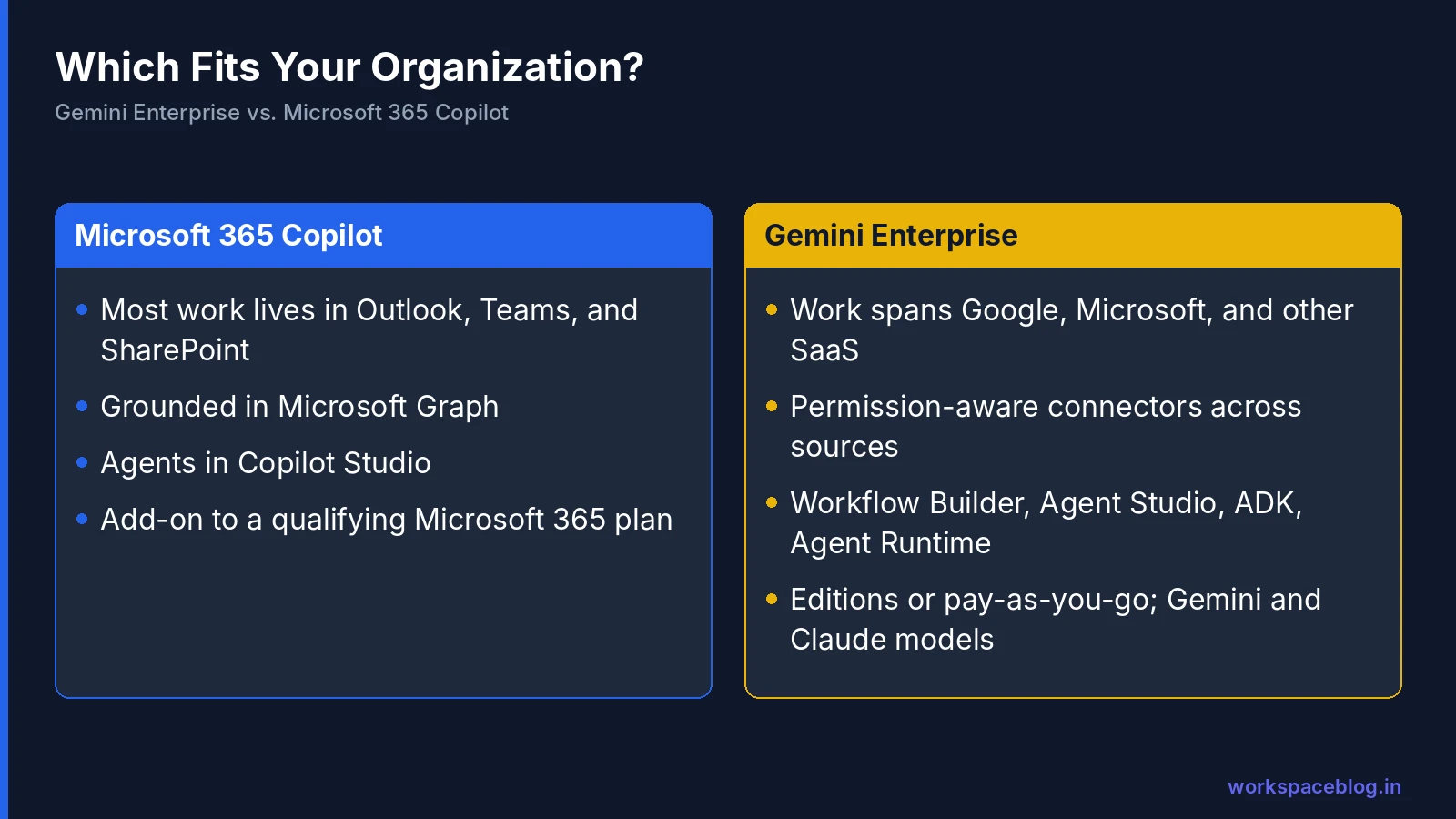
- Copilot is strongest when nearly all work lives in Microsoft 365.
- Gemini Enterprise is strongest when work spans Google, Microsoft, and other SaaS.
- Google’s agent stack runs from no-code Workflow Builder to ADK and Agent Runtime.
- Both surface whatever users can already access. Fix over-sharing first.
- Run a bake-off on real tasks and compare three-year total cost.
Table of contents
Open Table of contents
- Gemini Enterprise vs. Microsoft 365 Copilot: The Short Version
- Where Each Gets Its Data
- Inside the Productivity Apps
- Agents: Building and Running Them
- Model Choice
- Security, Compliance, and Governance
- Licensing and Cost
- The Admin Experience
- Coexistence: Can You Run Both?
- Which Should You Choose?
- A Note on Timing
- Conclusion
Gemini Enterprise vs. Microsoft 365 Copilot: The Short Version
| Microsoft 365 Copilot | Gemini Enterprise | |
|---|---|---|
| Home ecosystem | Microsoft 365 | Google Cloud, with Google Workspace integration |
| Data grounding | Microsoft Graph (mail, files, meetings, Teams chats) | Connectors to Google, Microsoft 365, and 100+ other sources |
| Agent builders | Copilot Studio | Workflow Builder (no-code), Agent Studio (low-code), ADK (code) |
| Custom agent platform | Copilot Studio and Azure AI services | Gemini Enterprise Agent Platform (formerly Vertex AI) |
| Licensing | Add-on to a qualifying Microsoft 365 plan; agent usage in Copilot Credits | Editions (Business, Standard, Plus, Frontline) or pay-as-you-go |
| Strongest when | Most work happens in Outlook, Teams, and SharePoint | Work spans Google, Microsoft, and other SaaS, or runs on Workspace |
Where Each Gets Its Data
Microsoft 365 Copilot
Copilot is grounded in Microsoft Graph (emails, documents, meetings, and Teams chats in your Microsoft 365 tenant) and works inside Word, Excel, PowerPoint, Outlook, and Teams. Data beyond Microsoft 365 is reached through connectors and agents built in Copilot Studio.
Gemini Enterprise
Gemini Enterprise is ecosystem-neutral by design. It connects to:
- Google Workspace: Drive, Gmail, Calendar (GA), plus Chat and Groups in Preview
- Microsoft 365: SharePoint, OneDrive, Outlook, Teams, and Entra ID (GA)
- Third-party systems: Jira, Confluence, ServiceNow, Slack, Box, Dropbox, GitHub, HubSpot, and a long list of Preview connectors
- Databases and analytics: BigQuery, AlloyDB, Cloud SQL, Spanner (federated query in Preview)
- Anything else: through custom MCP servers
Search is permission-aware across all of them. See our connectors guide and Microsoft 365 connectors guide.
Takeaway: if nearly all your content is in Microsoft 365, Copilot’s native grounding is hard to beat. If it’s spread across ecosystems, Gemini Enterprise’s breadth is the differentiator.
Inside the Productivity Apps
| Microsoft 365 Copilot | Gemini | |
|---|---|---|
| Copilot in Outlook | Gemini in Gmail | |
| Documents | Copilot in Word | Gemini in Docs |
| Spreadsheets | Copilot in Excel | Gemini in Sheets |
| Presentations | Copilot in PowerPoint | Gemini in Slides |
| Meetings | Copilot in Teams | Gemini in Meet (notes, summaries) |
| Chat | Copilot in Teams chat | Gemini in Google Chat |
On the Google side, Gemini features in Workspace apps come with Workspace plans; Gemini Enterprise adds the company-wide assistant, enterprise search, Deep Research, notebooks, and agents. At Gemini at Work 2026, Google announced the Gemini agent working inline across Gmail, Drive, Docs, Slides, Sheets, Chat, and Calendar with shared memory and skills, and accessible from Microsoft 365 and Slack too. Our Gemini for Workspace guide covers the in-app features.
Agents: Building and Running Them
| Capability | Microsoft | |
|---|---|---|
| No-code agents for business users | Copilot Studio (and agent builder experiences in Copilot) | Workflow Builder in Gemini Enterprise |
| Low-code / visual | Copilot Studio | Agent Studio on Agent Platform |
| Code-first framework | Microsoft agent frameworks and Azure AI services | Agent Development Kit (ADK) |
| Managed runtime | Azure services | Agent Runtime (up to 7-day long-running agents) |
| Agent-to-agent standard | Supports open protocols | A2A (originated at Google, now Linux Foundation) |
| Tool standard | MCP support | MCP support (custom MCP data stores GA) |
| Agents with their own accounts | Agent identities in Microsoft Entra | Coworker agents with their own Workspace accounts (announced) |
Both now treat agents as first-class identities that need owners, permissions, and audit trails. On Google’s side, see our posts on coworker agents and agent security.
Model Choice
Microsoft 365 Copilot runs on models Microsoft selects and has been adding model choice in some experiences. Gemini Enterprise orchestrates across Gemini and Anthropic’s Claude models today, with Smart Routing to pick the best-value model per job, and Agent Platform’s Model Garden offers 200+ models for custom agents (Model Garden guide).
For most employees, model choice is invisible. For teams building agents, a broad catalog with one bill and one set of controls is a real advantage.
Security, Compliance, and Governance
| Area | Microsoft 365 Copilot | Gemini Enterprise |
|---|---|---|
| Permissions | Inherits Microsoft 365 permissions | Permission-aware across connected sources |
| Data protection | Microsoft Purview (labels, DLP) | Workspace DLP, Vault, plus Model Armor for AI traffic |
| Network perimeter | Microsoft 365 and Azure controls | VPC Service Controls |
| Encryption keys | Microsoft customer key options | CMEK (US/EU multi-region), EKM/HSM with allowlist |
| Data residency | Microsoft 365 data residency commitments | Global, US, EU, plus in-country (Canada, India, Japan, Singapore, UK) |
| Agent controls | Entra agent identities; admin controls for agents | Agent Identity, Agent Registry, Agent Gateway |
| Training on your data | Microsoft states enterprise data isn’t used to train models | Google states customer data isn’t used to train its models |
Labels, audit and retention of AI interactions
Microsoft 365 Copilot works with Microsoft Purview sensitivity labels and encryption: it only uses content the user may access, and for encrypted items the user needs EXTRACT and VIEW usage rights. New content generated from labeled sources inherits the highest-priority label where supported. Microsoft 365 can capture audit records for Copilot prompts, responses and referenced content, and Copilot interactions follow Purview retention policies and are available for eDiscovery.
Gemini Enterprise writes usage audit logs to Cloud Logging for search, assistant, agent and connector activity. Prompt and response text is recorded only if an admin turns on “Enable logging of prompt inputs and response outputs”; otherwise those fields are elided. The logs go to the _Default Cloud Logging bucket unless you route them elsewhere, so compliance teams used to Purview should plan log buckets, access and export to their SIEM.
Both platforms share the same core weakness: they surface whatever users can already access. Over-sharing cleanup is the most important security step regardless of vendor. See our data residency and compliance guide for Google’s controls.
Licensing and Cost
Microsoft 365 Copilot
- Listed on Microsoft’s US enterprise page at $30 per user per month paid yearly, or $31.50 per user per month paid monthly with an annual commitment
- For business plans, Microsoft lists Microsoft 365 Copilot Business at $21 per user per month paid yearly
- An add-on to a qualifying Microsoft 365 plan
- Copilot Chat is included with eligible Microsoft 365 subscriptions
- Copilot Studio agent usage is metered in Copilot Credits
Gemini Enterprise
- Editions: Business (up to 500 users), Standard, Plus, Frontline (needs 150+ Standard or Plus users), and Pay-as-you-go
- Pooled quotas per edition (for example 160 assistant queries and 3 Deep Research reports per Standard user per day)
- Overages billed at Agent Platform rates when enabled, with spend limits
- 30-day Plus trial without contacting sales
- See our billing guide and Workspace add-on pricing guide
Comparing cost fairly: include the base suite (Microsoft 365 or Google Workspace), the AI add-on or edition, agent usage (Copilot Credits vs. Agent Platform usage), storage, and implementation effort. Total cost depends far more on your current suite than on the AI line item.
The Admin Experience
Day-to-day administration differs more than the feature lists suggest:
| Admin task | Microsoft 365 Copilot | Gemini Enterprise |
|---|---|---|
| Assign licenses | Microsoft 365 admin center | Google Cloud console (license distribution GA in 2026) or the Workspace Admin console for Workspace add-ons |
| Connect data | Microsoft 365 data is already there; add Graph connectors for other sources | Create data stores per source; choose federated or ingested; schedule syncs |
| Control agents | Copilot Studio and Microsoft 365 admin settings | Workflow Builder toggle, provisioned connectors and actions, Agent Registry |
| Monitor usage | Copilot usage reports | Usage & Spending dashboard; Cloud Monitoring; agent observability |
| Control spend | Seat licenses; Copilot Credit budgets | Pooled quotas, overages toggle, project spend limits and budgets |
| Investigate an incident | Purview audit and Microsoft 365 logs | Cloud Audit Logs, Workspace audit logs, Model Armor detections |
Microsoft’s advantage is fewer moving parts when everything is in Microsoft 365. Google’s model asks admins to set up connectors and Google Cloud projects, which is more work up front but gives finer control over data sources, locations, and costs.
Coexistence: Can You Run Both?
Plenty of organizations do. Common patterns:
- Split by population: Microsoft-heavy departments on Copilot, Google-heavy or cross-system teams on Gemini Enterprise
- Copilot for productivity, Gemini Enterprise for agents: Copilot in Office apps; Gemini Enterprise Agent Platform for custom agents on Google Cloud data
- Gemini Enterprise as the cross-system search layer: one assistant searching Microsoft 365 and everything else
Running both means two governance models, two sets of logs, and two bills: budget the admin time. If you’re moving between suites, our coexistence guide covers the mail and calendar side.
Which Should You Choose?
| Your situation | Likely best fit |
|---|---|
| All-in on Google Workspace | Gemini Enterprise (plus Gemini in Workspace) |
| All-in on Microsoft 365, little else | Microsoft 365 Copilot |
| Microsoft 365 for productivity, lots of other SaaS and data platforms | Test both; Gemini Enterprise’s connectors often win on breadth |
| Mixed Google and Microsoft | Gemini Enterprise, or Copilot for the Microsoft-heavy teams |
| Heavy custom agent development on Google Cloud | Gemini Enterprise with Agent Platform |
| Strict in-country residency in Canada, India, Japan, Singapore, or the UK | Check each vendor’s commitments for your exact features |
Run a fair bake-off
- Pick 20 real tasks from three teams
- Connect the same data to both (Gemini Enterprise’s Microsoft 365 connectors make this possible)
- Score accuracy, citations, time saved, and user preference
- Include admin tasks: setup effort, permission troubleshooting, agent governance
- Compare three-year total cost for your real seat counts
A Note on Timing
Both vendors are shipping major AI changes every few weeks, and several features compared here were announced in 2026 without general availability dates. Base your decision on what’s available to you today, write the features you depend on into the contract or order form, and plan to re-evaluate annually rather than treating the choice as permanent.
Conclusion
Microsoft 365 Copilot is the natural choice when your organization lives in Microsoft 365: deep grounding in Graph and tight integration with Outlook, Teams, and Office. Gemini Enterprise is the stronger choice when work spans ecosystems or runs on Google: broad, permission-aware connectors, an agent stack from no-code Workflow Builder to ADK and Agent Runtime, model choice including Claude, and strong cloud security controls.
Decide on evidence, not marketing: test both against your real tasks and data. And whichever you choose, clean up permissions first. For organizations on Google Workspace, Gemini Enterprise builds directly on the identity, files, and mail you already have.
Official documentation:
- Gemini Enterprise product page
- Compare editions of Gemini Enterprise
- Welcome to Gemini at Work 2026
- Microsoft 365 Copilot for enterprise
- Microsoft 365 business plans with Copilot
- Microsoft 365 Copilot data protection and auditing architecture
- Gemini Enterprise usage audit logs
- Copilot Studio billing and licensing FAQ
- Gemini Enterprise quotas and overages
Related reading:
- Gemini Enterprise With Microsoft 365: connect SharePoint, Outlook, and Teams.
- Google Workspace vs. Microsoft 365: the productivity suites compared.
- Gemini Enterprise Rollout Plan: 90 Days: how to deploy once you’ve chosen.
This guide contains referral or affiliate links. If you sign up through one, Workspace Blog may earn a commission at no extra cost to you. Read our referral and advertising disclosure.
Frequently Asked Questions
- What's the main difference between Gemini Enterprise and Microsoft 365 Copilot?
- Microsoft 365 Copilot is built around Microsoft 365 and grounded in Microsoft Graph (your Outlook, Teams, SharePoint, and OneDrive data) and sold as an add-on to qualifying Microsoft 365 plans. Gemini Enterprise is Google Cloud's AI platform for businesses: an assistant, enterprise search, and agents that connect to Google Workspace, Microsoft 365, and many third-party systems, with Gemini Enterprise Agent Platform behind it for custom agents.
- Can Gemini Enterprise work with Microsoft 365 data?
- Yes. Gemini Enterprise has generally available connectors for SharePoint, OneDrive, Outlook, Teams, and Entra ID, with Outlook actions generally available and other Microsoft 365 actions in Preview. Google also said at Gemini at Work 2026 that the Gemini agent will be accessible from Microsoft 365.
- How much does Microsoft 365 Copilot cost compared with Gemini Enterprise?
- Microsoft's US enterprise page lists Microsoft 365 Copilot at $30 per user per month paid yearly, or $31.50 per user per month paid monthly on an annual commitment, as an add-on to a qualifying Microsoft 365 plan (Microsoft also sells Microsoft 365 Copilot Business for smaller organizations at a lower list price), with Copilot Studio agent usage metered in Copilot Credits. Gemini Enterprise is sold in editions (Business, Standard, Plus, Frontline) or pay-as-you-go, with pooled quotas and optional overages; Google offers a 30-day Plus trial. Prices vary by region, agreement, and reseller, so compare quotes for your seat count.
- Which is better for organizations that use Google Workspace?
- For organizations on Google Workspace, Gemini Enterprise is usually the natural fit: Gemini is already built into Workspace apps, Gemini Enterprise connects to Drive, Gmail, and Calendar, and coworker agents get Workspace accounts. Microsoft 365 Copilot's grounding is centered on Microsoft 365 data, so it's strongest where Microsoft 365 holds most of the content.
- Which is better for mixed Google and Microsoft environments?
- Mixed environments should test both against their real data. Gemini Enterprise's cross-ecosystem connectors make it attractive when content is spread across Google, Microsoft, and other systems. Microsoft 365 Copilot is strongest when most content and daily work live in Microsoft 365. Many organizations decide based on where the majority of users work every day.