Google Antigravity in Gemini Enterprise: AI Developer Tools, Credits, IDE Support, and Admin Controls
Google Antigravity in Gemini Enterprise: supported IDEs, editions, credits and quotas, admin controls, Claude models, and compliance limits.

Checked against Google's official documentation, last updated 13 Nov, 2026. See what changed

Developers were among the first to adopt AI, often with personal subscriptions to whatever coding assistant was fastest that month. For IT, that meant code and secrets flowing into tools nobody had approved. Gemini Enterprise now includes AI developer tools (headlined by Google Antigravity) under the same licensing, billing, security, and admin controls as the rest of the platform.
This guide covers what’s included, supported IDEs, editions and credits, admin controls (including Claude models and new Boost and Teamwork controls), compliance limits, and a rollout plan.
For organizations already licensing Gemini Enterprise alongside Google Workspace, these tools come under the same contract and admin console.
Key Takeaways
- AI developer tools include Antigravity 2.0, the Antigravity CLI, IDE extensions, and Android Studio.
- Standard includes $10 and Plus $15 per user per month, as a rolling seven-day shared pool.
- Claude models are available but off by default and billed on consumption.
- Antigravity has documented compliance exclusions: decide policy for regulated code.
- Check the file access policy default and Android Studio’s identity limitation before rollout.
Table of contents
Open Table of contents
- What Google Antigravity Includes in Gemini Enterprise
- Editions, Credits, and Billing
- Admin Controls
- Security and Compliance
- Antigravity vs. ADK vs. Agent Studio
- Migrating From Gemini Code Assist
- Developer Guidelines: Do’s and Don’ts
- Measuring the Impact
- Rollout Plan
- Quick FAQ for Developers
- Conclusion
What Google Antigravity Includes in Gemini Enterprise
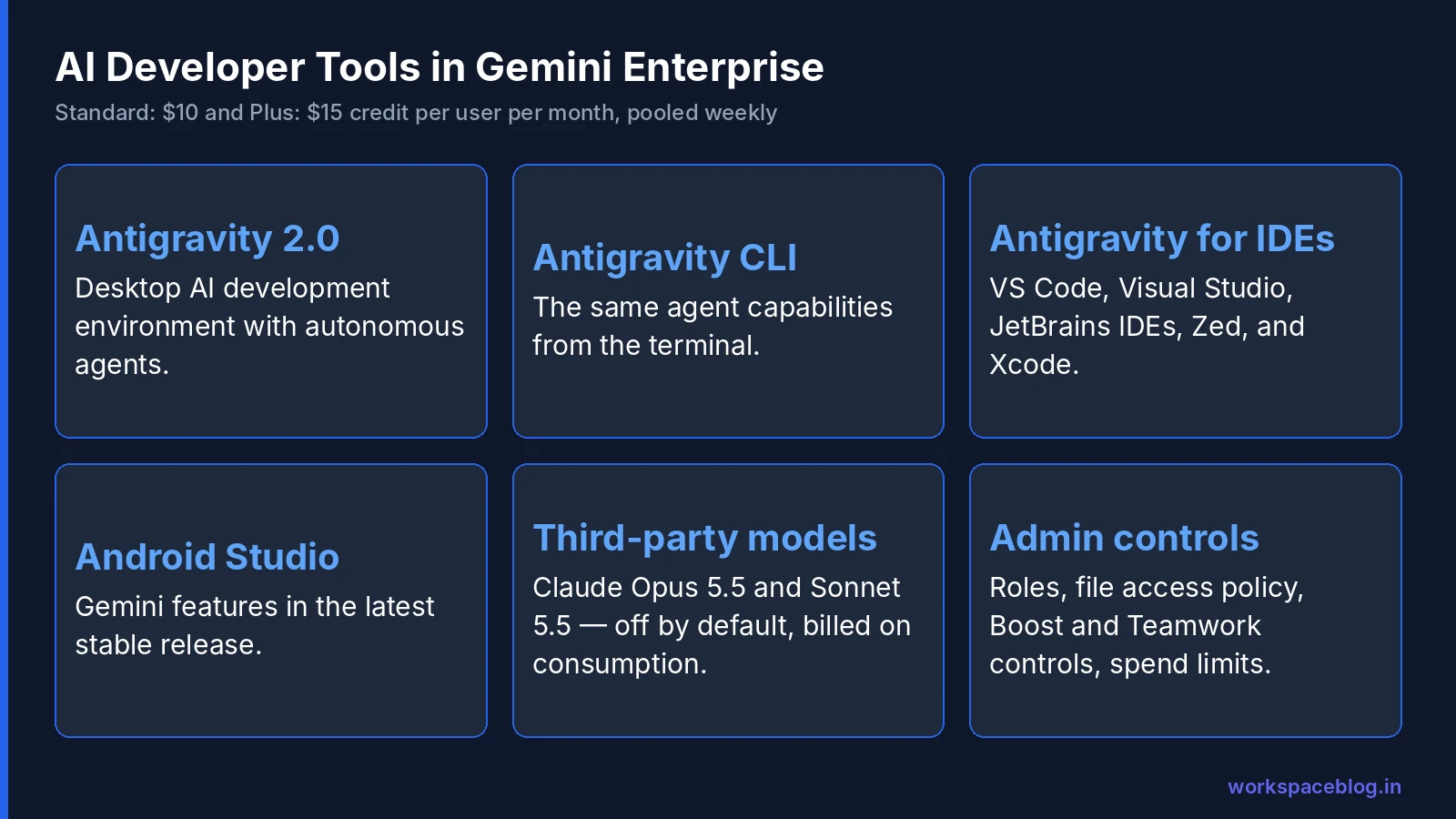
| Tool | What it is |
|---|---|
| Antigravity 2.0 | Google’s AI-powered development environment (desktop app) for building applications with autonomous agents |
| Antigravity CLI | The same agent capabilities from the terminal |
| Antigravity for IDEs | Extensions adding agent capabilities to Visual Studio Code, Visual Studio, JetBrains IDEs (IntelliJ IDEA, PyCharm, WebStorm, GoLand), Zed, and Xcode |
| Android Studio | Gemini features in the latest stable version |
Release timeline
| Date | Change |
|---|---|
| August 18 | AI developer tools generally available in Gemini Enterprise |
| August 20 | Antigravity for IDEs added |
| August 21 | AI developer tools on Standard Emerging Market edition |
| September 10 | Pay-as-you-go and AI developer tools open to all invoiced billing accounts |
| September 17 | Gemini Code Assist removed from new and renewed Standard and Plus subscriptions bought online |
| October 6 | Admin controls for Antigravity Boost (GA) and Teamwork (Preview) |
| October 8 | Claude Opus 5.5 and Claude Sonnet 5.5 added as off-by-default third-party models, billed on consumption |
| October 13 | Gemini 4 Argon generally available in AI developer tools |
| October 20 | Antigravity Enterprise Gateway generally available: requests route through a central gateway, billed pay-as-you-go rather than against seat quotas |
| November 5 | Prepaid credits generally available: paid self-serve billing accounts can use AI developer tools without an invoiced account |
| November 6 | Gemini Code Assist bundled entitlement scheduled to end on March 31, 2027 for existing Standard and Plus subscriptions |
| November 10 | Gemini 4 Carbon generally available in AI developer tools, on by default where authorized models use the default list |
| November 12 | Gemini 4 Hydrogen generally available in AI developer tools, with the same default |
| November 13 | Single-user quota limits extend to AI developer tools, applied to the weekly quota |
Release stages differ by IDE, so check Google’s Antigravity documentation for the current status of each extension before you roll it out.
Editions, Credits, and Billing
Who’s eligible
- Paid or free-trial Standard or Plus
- Paid Standard Emerging Market (eligible customers only) or Pay-as-you-go
- A project with Cloud Billing on an invoiced account with an active monthly invoice, or (since November 5, 2026) an upgraded, paid self-serve account with prepaid credits; free-tier billing accounts and reseller-managed subaccounts don’t qualify
Our Gemini Enterprise add-on guide compares what the Standard and Plus editions include.
Included credits
| Edition | AI developer tools credit |
|---|---|
| Standard | $10 per user per month |
| Plus | $15 per user per month |
How the pool works:
- Enforced on a rolling seven-day basis as a shared pool
- Weekly pool = monthly per-user value ÷ 4 × total licensed seats (free-trial seats count)
- Unused credit doesn’t roll over
- The seven-day cycle starts with the first prompt or request
- Since November 13, 2026, admins can also cap each person with a single-user quota limit: the edition’s quota multiplier applies to the weekly quota, and each user’s limit resets on their own seven-day cycle
So 100 Standard seats create a weekly pool of about $250, shared by whichever developers actually use the tools. Usage beyond the pool can be billed as overages at Agent Platform rates for Gemini models, if enabled. Free-trial subscriptions get the pooled credits but aren’t eligible for overages. The per-user quota limit Google added in October 2026 doesn’t cover AI developer tools.
Spend controls
- Project monthly spend limits: Google says overage usage, including Claude, is capped by the project’s monthly spend limit. In Cloud Billing, spend cap budgets work per project and per service, and Gemini Enterprise Agent Platform (formerly Vertex AI) is one of the eligible services; seat subscriptions themselves are out of scope
- Budget alerts at thresholds you choose
- Third-party model token tracking for Claude usage
See our billing guide for setup.
Admin Controls
Access
| Role | Gives |
|---|---|
Gemini Enterprise User (roles/discoveryengine.agentspaceUser) | Access to use the tools |
Gemini Enterprise Admin (roles/discoveryengine.agentspaceAdmin) | Configuration and metrics, not tool access |
| Custom role without AI developer tools permissions | Blocks access for specific users |
Admins can also turn the tools off for the whole organization.
Settings
Admins configure security, compliance, and model availability settings and view usage metrics. Recent additions:
- Antigravity Boost controls (GA) and Teamwork controls (Preview)
- Third-party models such as Claude: off by default; enable deliberately and track token usage. Claude is available only with pay-as-you-go usage, so overages must be on for each edition where you allow it, and Claude is billed at its own per-token rates rather than from the seat credits
- Security policies (file access outside working folders, terminal auto-execution, sandbox mode), browser access with allowed URLs, and MCP server access with an allowlist. Note that terminal auto-execution defaults to Always proceed, and browser and MCP access default to Disabled
A default to check
Google lists a known issue: when first configured, the “Outside of file access policy” defaults to Deny rather than the expected Always ask. If you want developers prompted before an agent reads files outside their working folder, change it to Always ask. (Deny is the safer default, just make sure it’s what you intend.)
Identity
Android Studio doesn’t support third-party identity providers: users in a location with a third-party IdP can’t use AI developer tools features in Android Studio.
Security and Compliance
Compliance exclusions
Google documents that Antigravity in Gemini Enterprise doesn’t support:
- Access Transparency
- FedRAMP Moderate or High
- IL4 or IL5
- ISO certifications (including 27001 and 42001)
- ITAR
- SOC 1, SOC 2, or SOC 3
Data residency
In the US and EU multi-regions, AI developer tools follow the data residency and ML processing commitments of the model you select. In-country regions (such as India or Canada) don’t support AI developer tools, and Claude inference runs only in the global, us, and eu locations (residency guide).
What this means
If your developers work on systems in scope for SOC 2, ISO 27001, FedRAMP, or ITAR, decide explicitly whether AI developer tools may touch that code, and document the decision. Many organizations allow them for general application code and exclude regulated repositories until certifications catch up.
Developer-specific risks
| Risk | Control |
|---|---|
| Secrets in prompts or context | Secret scanning in repos; train developers; keep .env files out of agent context |
| Agents reading outside the project | Keep the file access policy on Deny or Always ask |
| Agents running destructive commands | Change terminal auto-execution from its Always proceed default so commands need approval; turn on sandbox mode |
| Untrusted MCP servers | Allow only approved servers (MCP guide) |
| Prompt injection from repos or web pages | Review agent-proposed changes; don’t auto-merge |
| Licensing of generated code | Code review and your existing open-source policies |
Antigravity vs. ADK vs. Agent Studio
These are easy to confuse:
| Tool | Purpose |
|---|---|
| Antigravity | An AI development environment: agents that help developers write and change code |
| ADK | A framework for building agents that run in production (ADK tutorial) |
| Agent Studio | A visual builder for designing agents on Agent Platform (Agent Studio guide) |
A common pattern: developers use Antigravity to write an ADK agent, test it locally, and deploy it to Agent Runtime.
Migrating From Gemini Code Assist
If your organization used Gemini Code Assist through Gemini Enterprise:
- Check your renewal date: Code Assist was removed from new and renewed Standard and Plus subscriptions bought online on September 17, 2026, and on November 6, 2026 Google announced that bundled entitlements for existing Standard and Plus subscriptions end on March 31, 2027 (restricted to Gemini 3.x models until then).
- Inventory users and the IDEs they use; confirm each IDE is supported by Antigravity for IDEs
- Configure AI developer tools settings before the switch: file access, third-party models, MCP servers
- Pilot with one team for two weeks; compare productivity and satisfaction
- Communicate the cut-over with install instructions for each IDE and the CLI
- Review usage after the first month against the credit pool
Developer Guidelines: Do’s and Don’ts
Publish a one-page guide with the rollout. A starting point:
Do
- Use the company-provided tools signed in with your work identity
- Keep the agent scoped to the repository you’re working on
- Review every change the agent proposes, as you would a colleague’s pull request
- Ask the agent to write tests alongside code, and run them
- Use the agent for explanation and refactoring of unfamiliar code. It’s often where it saves the most time
- Report bad suggestions or unexpected behavior to the platform team
Don’t
- Paste secrets, customer data, or production credentials into prompts
- Let agents run destructive shell commands without reading them first
- Connect MCP servers or tools that aren’t on the approved list
- Use AI developer tools on repositories marked as regulated or restricted
- Auto-merge agent-generated changes into protected branches
- Assume generated code is licensed or secure: normal code review still applies
Measuring the Impact
Developer AI is easy to over- or under-estimate. Measure it with data you already have:
| Metric | Source | What good looks like |
|---|---|---|
| Active users | Gemini Enterprise usage metrics | Most licensed developers active weekly after a month |
| Credit pool consumption | Usage & Spending | Steady use without regular overruns |
| Lead time for changes | Your CI/CD and Git analytics | Shorter time from first commit to deploy |
| Pull request review time | Git platform | Not increasing: larger AI-generated PRs can slow reviews |
| Change failure rate | Incident and deployment records | Stable or improving; a rise means review is too light |
| Developer satisfaction | Short quarterly survey | Clear majority find the tools helpful |
Watch the balance: faster coding is only a win if quality and review effort stay healthy. If change failure rate rises, tighten review and testing before expanding further.
Rollout Plan
| Week | Step |
|---|---|
| 1 | Confirm eligibility and billing (invoiced, or self-serve with prepaid credits); enable required APIs before buying new subscriptions (Google notes provisioning can fail otherwise: wait about five minutes after enabling) |
| 1 | Decide policy: regulated repos excluded? Claude allowed? MCP servers allowed? |
| 2 | Configure settings and spend limits; create custom roles if needed |
| 2 | Pilot with 10–20 developers across two or three IDEs |
| 3–4 | Collect feedback; review token usage and credit pool consumption |
| 5 | Roll out to all developers with a short guide: install, sign in, do’s and don’ts |
| Monthly | Review usage, costs, and security findings |
If you roll Antigravity out beyond software teams, for example to finance, marketing, legal, or HR, apply the same file access and approval controls.
Quick FAQ for Developers
Do I need a separate license? No: eligible Gemini Enterprise seats include AI developer tools, drawing from the team’s shared credit pool.
Which IDE should I use? Whichever you already use, if it’s supported: VS Code, Visual Studio, JetBrains IDEs, Zed, or Xcode, or the Antigravity 2.0 desktop app and CLI.
Can I use Claude? Only if your admins have enabled the third-party models; usage is billed on consumption.
Why can’t the agent read files outside my project? Your organization’s file access policy is probably set to Deny. Ask your platform team if you need an exception.
What happens when the credit pool runs out? Usage pauses until the rolling seven-day pool refreshes, unless your admins have enabled overages.
Conclusion
AI developer tools in Gemini Enterprise bring Antigravity (desktop, CLI, and IDE extensions) under enterprise licensing, pooled credits, spend limits, role-based access, and admin policies, with Claude available as an opt-in model. That’s a big improvement on developers using unmanaged personal tools.
Mind the gaps before you roll out widely: the documented compliance exclusions, the file access default, and Android Studio’s identity limitation. Set policy for regulated code, configure settings first, and pilot with a few teams. For organizations already running Gemini Enterprise alongside Google Workspace, it’s the simplest way to give developers a sanctioned AI coding agent.
Official Google documentation:
- AI developer tools overview
- Quotas and overages
- Compliance and security controls
- Gemini Enterprise release notes
- Gemini Code Assist Standard and Enterprise subscriptions
Related reading:
- Gemini 4 Carbon vs Argon: how the two latest Gemini models compare for developers.
- Google Agent Development Kit (ADK) Tutorial: build production agents with the code Antigravity helps write.
- Model Garden: Choosing Gemini, Claude, Gemma, and Open Models: model choice across the platform.
- Gemini Enterprise Pay-as-you-go, Quotas, and Overages: how developer tool credits are pooled and billed.
This guide contains referral or affiliate links. If you sign up through one, Workspace Blog may earn a commission at no extra cost to you. Read our referral and advertising disclosure.
Frequently Asked Questions
- What is Google Antigravity?
- Antigravity is Google's AI-powered development environment for building applications with autonomous AI agents. In Gemini Enterprise, AI developer tools include Antigravity 2.0 (desktop), the Antigravity CLI, Antigravity for IDEs (extensions for Visual Studio Code, Visual Studio, JetBrains IDEs, Zed, and Xcode), and Android Studio.
- Which Gemini Enterprise editions include AI developer tools?
- Google lists paid or free-trial Gemini Enterprise Standard or Plus, and paid Standard Emerging Market or Pay-as-you-go subscriptions. The project needs Cloud Billing on an invoiced account with an active monthly invoice or, since November 5, 2026, an upgraded paid self-serve account with prepaid credits. Standard includes a $10 and Plus a $15 credit per user per month for AI developer tools, enforced as a rolling seven-day shared pool.
- Did Antigravity replace Gemini Code Assist in Gemini Enterprise?
- Google's release notes say Gemini Code Assist was removed from new and renewed Gemini Enterprise Standard and Plus subscriptions bought online on September 17, 2026, and Google announced on November 6, 2026 that bundled entitlements for existing subscriptions end on March 31, 2027, restricted to Gemini 3.x models until then. Check your contract and Google's current documentation for your specific subscription.
- Can developers use Claude in Antigravity through Gemini Enterprise?
- Yes, if admins allow it. On October 8, 2026, Google added Claude Opus 5.5 and Claude Sonnet 5.5 to Gemini Enterprise AI developer tools as third-party models that are off by default and billed on consumption. Admins can track third-party model token usage.
- What compliance limitations apply to Antigravity?
- Google's documentation says Antigravity in Gemini Enterprise doesn't support Access Transparency, FedRAMP Moderate or High, IL4 or IL5, ISO certifications including 27001 and 42001, ITAR, or SOC 1, 2, or 3. In the US and EU multi-regions, AI developer tools follow the data residency commitments of the model you select; in-country regions don't support them. Regulated teams should keep them out of in-scope projects or document an exception.