Google Meet Features Guide for Teams: Gemini, Recordings, Limits and Recent Updates
Google Meet for teams: participant limits by edition, Take notes for me, Ask Gemini, speech translation, recordings, transcripts and the latest Meet updates.

Checked against Google's official documentation.

Google Meet has changed more in the last few months than in the previous few years. Gemini now writes the notes, translates speech between 63 languages and answers questions while the meeting is still running, and smaller changes keep landing every week. This guide is for the people who use Meet every day in Google Workspace: team leads, project managers and anyone who runs meetings.
It covers what your edition includes, the Gemini features, how recordings and transcripts work, and a dated table of recent updates. It is a living page: the updates table is refreshed as Google announces changes. If you manage Meet settings for your organisation, our Google Meet admin guide covers the Admin console side.
Key Takeaways
- Participant limits range from 100 (Business Starter) to 1,000 (Enterprise Plus, with the second 500 joining as viewers), and meetings can last 24 hours.
- Take notes for me writes a Google Doc with a short Quick notes tab and a Full notes tab, and can now start automatically only for meetings with 3 or more guests.
- Speech translation covers 63 languages, with up to 90 minutes per meeting on most Workspace editions.
- Recordings stop after 8 hours and, like transcripts and notes, are saved in the organiser’s Google Meet folder in Drive.
- Recent updates include meeting recaps in Google Chat, routine next steps after a call, video tile pairing on mobile and post-quantum encryption.
Table of contents
Open Table of contents
Participant Limits and Meeting Length by Edition
These figures come from Google’s official Meet comparison for each edition.
| Edition | Max participants | Max meeting length | Recording to Drive |
|---|---|---|---|
| Business Starter | 100 | 24 hours | - |
| Business Standard | 150 | 24 hours | ✓ |
| Business Plus | 500 | 24 hours | ✓ |
| Enterprise Standard | 500 | 24 hours | ✓ |
| Enterprise Plus | 1,000 | 24 hours | ✓ |
On Enterprise Plus, Google’s Help Center explains that once 500 contributors have joined, the next 500 join automatically in viewer mode. Viewers can watch, raise their hand, use reactions and take part in Q&A and polls, but can’t share audio, video or their screen. A host or co-host can promote a viewer who raises their hand. For Education, the comparison lists 100 participants on Education Fundamentals and 1,000 on Education Standard, again with the second 500 joining as view only.
If you need a bigger audience than a meeting allows, live streaming is the better fit on editions that include it. The admin guide explains the streaming options and limits. For a full plan comparison beyond Meet, see our Business Starter, Standard and Plus plans comparison.
Everyday Meeting Features
Every Business edition includes the basics: external participants, screen sharing, the Android and iOS apps, dial-in numbers, hand raising, reactions and adding Meet video to Microsoft Outlook. From Business Standard upwards, Google’s comparison adds:
| Feature | Business Starter | Business Standard | Business Plus |
|---|---|---|---|
| Noise cancellation | - | ✓ | ✓ |
| Breakout rooms | - | ✓ | ✓ |
| Polls and Q&A | - | ✓ | ✓ |
| Co-hosts | - | ✓ | ✓ |
| Waiting rooms | - | ✓ | ✓ |
| Control Slides presentations | - | ✓ | ✓ |
| Transcripts saved to Drive | - | ✓ | ✓ |
| Speech translation | - | ✓ | ✓ |
| Attendance tracking | - | - | ✓ |
| Automatic recording, transcripts and notes | - | - | ✓ |
A few practical tips for meeting hosts:
- Use co-hosts for large meetings. With host management on, hosts and co-hosts control who can share, chat and start recordings, and only they can start or stop Gemini notes.
- Use viewer mode for briefings. In Calendar, open Host controls, turn on Host management, and on the Guests tab choose “Everyone is a moderated contributor by default”. Add presenters to the invite as contributors.
- Pair video tiles for interpreters. A participant can pair their tile with another person, such as a sign language interpreter, so both stay side by side for everyone. This works on the web and, since October, on Android and iOS.
Gemini in Meet
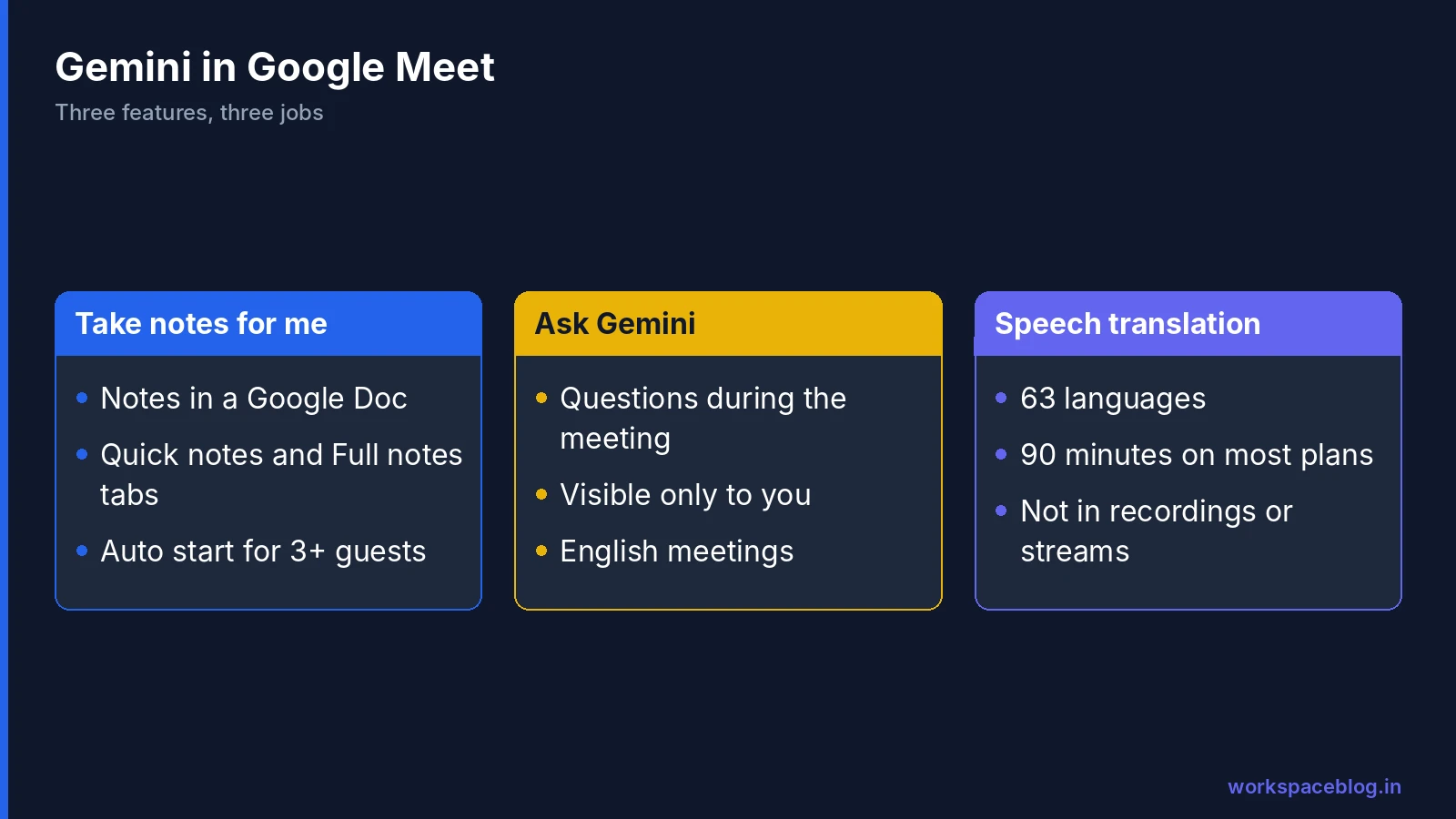
Gemini features in Meet need an eligible edition. Google lists Business Standard and Plus, Enterprise Standard and Plus, Frontline Plus and the Google AI Pro for Education add-on for most of them, and your admin can turn each one off.
Take notes for me
Gemini writes notes in a Google Doc while the meeting runs. Start it from Meet with the Take notes for me button at the top right, or add it to the Calendar event under Video call options > Meeting records > Take notes with Gemini. Late joiners can open Summary so far to catch up.
The notes doc has two tabs. Quick notes is the default: a one-page summary of key takeaways and action items, also used in the notes email. Full notes keeps the longer version with summary, decisions, next steps and details. Hosts and co-hosts choose who gets the notes under Send notes to: all invited guests, invited guests in your organisation, or hosts and co-hosts only. Notes can include screenshots of a presentation that stays on screen for at least 10 seconds.
Google lists eight notes languages: English, French, German, Italian, Japanese, Korean, Portuguese and Spanish, one language per meeting. Google recommends meetings of 15 minutes to 8 hours.
Automatic notes for 3 or more guests. From September 29, 2026, admins and users got a new option to start notes automatically only for meetings with three or more people. The user setting is For all meetings I host with 3+ guests. Google set it on by default for Business Standard and Plus and off by default for Enterprise Standard and Plus, Frontline Plus and Google AI Pro for Education, and users can change it in their Meet settings. It’s worth checking yours, because a one-to-one with your manager now behaves differently from a team meeting.
Ask Gemini in Meet
Ask Gemini answers questions during the meeting: what has been decided so far, what someone said, or which action items are open. On the web, the prompt box sits at the bottom left of the meeting screen. Catching up on what you missed works only when Take notes for me is on.
Google says conversations are visible only to the person asking, and Ask Gemini doesn’t keep user input or meeting data after the meeting. It currently supports meetings spoken in English and appears once a meeting has at least two participants. Since September, Ask Gemini can also suggest a co-presenter: when someone says “Next slide please”, the presenter can give them control of the Google Slides deck in one click (presenter on Chrome or Edge).
Speech translation
Speech translation lets people who speak different languages talk naturally. Meet detects each speaker’s language and translates it into each listener’s preferred language a few seconds behind, in a voice like the speaker’s. To use it on a computer, hover over the captions and translation button, click Translate speech, choose the language you want to hear, then select Translate me so others hear you translated. Captions follow the translated audio.
| Plan | Time per meeting |
|---|---|
| Business Standard and Plus | 90 minutes |
| Enterprise Standard and Plus | 90 minutes |
| Frontline Plus | 90 minutes |
| Google AI Pro, Google AI Pro for Education | 90 minutes |
| AI Expanded Access, AI Ultra Access, Google AI Ultra | 8 hours |
It doesn’t work in live streams, recordings, client-side encrypted meetings, dial-in calls or with adaptive audio. People in a room with Meet hardware can hear translations, but their own speech isn’t translated. It is off at the start of each meeting until each person turns it on. Google says no audio is saved and no models are trained on your voice.
Recordings and Transcripts
Recordings and transcripts are separate features, so you can use either or both.
| Recording | Transcript | |
|---|---|---|
| What it captures | Active speaker and anything presented, with optional captions | Spoken words only |
| Format | Video file in Drive | Google Doc in Drive |
| Devices to start it | Computer or Android | Computer, laptop or Android |
| Limit | Stops after 8 hours | Can’t be paused; each start creates a new file |
| Chat | Saved as a separate file when continuous chat is off | - |
| Languages | Optional caption language | 8 languages |
Starting a recording. On a computer, open Meeting tools > Recording, optionally pick a caption language, and click Start recording. Everyone is told when recording starts and stops. If host management is on, only hosts and co-hosts can start or stop it, and your admin must allow recording in the first place.
Where files go. Recordings, transcripts and Gemini notes all land in the organiser’s Google Drive, in a Google Meet folder with a subfolder for each meeting. The old Meet Recordings folder becomes Legacy Meet Recordings inside that folder. The organiser and the person who started the recording get an email with the link, and the file is attached to the Calendar event. For transcripts, invitees in the host’s organisation can open the file, but on events with more than 200 invitees only the host, co-hosts and the person who started it can.
Storage. Recording needs free space in both the organiser’s Drive and the organisation’s pooled storage. Teams that record often should agree when to delete old files; our storage management guide covers this.
Business Plus and above can also start recording, transcripts and notes automatically for a meeting, which helps with recurring reviews where people forget to press the button.
Recent Updates
The table lists Meet changes announced on the official Workspace Updates blog from late August to October 2026. The date is the post date; rollouts usually take up to 15 days after the start date shown in each post.
| Date | Update | Who gets it | Admin control |
|---|---|---|---|
| Aug 24, 2026 | Refreshed touch controller interface on Neat and Poly TC8 room devices | Customers with supported Meet hardware | None described; on by default |
| Aug 25, 2026 | Start, stop and pause Take notes for me from room touch controllers | Gemini editions with a Meet hardware licence | Follows the Take notes for me setting |
| Sep 1, 2026 | One-click co-presenters suggested by Ask Gemini | Business Standard and Plus, Enterprise Standard and Plus, Frontline Plus, AI Pro for Education | Ask Gemini in Meet setting; on by default |
| Sep 15, 2026 | Connect to room hardware with a 5-character room code, now generally available | Customers with Meet hardware | Per device; on by default |
| Sep 16, 2026 | Room and location details on the Meet homepage | All Workspace customers and Workspace Individual | None |
| Sep 22, 2026 | Quick notes tab in Take notes for me | Take notes for me editions, plus Google AI Pro and Ultra | Existing Take notes for me controls |
| Sep 22, 2026 | Automatic notes for meetings with 3 or more guests (effective Sep 29) | Business Standard and Plus, Enterprise Standard and Plus, Frontline Plus, AI Pro for Education | Admin default per edition; users can override |
| Sep 23, 2026 | Occupancy counting on Android-based Logitech Gen 2 room hardware | Customers with compatible Logitech hardware | Off by default; admins enable per OU |
| Oct 1, 2026 | Meet and Microsoft Teams interoperability on Android (AOSP) room devices, generally available | Customers with qualifying hardware | Meet hardware third-party meeting settings |
| Oct 12, 2026 | Routine next steps on the post-meeting screen (Gmail follow-up draft, export to Google Tasks) | Business Standard and Plus, Enterprise Standard and Plus, AI Pro for Education | On by default; off via Workspace Studio or Take notes for me settings |
| Oct 12, 2026 | Post-quantum cryptography for Meet calls on web and room hardware | Everyone, including personal accounts | None |
| Oct 13, 2026 | Switch from live stream viewer to contributor on Android | Everyone, including personal accounts | None |
| Oct 19, 2026 | Meeting recaps posted to the meeting’s Google Chat conversation | Business Standard and Plus, Enterprise Standard and Plus, Frontline Plus | Follows Gemini and Take notes for me policies; on by default |
| Oct 21, 2026 | Video tile pairing on Android and iOS | Everyone, including personal accounts | On by default; admins can turn off per OU |
| Oct 22, 2026 | Speech translation expands to 63 languages with automatic language detection | Gemini editions, Google AI Pro and Ultra, AI Expanded and Ultra Access | Gemini for Meet setting per OU or group |
| Nov 3, 2026 | Display custom policy text and link in the Green Room before joining | Business Standard and Plus, Enterprise Standard and Plus, Education Fundamentals, Standard and Plus, Frontline Plus, Google AI Pro for Education | Off by default; admins enable per OU under Meet Safety Settings |
What these mean for your team
- Custom policy notices in the Green Room let admins show a short compliance notice and URL before participants join a call, either on all calls or only when recording, transcription, or Gemini notes are active.
- Meeting recaps in Chat put the summary, decisions, action items and links to the notes, recording and transcript in the meeting’s Chat conversation when Take notes for me was on. Cards arrive silently, without an unread badge. If the host sends notes to hosts and co-hosts only, no card is posted.
- Routine next steps appear under Routines for this meeting after a call. One tap drafts a follow-up email or exports action items to Google Tasks, and you can turn a step on for all your meetings. They are built on Workspace Studio.
- Post-quantum cryptography needs no action and changes nothing you can see. Google started with laptop web clients and room hardware, with mobile support to follow.
- Live stream viewers on Android who are invited to both the stream and the main meeting can now move into the meeting with audio and video from the meeting title, the live streaming badge or the info button. This already worked on iOS and the web.
Meeting Rooms and Hardware
Several recent updates are for teams that meet in offices. The Meet homepage now shows the room and address on upcoming meeting cards, puts the room in your building first based on your Calendar working location, and links a street address to Google Maps. If ultrasound proximity detection doesn’t work, tap Connect with room code on the pre-call screen and type the code shown on the room display.
In the room itself, the touch controller can now start Gemini notes without anyone joining in Companion mode, and an on-screen badge shows when notes are being taken. Rooms with Android (AOSP) devices can also join Microsoft Teams meetings, which helps when you meet partners who use Teams.
Google is moving Meet room hardware from ChromeOS to Android. If you are planning new rooms, read our Googlebook and Meet hardware on Android guide for dates and devices. Room names and wayfinding come from the buildings and resources your admin sets up; see our Calendar resource booking guide.
Security and Privacy in Meet
Meet encrypts all meeting data in transit using the DTLS and SRTP standards, and recordings saved to Drive are encrypted at rest. Audio from phone dial-in may not be encrypted, because it crosses the phone carrier’s network. Google doesn’t store video, audio or chat from a meeting unless someone starts a recording.
For the most sensitive meetings, client-side encryption encrypts audio and video in the browser before it leaves the device, using keys your organisation controls. It is available on Frontline Plus, Enterprise Plus, Education Standard and Education Plus. In an encrypted meeting nobody can join by phone, external guests need an invitation to ask to join, and features such as speech translation don’t work.
Admins can also set Vault retention rules for recordings, review Meet log events in the Admin console’s audit and investigation tool, and see Access Transparency logs whenever Google staff access a recording. Our Google Meet admin guide covers each of these controls.
What to Ask Your Admin
Most features above can be switched off by an administrator, so if something is missing, ask before assuming your edition lacks it. Useful questions:
- Is recording allowed for my team, and how long are recordings kept?
- Is Take notes for me set to start automatically, and for which meetings?
- Is speech translation on for our organisational unit?
- Are Gemini notes and transcripts covered by our retention rules? Our Google Vault eDiscovery guide explains how Meet files are retained.
For the full set of Gemini features across Gmail, Docs and the rest of Workspace, see our Gemini for Google Workspace guide.
Conclusion
Google Meet now does far more than connect people. Check your edition’s participant limit, turn on Take notes for me for meetings where decisions matter, use speech translation when your team spans languages, and decide as a team where recordings and transcripts live and how long they stay. Then look at the recent updates table: features such as meeting recaps in Chat and routine next steps save real follow-up time.
Meet features reach your team through Google Workspace, and Business Standard is where recordings, transcripts and most Gemini features start. We will keep this page updated as Google ships new Meet changes.
Official Google documentation:
- Compare Meet features across Google Workspace editions
- Assign moderated contributor roles in Google Meet
- Take notes for me in Google Meet
- Turn Ask Gemini on or off for Meet
- Google Meet security and privacy for IT admins
- Turn client-side encryption on or off for users
- Learn about Speech Translation
- Record a video meeting
- Use Transcripts with Google Meet
- New Take notes for me settings take effect September 29th
- Quick notes in Take notes for me
- Add co-presenters in Google Meet with one click
- Find your routine next steps on the post-meeting screen
- Meeting recaps in Google Chat
- Real-time speech translation expands to 63 languages
- Video tile pairing on Google Meet mobile
- Google Meet now uses post-quantum cryptography
- Switch from live stream viewer to contributor on Android
- Meet and Microsoft Teams interoperability on Android (AOSP) devices
- Connect to Meet hardware with room codes
- Room and location details on the Meet homepage
- Control Take notes for me from Meet hardware touch controllers
- Refreshed touch controller interface on Neat and Poly devices
- Occupancy counting on Logitech room hardware
- Display custom policy in the green room before Google Meet calls
Related reading:
- Google Chat for Business: the companion hub for Chat features and updates.
- Google Meet Enterprise Admin Guide: recording policies, safety settings, live streaming and compliance.
- Gemini for Google Workspace: Complete Guide: Gemini across every Workspace app.
- Google Workspace Business Plans Compared: Starter, Standard and Plus side by side.
This guide contains referral or affiliate links. If you sign up through one, Workspace Blog may earn a commission at no extra cost to you. Read our referral and advertising disclosure.
Frequently Asked Questions
- How many people can join a Google Meet call?
- Google's comparison lists 100 participants on Business Starter, 150 on Business Standard, 500 on Business Plus and Enterprise Standard, and 1,000 on Enterprise Plus, where the second 500 join in view-only mode. Meetings can run for up to 24 hours on these editions.
- What does Take notes for me do in Google Meet?
- Gemini writes meeting notes in a Google Doc, with a short Quick notes tab and a longer Full notes tab. The doc is saved in the organiser's Google Drive in the Google Meet folder, and the people chosen in Send notes to get an email with a link.
- How long can speech translation run in a meeting?
- Up to 90 minutes per meeting on eligible Workspace editions and Google AI Pro, and up to 8 hours with AI Expanded Access, AI Ultra Access and Google AI Ultra. It isn't available in live streams or recordings.
- Which editions can record Google Meet meetings?
- Business Standard and Plus, Enterprise Starter, Standard and Plus, Essentials and Enterprise Essentials, Education Plus staff and Teaching and Learning Upgrade licences, Workspace Individual and Google One with 2 TB or more. Business Starter can't record, and recordings stop after eight hours.
- Does Ask Gemini in Meet save what I ask it?
- No. Google says Ask Gemini conversations are visible only to the user who asks, and Ask Gemini doesn't keep user input or meeting data after the meeting ends. It currently works for meetings spoken in English.