Google Docs for Business: Features, Gemini, Admin Settings and Latest Updates
Google Docs in Google Workspace: tabs, comments, approvals, eSignature, Gemini and Docs Live, edition availability, admin settings and a running log of updates.

Checked against Google's official documentation, last updated 15 Nov, 2026. See what changed

Google Docs is where most Workspace teams write proposals, policies, meeting notes and contracts. In Google Workspace it is also changing faster than at any point in its history: Gemini can now draft from your files, generate diagrams, work through comment threads and, with Docs Live, build a document from a conversation on your phone.
This page is a living guide to Docs for business. It covers the core collaboration features, what Gemini adds, which editions get what, the admin settings that matter, and a Recent updates table that we add to as Google ships new Docs features.
Key Takeaways
- Core Docs features such as tabs, comments, action items, suggestions and Markdown support are available to all Workspace customers.
- Gemini in Docs now covers drafting, visuals, comment workflows and grounding on Gemini Notebook sources, mostly on Business Standard and Plus and Enterprise Standard and Plus.
- Docs Live began rolling out to Workspace users of the Docs mobile app on 21 October 2026, on by default where Gemini in Docs is enabled.
- eSignature and Approvals live under Apps > Google Workspace > Drive and Docs and need Business Standard or higher.
- Gemini for Docs is switched at Generative AI > Gemini for Workspace > Feature access, together with Drive, Sheets, Slides, Forms, Drawings and Vids.
Table of contents
Open Table of contents
How Docs Fits Together
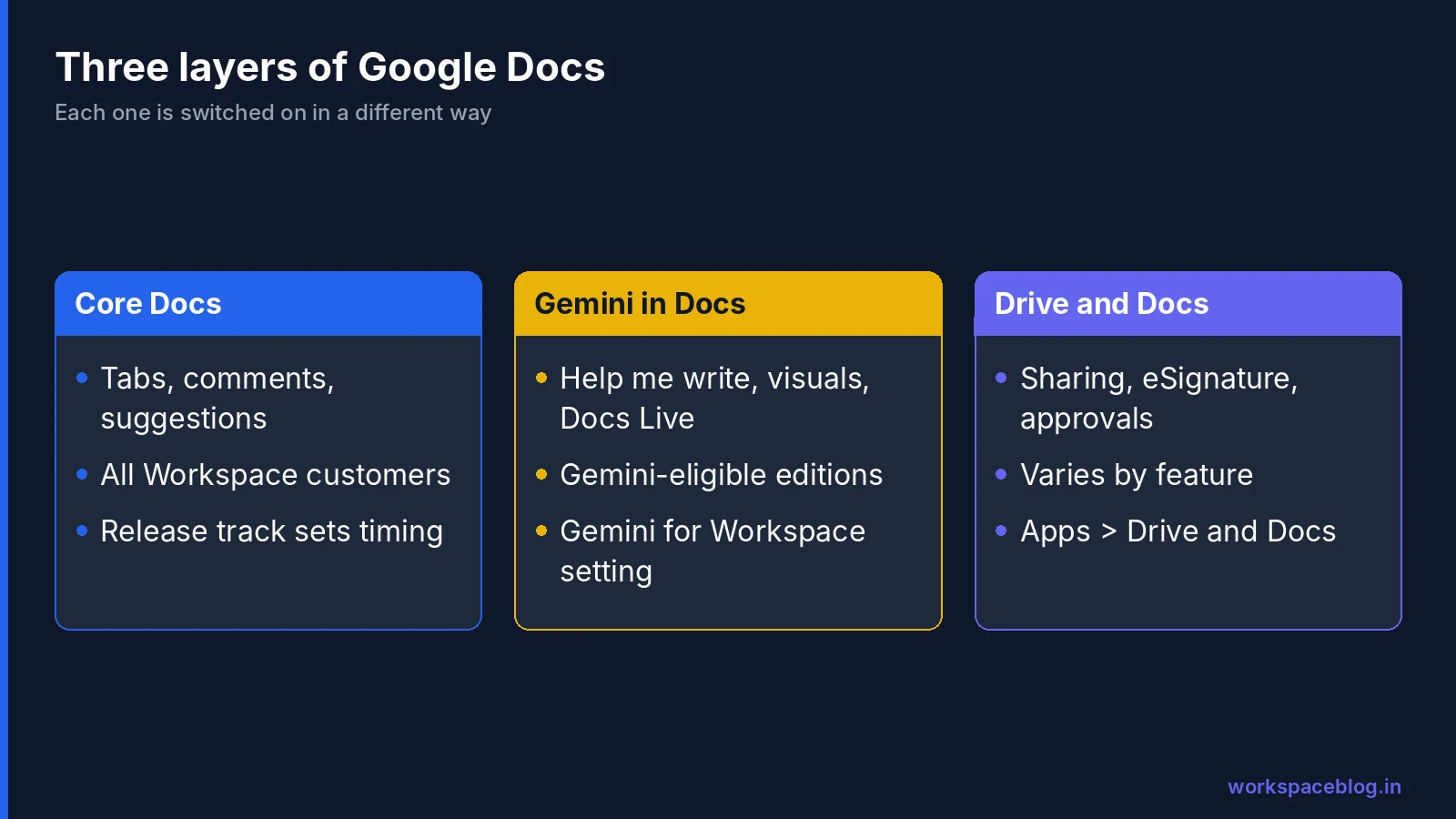
It helps to think of Docs in three layers, because each one is controlled in a different place:
| Layer | What it includes | Who gets it | How it is controlled |
|---|---|---|---|
| Core Docs | Tabs, comments, action items, suggestions, Markdown files, offline | All Google Workspace customers | Mostly no admin control; the release track decides timing |
| Gemini in Docs | Help me create, Help me write, visuals, comment workflows, Docs Live | Gemini-eligible editions and AI add-ons | Gemini for Workspace settings and smart features |
| Drive and Docs features | Sharing, eSignature, approvals, offline policy | Varies by feature | Admin console > Apps > Google Workspace > Drive and Docs |
When a user says “I can’t see the new Docs feature”, the cause is nearly always one of three things: their release track hasn’t reached it yet, their edition doesn’t include it, or a Gemini or Drive setting is off for their organisational unit.
Core Collaboration Features
Document tabs
Tabs split a long document into sections that appear in a panel on the left, so a project plan, its risk log and its meeting notes can live in one file. Google’s help page says you can nest up to 3 tab levels and that a document has a maximum of 100 tabs. In suggestion mode people can view tabs but can’t add, move or remove them. When downloading or printing, users can choose the current tab or all tabs.
Comments, action items and reactions
Comments remain the backbone of review in Docs:
- Assign an action item by adding someone’s address with @ or + in a comment and ticking Assign to [name]. The assignee gets an email, and the task can be reassigned in a reply.
- Mention without assigning by typing @ and a name.
- Emoji reactions work on selected text and on comments.
- Resolve closes a thread; it can be reopened later.
If a file reaches its comment limit, Google suggests resolving inactive comments, then using File > Make a copy with Copy comments and suggestions.
Suggestions and approvals
Suggesting mode lets reviewers propose edits that the owner accepts or rejects. For formal sign-off, Approvals routes a file to named reviewers who approve, reject or comment from Drive and Docs. A file is approved only when every reviewer approves, a single rejection rejects it, and any edit means reviewers must approve the latest version again. Approved files are locked until someone unlocks them.
eSignature
eSignature lets users request electronic signatures on Google Docs documents and PDF files in Drive, track signature status and view an audit trail for completed contracts. Turning it off doesn’t stop users responding to signature requests they receive.
Markdown and Office files
Since October, Docs can open, edit and co-author Markdown (.md and .markdown) files without converting them, and Drive renders them as formatted previews with clickable links and tables. Google also added cross-references for Microsoft Office files in Docs, and users can now open an Office attachment from Gmail, edit it and email the latest version back to the sender from the Share menu.
Offline access
Offline access to Docs, Sheets and Slides is supported on all Workspace editions, works in Chrome and Microsoft Edge, and is on by default. Users can turn it on or off for their own accounts.
Gemini in Docs
Gemini works in Docs through a side panel and a bottom bar, and most new features build on the reimagined experience Google launched in April.
| Capability | What it does |
|---|---|
| Help me create | Generates a formatted first draft that can draw on your files, emails, chats and the web |
| Help me write | Edits the whole document or a selection; suggested edits are visible only to you until you approve them |
| Match writing style | Keeps tone consistent across a document with many contributors |
| Match doc format | Mirrors a source document’s fonts, colours, headings and table columns |
| Images, diagrams and infographics | Creates and refines visuals alongside your text, several at once; web only |
| Comment workflows | Summarises threads, drafts replies, adds comments and suggests edits from reviewer feedback; needs edit access |
| Gemini Notebook sources | Type @ to reference a notebook, and Gemini grounds its output in those sources with inline citations |
| Third-party connectors | Reach tools such as Asana, HubSpot, Salesforce and QuickBooks from the Gemini side panel |
| Custom instructions | Saved style and format rules that persist across sessions, first introduced in Docs |
A few practical points:
- Most Gemini in Docs features are on by default when Gemini for Workspace in Drive is enabled, and users must have Workspace smart features turned on.
- Turning on Workspace Intelligence widens what Help me create can do.
- Google launched Match writing style and Match doc format in English first, with other languages to follow.
- For Match writing style and Match doc format, promotional higher limits ended on 15 July 2026 and per-user limits apply now. Google hasn’t published the numbers in the announcement.
- Google announced skills for Workspace apps in September and delayed them in October. On November 10, 2026 it launched them, with a Skill Builder in Docs for drafting skills (Rapid Release from November 9, Scheduled Release from November 30). Our Gemini for Google Workspace guide tracks that change.
Docs Live
Docs Live is a hands-free thought partner and co-writer in the Google Docs mobile app on Android and iOS. You talk through what you need, such as a project brief, an executive summary or a client memo, and Gemini turns the conversation into a structured document. With permission it can draw context from Gmail, Drive, Chat and the web.
Google first announced Docs Live on 3 September 2026 for Google AI Pro and Ultra subscribers. On 21 October 2026 it began rolling out to eligible Workspace users. It is on by default for users with Gemini in Docs enabled, and admins manage it through the same Gemini access settings as the rest of Gemini in Docs. Google’s announcement doesn’t mention a web version or list supported languages.
If your organisation already uses Gemini Notebook for research, the notebook grounding feature is the one to show teams first. For the Google Cloud edition of notebooks, see our Gemini Notebook for business guide (formerly Gemini Notebook Enterprise).
Edition Availability
| Feature | Editions Google lists |
|---|---|
| Core Docs (tabs, comments, suggestions) | All Google Workspace customers |
| Markdown files in Docs and Drive | All Google Workspace customers and personal accounts |
| Offline access | All Google Workspace, Cloud Identity and G Suite editions |
| eSignature | Business Standard and Plus, Enterprise Standard and Plus, Education Plus, Enterprise Essentials and Essentials Plus |
| Approvals | Business Standard and Plus, Enterprise Standard and Plus, Education Plus, Essentials, Enterprise Essentials and Essentials Plus |
| Help me create, Help me write, Match style and format | Business Standard and Plus, Enterprise Standard and Plus, Education Plus, AI add-ons |
| Visuals, comment workflows, Notebook sources | Business Standard and Plus, Enterprise Standard and Plus, Education Plus, AI add-ons |
| Docs Live | Business Standard and Plus, Enterprise Standard and Plus, Google AI Pro for Education, AI Expanded Access |
| Drive sharing boundaries (DLP rules) | Enterprise Standard and Plus, Education Standard and Plus, Enterprise Essentials, Frontline Standard and Plus |
Edition lists come from each official announcement or Admin Help page and differ slightly between features, so check the specific source before promising a feature to a team. Business Starter gets the core editor, but it doesn’t appear in Google’s lists for the Gemini in Docs features above, eSignature or approvals. For the wider picture, see our Business Starter vs Standard vs Plus comparison.
Admin Settings That Matter
| Setting | Where | What it does |
|---|---|---|
| Gemini in Workspace services | Generative AI > Gemini for Workspace > Feature access | Turns Gemini on or off for Docs, together with Drive, Sheets, Slides, Forms, Drawings and Vids |
| External sharing | Apps > Google Workspace > Drive and Docs > Sharing settings > Sharing options | Controls sharing outside the organisation, including allowlisted domains |
| eSignature | Apps > Google Workspace > Drive and Docs > eSignature | Lets users request signatures; on by default |
| Approvals | Apps > Google Workspace > Drive and Docs > Approvals | Allows approval requests on your files from outside, and your users’ requests on external files |
| Offline | Apps > Google Workspace > Drive and Docs > Features and Applications > Offline | Allow users to enable offline access (recommended) |
| Sharing boundaries | Data protection rules, with Google Drive as the app and block sharing | Combines audience and sensitivity in one rule |
| Third-party connectors | Apps > Google Workspace Marketplace apps > Apps list | Controls which connectors users can reach from the Gemini side panel |
Things worth knowing:
- Drive and Docs settings need the Drive & Docs administrator privilege, and most can be set per organisational unit or configuration group. Group settings override OUs. Our organisational units guide covers how that inheritance works.
- Gemini features in Workspace services are on by default. Google’s Admin Help page lists the Feature access panel for Enterprise Standard and Plus, the Teaching and Learning add-on, Education Plus and Google AI Pro for Education.
- Turning Gemini off for Docs doesn’t stop a user reaching a document through Gemini in another app, such as Gmail.
- A common pattern is to turn external sharing off at the top OU and on only for the teams that need it. Our shared drives guide shows how to pair that with shared drive settings.
- Docs files are covered by DLP and Vault like any Drive file. See our Google Workspace data loss prevention (DLP) guide and Google Vault eDiscovery guide.
The admin settings page for Docs editors also links to settings for file creation and upload, Smart Compose, chat in Docs editors, Activity dashboard visibility, trust rules for Drive sharing, default templates and third-party apps for Drive files.
Security and compliance controls for Docs files
Docs files are Drive files, so the Drive security and compliance controls apply to them.
| Control | What it does for Docs | Editions Google lists |
|---|---|---|
| Client-side encryption | Encrypts document content with keys your organisation controls | Enterprise Plus, Education Standard and Plus, Frontline Plus |
| Classification labels | Badged or standard labels on files; a label can be a condition or action in DLP rules, and users can search Drive by label | Check Google’s labels page for your edition |
| Vault retention | Retains files in users’ Drives and shared drives; rules can use Drive label fields | Vault editions; label-based rules on Business Standard and Plus, Enterprise, Education Standard and Plus, Essentials editions |
| Drive log events | Records events such as View, Edit, Download, Print and external sharing, under Reporting > Audit and investigation > Drive log events | Most events are logged only for files owned by users with supported editions |
Encrypted documents behave differently. Google says real-time collaboration isn’t available in encrypted files, Suggestions in Docs aren’t available, and the Commenter permission is unsupported, while comments, action items and emoji reactions still work. Encrypted Docs can’t be opened in the Drive mobile app. Our audit logs guide covers investigating Drive events.
Recent Updates
This table lists Docs-related updates from Workspace Updates and Google’s official blogs, newest first. “Rapid” and “Scheduled” are the release tracks. We add new rows as Google ships Docs changes.
| Date | Update | Who gets it | Admin control |
|---|---|---|---|
| 10 Nov 2026 | Skills arrive in Workspace: invoke them in Docs, and draft new ones with the Docs Skill Builder (Rapid from 9 Nov, Scheduled from 30 Nov) | Business Starter, Standard and Plus, Enterprise Starter, Standard and Plus, AI Pro for Education, AI Expanded Access | On by default; admins can turn off by domain, OU or group |
| 5 Nov 2026 | Beta: automatically apply client-side encryption to confidential Docs, Sheets, Slides and Drive files with Workspace rules (Policy-Based Enforcement); files are encrypted in place and keep their URL | Enterprise Plus with Assured Controls or Assured Controls Plus, enrolled in the beta | Off by default; rules set in the Admin console |
| 29 Oct 2026 | Office editing mode adds cross-references for Office files, and edited Gmail attachments can be emailed back from the Share menu | Google Workspace customers | Not stated |
| 29 Oct 2026 | Draft Google Docs files directly in the Gemini app (web) | All Workspace customers, Workspace Individual | None; Gemini app on or off |
| 22 Oct 2026 | Vault filtered exports for Gemini in Workspace, including Docs | Vault editions | Vault settings |
| 21 Oct 2026 | Docs Live on the Docs mobile app for Android and iOS, available now on both tracks | Business Standard and Plus, Enterprise Standard and Plus, AI add-ons | On by default with Gemini in Docs |
| 5 Oct 2026 | View, edit and collaborate on Markdown files in Docs, with previews in Drive (gradual, up to 15 days) | All Workspace customers | None |
| 30 Sep 2026 | Comments and suggestions through the Docs API (from 30 Sep, up to 15 days) | All Workspace customers | API access controls |
| 23 Sep 2026 | Ground Gemini in Docs on Gemini Notebook sources with @, available now | Business Standard and Plus, Enterprise Standard and Plus, Education Plus, AI add-ons | On with Gemini in Drive |
| 15 Sep 2026 | Third-party connectors in the Gemini side panel in Docs, available now | Business Standard and Plus, Enterprise Standard and Plus, Enterprise Essentials Plus, AI add-ons | Marketplace apps list |
| 15 Sep 2026 | Drive sharing boundaries with unified data protection rules (from 14 Sep) | Enterprise Standard and Plus, Education Standard and Plus, Frontline Standard and Plus | DLP rules |
| 3 Sep 2026 | Docs Live announced for Google AI Pro and Ultra subscribers | Consumer plans first | - |
| 2 Sep 2026 | Custom instructions, first in Docs, extended to Drive, Chat, Gmail, Sheets and Slides | Users with those Gemini features | None |
| 28 Aug 2026 | Gemini-based data classification for Drive files, open beta | Enterprise Plus, Frontline Plus, Google AI Pro for Education | Data classification settings |
| 28 Jul 2026 | Gemini comment workflows in Docs (from 28 Jul, up to 15 days) | Business Standard and Plus, Enterprise Standard and Plus, Education Plus, AI add-ons | On with Gemini in Drive |
| 28 Jul 2026 | Generate and edit images, diagrams and infographics with Gemini in Docs, web only (from 28 Jul, up to 15 days) | Business Standard and Plus, Enterprise Standard and Plus, Education Plus, AI add-ons | On with Gemini in Drive |
Rolling Out Docs Changes Smoothly
- Put a pilot OU on Rapid Release so a few heavy Docs users see changes first.
- Decide on Gemini per OU at Generative AI > Gemini for Workspace, and check smart features are on for those users.
- Tell mobile users about Docs Live, and remind them it can pull from Gmail, Drive and Chat with their permission.
- Review external sharing and approvals together, so external reviewers can sign off without opening sharing too widely.
- Train contract owners on eSignature before they buy a separate signing tool.
- Check Markdown handling if your developers keep documentation as .md files in Drive. Teams moving from Microsoft 365 should also read our migration guide.
- Revisit this page when Google posts new Docs updates.
Conclusion
Google Docs for business now has three layers: a collaborative editor available to everyone, a Gemini layer that drafts, reviews and talks with you through Docs Live, and Drive and Docs settings that decide how far documents travel. Most new editor features arrive without an admin switch, so your real controls are the release track, Gemini settings by OU and Drive sharing. Keep an eye on the updates table and you’ll know what your users are about to see in Google Workspace.
Official Google documentation:
- Use document tabs in Google Docs
- Use comments, action items and emoji reactions
- Manage Docs and other editor apps for your organisation
- Manage access to Gemini features in Workspace services
- Manage external sharing for your organisation
- Turn eSignature on or off for users
- Manage Approvals
- About client-side encryption
- Collaborate on encrypted files in Docs, Sheets and Slides
- Get started as a classification labels admin
- Retain Drive files with Vault
- Drive log events
- Set up offline access to Docs, Sheets and Slides
- New Gemini capabilities in Google Docs (Workspace Updates)
- Generate and edit visuals with Gemini in Google Docs (Workspace Updates)
- Gemini-powered comment workflows in Google Docs (Workspace Updates)
- Gemini-based data classification in Google Drive (Workspace Updates)
- Custom instructions for Gemini in more apps (Workspace Updates)
- Use your voice to get more done in Gmail, Docs and Keep (Google blog)
- Connect to more tools with Gemini in Google Workspace (Workspace Updates)
- Sharing boundaries for Google Drive with data protection rules (Workspace Updates)
- Ground AI prompts in Google Docs on Gemini Notebook sources (Workspace Updates)
- Comments and suggestions in the Docs, Sheets and Slides APIs (Workspace Updates)
- Markdown files in Drive and Docs (Workspace Updates)
- Docs Live in Google Docs on mobile (Workspace Updates)
- Vault filtered exports for Gemini in Workspace (Workspace Updates)
- Create, preview and edit files in the Gemini app (Workspace Updates)
- October Workspace drops (Google Workspace blog)
- Automatically apply client-side encryption to confidential Docs, Sheets, Slides and Drive files, beta (Workspace Updates)
- Skills in Google Workspace and Workspace Studio (Workspace Updates)
Related reading:
- Gmail for Business: the companion hub for Gmail features and updates.
- Gemini for Google Workspace: Complete Guide: Gemini across Gmail, Docs, Sheets and Meet.
- Business Starter vs Standard vs Plus: which plan includes which Docs features.
- Shared Drives Setup and Permissions: structure team documents safely.
- Google Workspace DLP Guide: protect sensitive content in Docs files.
- Gemini Notebook for business Guide: notebooks on Google Cloud, formerly NotebookLM Enterprise.
This guide contains referral or affiliate links. If you sign up through one, Workspace Blog may earn a commission at no extra cost to you. Read our referral and advertising disclosure.
Frequently Asked Questions
- What is Docs Live in Google Docs?
- Docs Live is a voice feature in the Google Docs mobile app on Android and iOS. You talk through an idea and Gemini helps build a structured document, drawing on Gmail, Drive, Chat and the web where useful. Google started rolling it out to Workspace users on 21 October 2026.
- Which Google Workspace editions include Gemini in Docs?
- Recent Gemini in Docs launches, including Docs Live, list Business Standard and Plus, Enterprise Standard and Plus, and add-ons such as Google AI Pro for Education and AI Expanded Access. Lists vary slightly by feature. Core Docs features are available to all Workspace customers.
- Can admins turn off Gemini in Google Docs?
- Yes, at Generative AI > Gemini for Workspace > Feature access in the Admin console. Docs is controlled in one entry with Drive, Sheets, Slides, Forms, Drawings and Vids, by organisational unit or configuration group. Docs Live is on by default for users who have Gemini in Docs.
- Can Google Docs open and edit Markdown files?
- Yes. Since 5 October 2026 Google has been rolling out native Markdown support, so users can view, edit and collaborate on .md and .markdown files in Docs without converting them, and Drive shows rendered previews. It is available to all Workspace customers and has no admin control.
- Which editions include eSignature and approvals in Docs?
- Both list Business Standard and Plus, Enterprise Standard and Plus, Education Plus and the Enterprise Essentials editions. Admins manage them at Apps > Google Workspace > Drive and Docs, under eSignature and Approvals. eSignature is on by default.